1. Introduction
This manual provides essential instructions for the proper use and maintenance of your Panasonic RP-HT010GU-H On-Ear Headphones. Please read this manual thoroughly before using the product to ensure optimal performance and longevity.
The Panasonic RP-HT010GU-H headphones are designed for audio playback from various devices, including iPods, MP3 players, tablets, cellphones, laptops, and desktops. They feature a wired connection and an on-ear design for comfortable listening.
2. Package Contents
Verify that all items listed below are included in your package:
- Panasonic RP-HT010GU-H On-Ear Headphones
- Ear Cushions (pre-installed or separate)
- Headband (integrated)
3. Setup and Connection
Follow these steps to set up and connect your headphones:
- Adjust the Headband: Gently extend or retract the headband on both sides to achieve a comfortable fit over your ears. The earcups should rest comfortably on your ears without excessive pressure.
- Connect to Audio Source: Insert the 3.5 mm audio jack of the headphone cable into the headphone port of your audio device (e.g., MP3 player, smartphone, laptop). Ensure the connection is secure.
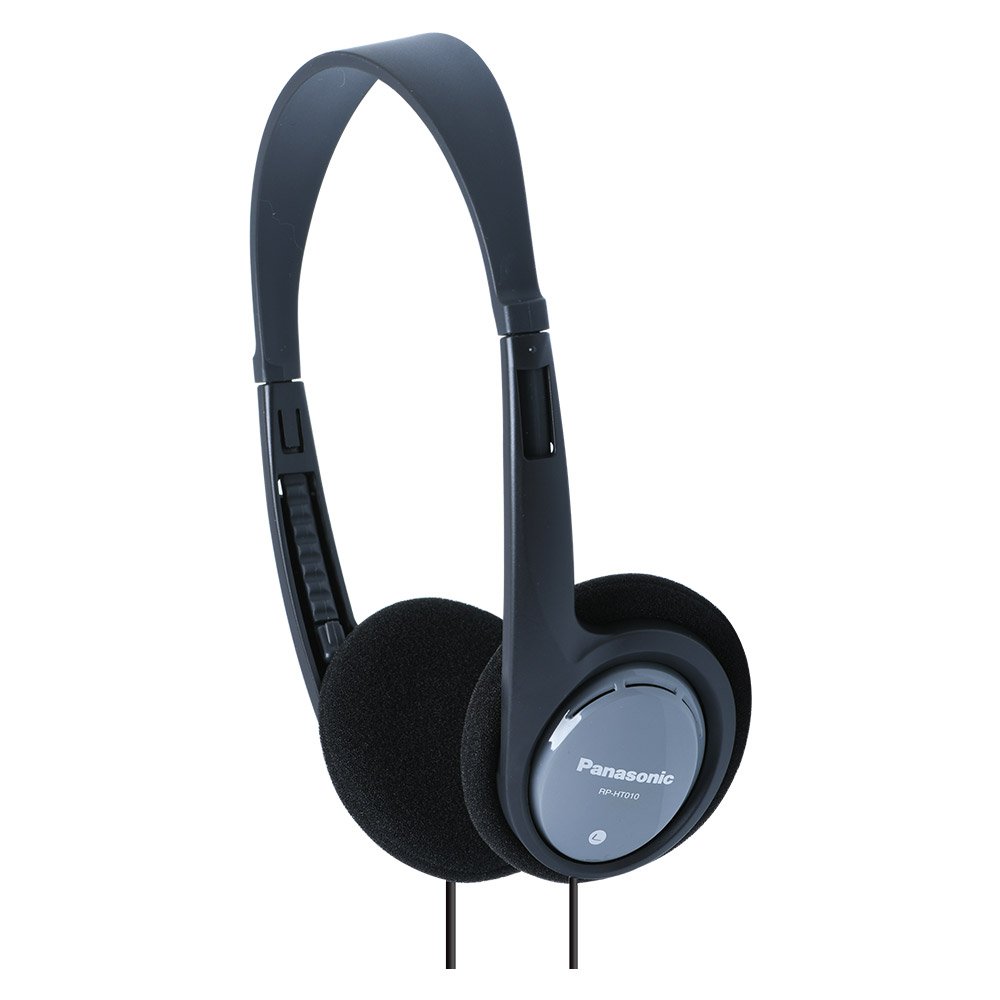
Figure 3.1: Panasonic RP-HT010GU-H On-Ear Headphones. This image displays the headphones with their adjustable headband and soft ear cushions, ready for connection to an audio device.
4. Operating Instructions
Once connected, you can begin using your headphones:
- Audio Playback: Start playing audio from your connected device.
- Volume Control: Adjust the volume directly on your audio source device. These headphones do not feature integrated volume controls.
- Comfort: Ensure the earcups are positioned correctly over your ears for optimal sound quality and comfort. The movable housing allows for a comfortable fit.
5. Maintenance and Care
Proper care will extend the life of your headphones:
- Cleaning: Use a soft, dry cloth to wipe the exterior of the headphones. For ear cushions, gently wipe with a slightly damp cloth and allow to air dry completely before use. Do not use harsh chemicals or abrasive cleaners.
- Storage: When not in use, store the headphones in a clean, dry place away from direct sunlight and extreme temperatures. Avoid tangling the cord.
- Handling: Avoid pulling the cable forcefully or bending the jack at sharp angles, as this can damage the internal wiring.
6. Troubleshooting
If you encounter issues with your headphones, refer to the following common solutions:
- No Sound:
- Ensure the 3.5 mm audio jack is fully inserted into your device's port.
- Check the volume level on your audio source device.
- Test the headphones with a different audio device to rule out a device-specific issue.
- Poor Sound Quality (Distortion, Low Volume):
- Verify the audio jack is clean and free of debris.
- Adjust the volume on your audio source.
- Ensure the audio file or streaming quality is adequate.
- Headphones are Uncomfortable:
- Re-adjust the headband for a looser or tighter fit.
- Ensure earcups are properly aligned with your ears.
7. Specifications
Key technical specifications for the Panasonic RP-HT010GU-H headphones:
| Feature | Specification |
|---|---|
| Model Name | RP-HT010GU-H |
| Connectivity Technology | Wired (3.5 mm Jack) |
| Ear Placement | On Ear |
| Driver Size | 30 mm |
| Frequency Range | 16 Hz - 22000 Hz |
| Impedance | 24 Ohm |
| Sensitivity/Sound Pressure Level | 102 dB/mW |
| Cord Length | 120 cm |
| Item Weight | 118 g |
| Product Dimensions (LxWxH) | 14 x 3 x 17 cm |
| Noise Control | Sound Isolation |
| Compatible Devices | Tablets, Cellphones, Laptops, Desktops, MP3 Players, Smartphones |
8. Warranty and Support
Your Panasonic RP-HT010GU-H headphones are covered by a 1-year manufacturer warranty from the date of purchase. This warranty covers manufacturing defects under normal use.
For warranty claims, technical support, or service inquiries, please contact Panasonic customer service. Keep your purchase receipt as proof of purchase.
For further assistance, please refer to the official Panasonic support website or contact their customer service helpline in your region.


