
1. Introduction
Thank you for purchasing the Ibanez LU20-BK Chromatic Pedal Tuner. This digital chromatic pedal tuner is designed for precise and reliable instrument tuning, featuring a bright LED display for clear visibility. Its durable diecast housing ensures longevity and road-worthiness. This manual provides essential information for the proper setup, operation, and maintenance of your LU20-BK tuner.
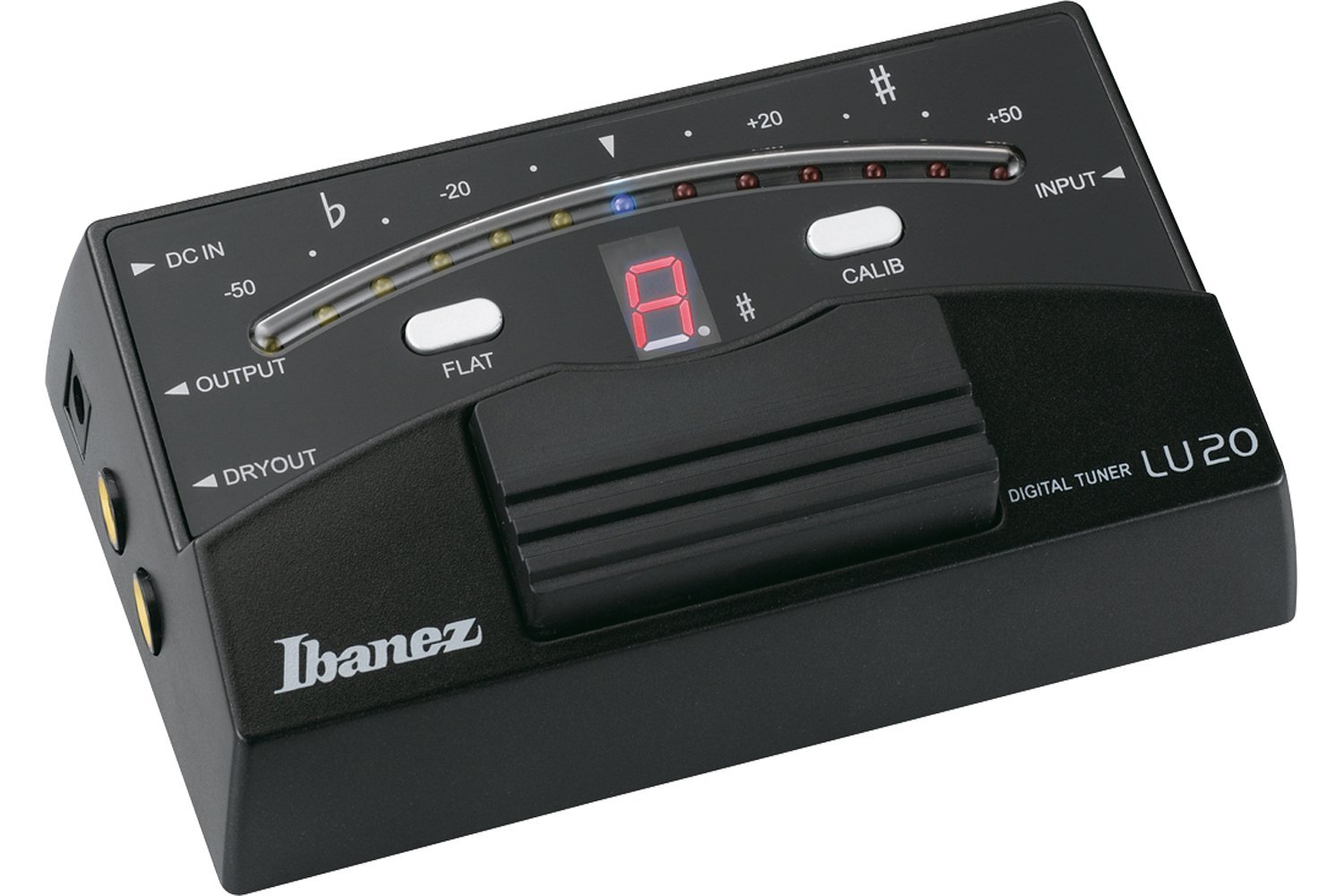
Figure 1: Front view of the Ibanez LU20-BK Chromatic Pedal Tuner. The image shows the black pedal tuner with its footswitch and LED display.
2. Safety Information
- Power Supply: Use only a compatible mains adapter (not included) with the correct voltage and polarity. Incorrect power supplies can damage the unit.
- Environment: Avoid exposing the tuner to extreme temperatures, high humidity, dust, or direct sunlight.
- Cleaning: Disconnect power before cleaning. Use a soft, dry cloth. Do not use liquid cleaners or solvents.
- Servicing: Do not attempt to service the unit yourself. Refer all servicing to qualified personnel.
3. Setup
- Connect Instrument: Plug your instrument cable into the INPUT jack on the tuner.
- Connect Amplifier/Effects (Optional): If you are using the tuner in your signal chain, connect a cable from the OUTPUT jack to your amplifier or next effect pedal.
- Connect Power: Connect a compatible 9V DC mains adapter (center negative, not included) to the DC IN jack. The tuner will power on automatically.
- Placement: Place the tuner on a stable surface, such as a pedalboard or floor, where it is easily accessible during performance.
4. Operating Instructions
4.1 Basic Tuning
- Activate Tuner: Press the footswitch to engage the tuning mode. The LED display will illuminate.
- Play a Note: Pluck a single string on your instrument. The tuner will detect the note and display it on the LED screen.
- Adjust Pitch: Adjust your instrument's tuning pegs until the LED display indicates the correct pitch. The three-color indicator will guide you:
- Red/Orange: Flat or Sharp
- Green: In Tune
- Deactivate Tuner: Press the footswitch again to disengage the tuning mode. The signal will pass through the tuner unaffected (True Bypass).
4.2 Calibration
The LU20-BK tuner allows for calibration of the A4 reference pitch. The default calibration is typically 440 Hz. To adjust the calibration:
- Refer to the specific instructions provided with your tuner for calibration adjustment, as this may involve holding the footswitch or a specific button during power-up. The adjustable range is A436 Hz - A445 Hz.
4.3 Muting Function (True Bypass)
When the tuner is engaged (LED display active), the output signal is muted, allowing for silent tuning on stage or during practice. When the tuner is disengaged, the signal passes directly through the unit without any tonal alteration, thanks to its true bypass circuitry. This ensures the truest tone when the tuner is not in use.
5. Maintenance
- Cleaning: Use a soft, dry cloth to wipe the exterior of the tuner. Do not use abrasive cleaners, waxes, or solvents.
- Storage: When not in use for extended periods, store the tuner in a cool, dry place, away from direct sunlight and extreme temperatures.
- Power: Always disconnect the power adapter when the unit is not in use to prevent unnecessary wear.
6. Troubleshooting
- No Power:
- Ensure the power adapter is correctly connected and is the correct voltage (9V DC, center negative).
- Check the power outlet.
- No Signal Output:
- Ensure the tuner is disengaged (footswitch pressed, LED display off) for signal pass-through.
- Check all cables (instrument, output, power) for proper connection and integrity.
- Test with different cables or another instrument/amplifier to isolate the issue.
- Inaccurate Tuning:
- Ensure only one string is vibrating when tuning. Mute other strings.
- Check the calibration setting (A436 Hz - A445 Hz) to ensure it matches your desired reference pitch.
- Ensure your instrument's intonation is correctly set.
7. Specifications
| Model: | LU20-BK |
| Tuning Type: | Chromatic Pedal Tuner |
| Display: | Bright LED with three-color indicator |
| Calibration Range: | A436 Hz - A445 Hz |
| Bypass: | True Bypass |
| Power Supply: | 9V DC mains adapter (center negative, not included) |
| Housing: | Durable Diecast |
| Item Weight: | 1.1 pounds (approx. 0.5 kg) |
| Package Dimensions: | 7.09 x 4.33 x 2.36 inches (approx. 18 x 11 x 6 cm) |
8. Warranty and Support
Ibanez products are manufactured to high quality standards. For information regarding warranty coverage, please refer to the warranty card included with your purchase or visit the official Ibanez website. For technical support, service, or replacement parts, please contact your authorized Ibanez dealer or distributor.
Official Ibanez Website: www.ibanez.com