
ABUS 160/40 B
ABUS 160/40 C 160 All Weather Resettable Chrome Combination Padlock, 3 Dial User Manual
Model: 160/40 B
Product Overview
The ABUS 160/40 C 160 is a robust 3-dial resettable combination padlock designed for all-weather use. Featuring a chrome-plated zinc body and a hardened steel shackle, it offers reliable security for various applications. This manual provides essential information for setting up, operating, maintaining, and troubleshooting your padlock.
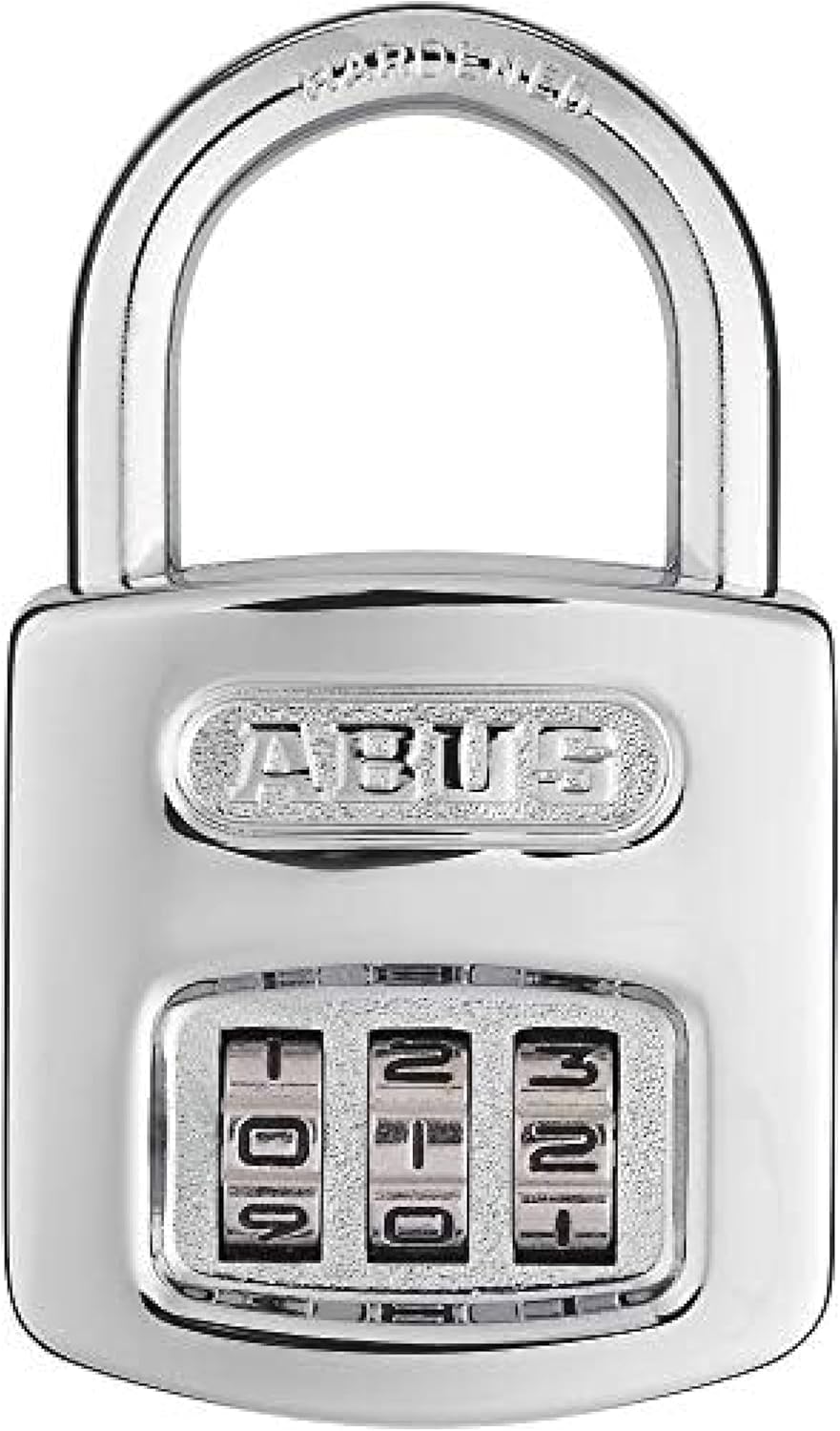
Figure 1: Front view of the ABUS 160/40 C 160 padlock, highlighting its chrome-plated finish and the three resettable combination dials.
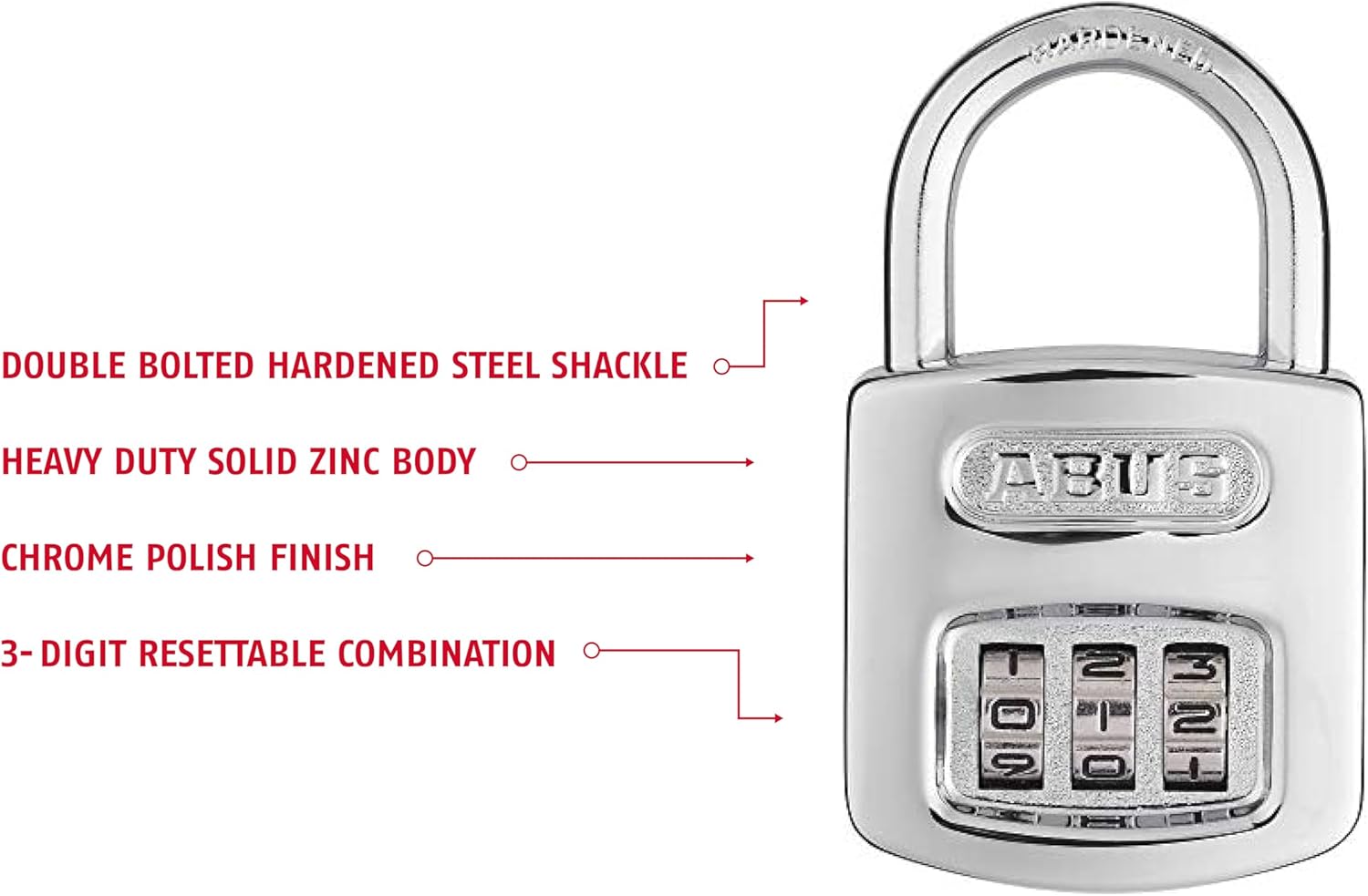
Figure 2: Key features of the ABUS 160/40 padlock, including its hardened steel shackle and solid zinc body, designed for durability and security.
Setup: Changing the Combination
The ABUS 160/40 padlock comes with a factory-set combination of 0-0-0. You can easily reset this to a personal combination of your choice. Follow these steps carefully:
- Open the Padlock: Ensure the padlock is currently open. If it's locked, dial the current combination (factory default is 0-0-0) and pull up the shackle.
- Pull Up Shackle: With the padlock open, pull the shackle completely upwards until it is fully extended.
- Rotate Setting Screw: Locate the setting screw on the side of the padlock body (often a small slot). Use a coin or a flat-head screwdriver to turn this screw clockwise approximately 120 degrees. You should hear and feel a click as it locks into position.
- Set New Combination: While the setting screw is in the rotated position, dial your desired new 3-digit combination on the wheels. Ensure the numbers are aligned precisely with the indicator line.
- Return Setting Screw: Turn the setting screw counter-clockwise back to its original position. The screw slot must be in line with the shackle. This action locks in your new combination.
- Test New Combination: Scramble the dials and then re-enter your new combination to ensure it opens correctly.

Figure 3: Visual guide for resetting the combination, illustrating the shackle position and the setting screw.
Operating the Padlock
Using your ABUS 160/40 padlock is straightforward once the combination is set.
To Open the Padlock:
- Align the three numerical dials to your set combination.
- Pull the shackle upwards to release the lock.
To Lock the Padlock:
- Ensure the shackle is fully inserted into the padlock body.
- Scramble the numerical dials to a random sequence. This secures the padlock and prevents unauthorized opening.

Figure 4: The ABUS 160/40 padlock in an open position, ready for use or to be locked.
Maintenance
To ensure the longevity and smooth operation of your ABUS 160/40 padlock, consider the following maintenance tips:
- Keep Dials Clean: Periodically wipe the numerical dials with a clean, dry cloth to remove dirt and grime, especially if used outdoors.
- Lubrication: If the dials become stiff or difficult to turn, apply a small amount of graphite lubricant or a silicone-based spray lubricant to the moving parts of the dials and shackle mechanism. Avoid oil-based lubricants as they can attract dust.
- Storage: When not in use for extended periods, store the padlock in a dry environment to prevent moisture buildup, although it is designed for all-weather conditions.
Troubleshooting
If you encounter issues with your ABUS 160/40 padlock, refer to the following common problems and solutions:
| Problem | Possible Cause | Solution |
|---|---|---|
| Dials are stiff or hard to turn. | Accumulation of dirt, dust, or lack of lubrication. | Clean the dials thoroughly. Apply a small amount of graphite or silicone-based lubricant to the dial mechanism. Work the dials back and forth to distribute the lubricant. |
| Padlock will not open with the correct combination. | Dials not perfectly aligned, or combination was incorrectly set. | Ensure each number is precisely aligned with the indicator line. Double-check your combination. If you recently changed the combination, ensure the setting screw was fully returned to its original position after setting the new code. |
| Shackle is stuck or difficult to depress/pull up. | Internal mechanism obstruction or corrosion. | Apply lubricant to the shackle entry points and work the shackle up and down. If the issue persists, contact ABUS customer support. |
Specifications
Detailed technical specifications for the ABUS 160/40 C 160 padlock:
| Feature | Detail |
|---|---|
| Model Name | 160/40 B |
| Lock Type | Combination Lock |
| Number of Dials | 3 |
| Resettable | Yes |
| Body Material | Zinc |
| Body Finish | Chrome Plated |
| Body Dimensions (L x W x H) | 6.7 x 3.7 x 0.5 inches (approximate overall product dimensions) |
| Body Width | 1-1/2 inches (38mm) |
| Body Height | 2 inches (51mm) |
| Body Thickness | 11/16 inches (17mm) |
| Shackle Material | Hardened Steel |
| Shackle Diameter | 1/4 inches (6mm) |
| Shackle Height (Vertical Clearance) | 7/8 inches (22mm) |
| Shackle Width (Horizontal Clearance) | 15/16 inches (24mm) |
| Item Weight | 131.54 Grams (4.6 ounces) |
| Recommended Uses | Security |

Figure 5: Dimensional drawing of the ABUS 160/40 padlock, providing precise measurements for various components.
Warranty Information
ABUS products are manufactured to high standards and come with a warranty against manufacturing defects. The specific warranty period is typically indicated on the product packaging.
Warranty Description: If an ABUS product fails to work properly due to a manufacturing defect, return it to ABUS postage prepaid, and we will return it repaired or replaced at our discretion. ABUS products are warranted for specific periods of time from date of purchase. Specific warranty periods appear on the packaging.
For warranty claims or inquiries, please retain your proof of purchase.
Support
For further assistance, technical support, or product information, please visit the official ABUS website or contact their customer service department. Always refer to the model number (160/40 B) when seeking support.
You can find more information and contact details on the ABUS Store on Amazon or their official corporate website.
Related documents160/40 B


Ask a question about this manual
Ask about setup, troubleshooting, compatibility, parts, safety, or missing instructions. Manuals+ will review the question and use this page’s manual context to help answer it.