
Introduction
This manual provides essential information for the proper installation, operation, and maintenance of your AMPIRE PD400COL LED display. This display is designed to integrate with AMPIRE PS400C and PSA400C parking assistance systems, providing visual feedback on object distance and direction. Please read these instructions carefully before use to ensure optimal performance and safety.
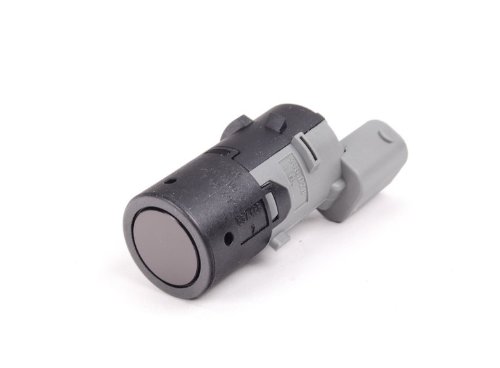
Setup (Installation)
The PD400COL LED display is designed for straightforward integration with compatible AMPIRE parking assistance control units.
Connecting the Display
- Locate the dedicated LED display socket on your AMPIRE PS400C or PSA400C control unit.
- Carefully insert the connector from the PD400COL LED display into this socket. Ensure a secure connection.
Mounting the Display
- The display is designed for integration on any dashboard. Choose a location that provides clear visibility to the driver without obstructing the view of the road or other vehicle controls.
- Use appropriate mounting methods (e.g., adhesive pads, brackets – not included unless specified by the main parking system manual) to secure the display firmly.
Note: This display is not compatible with older PS400 or PSA401 models. Refer to your main parking assistance system manual for specific compatibility details.
Operation
Once connected to a compatible AMPIRE PS400C or PSA400C parking assistance system and the vehicle's ignition is on, the PD400COL LED display will activate automatically when the parking assistance system detects an object.
Visual Feedback
- The display provides visual cues regarding the distance to a detected object. As the vehicle approaches an object, the LED segments will illuminate, typically indicating decreasing distance.
- The display also indicates the object's position relative to the vehicle (right or left side). This helps the driver to accurately gauge the object's location.
- Consult your main parking assistance system manual for detailed information on specific visual patterns and audible warnings, as the PD400COL display works in conjunction with the primary system.
Maintenance
The AMPIRE PD400COL LED display requires minimal maintenance.
Cleaning
- To clean the display surface, use a soft, dry, or slightly damp cloth. Avoid abrasive cleaners, solvents, or harsh chemicals, as these can damage the display's finish.
Inspection
- Periodically check the display and its connections for any signs of damage or loose wiring. Ensure the display remains securely mounted.
- If any issues are observed, refer to the Troubleshooting section or contact customer support.
Troubleshooting
If you experience issues with your AMPIRE PD400COL LED display, consider the following common solutions:
Display Not Illuminating
- Ensure the display is securely connected to the control unit's LED display socket.
- Verify that the vehicle's ignition is on and the parking assistance system is active.
- Check the main parking assistance system (PS400C/PSA400C) for power and operational status. The LED display relies on the main unit for power and signals.
Incorrect Distance or Direction Indication
- This issue is typically related to the main parking assistance system's sensors or control unit. Refer to the troubleshooting section of your PS400C/PSA400C manual.
- Ensure the display is correctly oriented if applicable (though typically fixed by connector).
Display Flickering or Intermittent Operation
- Check all cable connections for looseness or damage.
- Ensure there are no strong electromagnetic interferences near the display or control unit.
If problems persist after attempting these solutions, contact AMPIRE customer support or a qualified technician.
Specifications
| Feature | Detail |
|---|---|
| Model | PD400COL |
| Compatibility | AMPIRE PS400C, PSA400C Parking Assistance Systems (Not compatible with older PS400, PSA401) |
| Function | LED display for object distance and direction (right/left) |
| Dimensions (L x W x H) | 140 x 21 x 13 mm |
| Manufacturer | Ampire |
| Part Number | 02072PD400COL |
Warranty and Support
For warranty information, please refer to the documentation provided with your complete AMPIRE parking assistance system (PS400C/PSA400C) or contact your authorized AMPIRE dealer.
For technical support or service inquiries, please visit the official AMPIRE website or contact their customer service department.