
Introduction
Thank you for choosing the VideoSecu Ultra Low Profile TV Wall Mount. This manual provides detailed instructions for the safe and proper installation, operation, and maintenance of your wall mount. Please read all instructions carefully before beginning installation to ensure a secure and successful setup. This mount is designed for most 32-inch to 65-inch flat panel televisions, with some compatibility up to 70-75 inches, provided the VESA pattern and weight limits are respected.
Safety Information
- Weight Capacity: Do not exceed the maximum weight capacity of 165 lbs (75 kg). Exceeding this limit can result in serious injury or property damage.
- Screen Size: This mount is designed for TVs between 32 and 65 inches, and some up to 70-75 inches. Always verify your TV's VESA pattern and weight before installation.
- Wall Structure: Ensure the mounting surface can safely support the combined weight of the mount and your television. For wood stud walls, ensure studs are solid. For concrete or brick walls, use appropriate anchors (not always included).
- Professional Installation: If you are unsure about the installation process or the suitability of your wall, consult a qualified professional.
- Tools: Use appropriate tools for installation. Always wear safety glasses.
- Children: Keep children away during installation. Small parts may be a choking hazard.
Package Contents
Please verify that all components are present and undamaged before installation. If any parts are missing or damaged, contact VideoSecu customer support.
- Wall Plate Assembly
- TV Mounting Brackets (2 pieces)
- Assorted TV Screws and Spacers
- Wall Mounting Hardware (Lag bolts, washers, concrete anchors if applicable)
- Instruction Manual
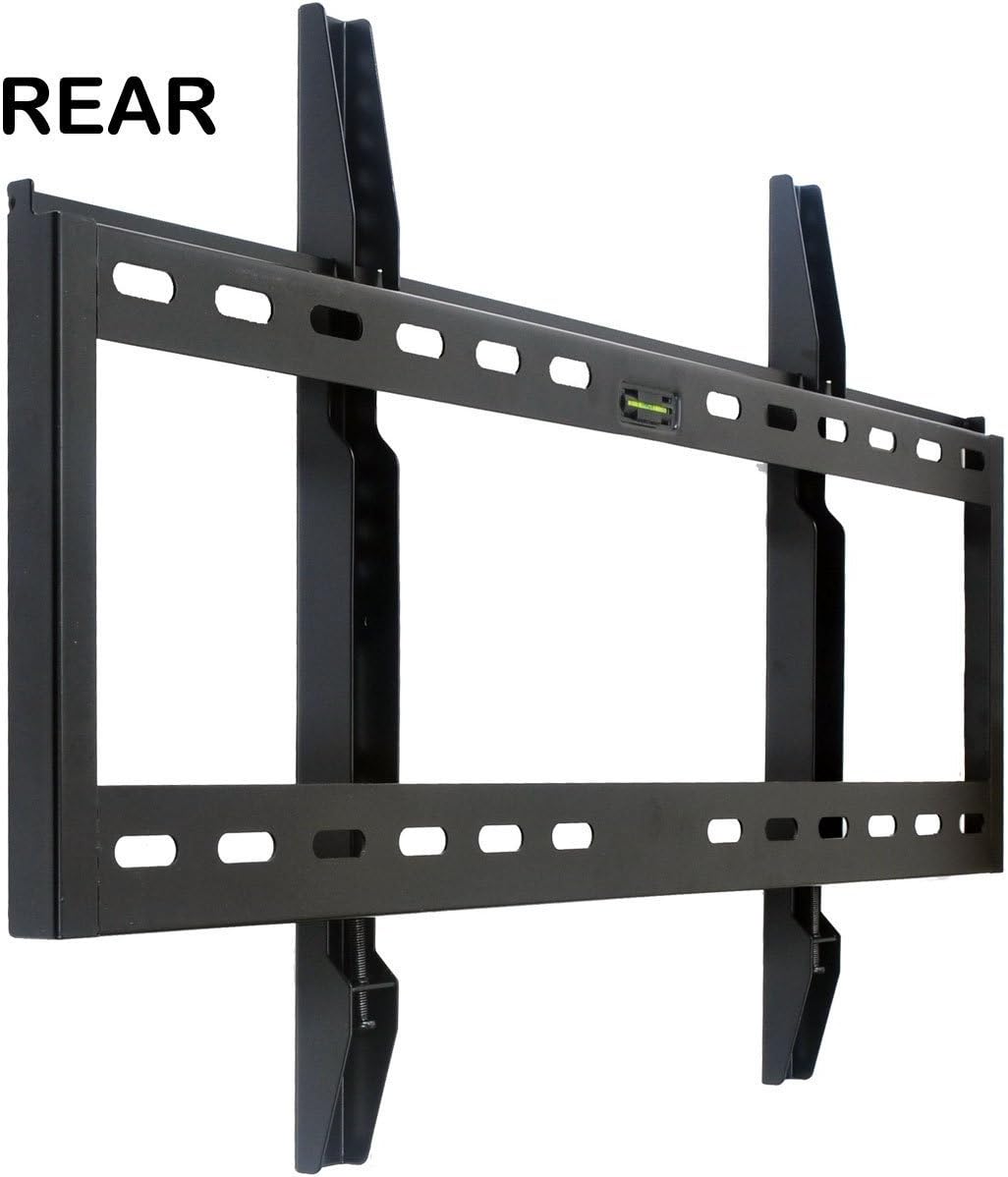
Image: Rear view of the VideoSecu Ultra Low Profile TV Wall Mount. This image displays the main wall plate with an integrated level and the two vertical TV mounting brackets that attach to the television.
Installation Instructions
Step 1: Pre-Installation Checks
- Verify TV Compatibility: Check your TV's VESA mounting pattern and weight. This mount supports VESA patterns from 100x100mm to 680x400mm and TVs up to 165 lbs.
- Identify Wall Type: Determine if your wall is wood stud, concrete, or brick. Different hardware and techniques are required for each.
- Gather Tools: You will need a drill, stud finder (for wood walls), level, measuring tape, pencil, and a screwdriver/wrench.
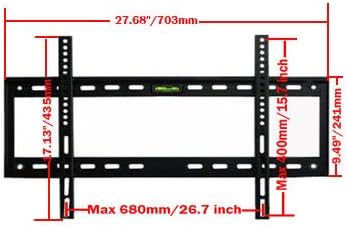
Image: Dimensional diagram of the TV wall mount. This diagram illustrates the maximum VESA compatibility (Max 680mm wide, Max 400mm high) and the overall width of the wall plate (27.68 inches / 703mm).
Step 2: Attach TV Brackets to Television
- Carefully place your TV face down on a soft, clean surface to prevent screen damage.
- Locate the mounting holes on the back of your TV.
- Select the appropriate screws and spacers from the provided hardware kit that fit your TV's mounting holes.
- Attach the two vertical TV mounting brackets to the back of your TV, ensuring they are centered and securely fastened. Do not overtighten.
Step 3: Mount Wall Plate to Wall
- Determine the desired height for your TV. Mark the position of the top mounting holes on the wall.
- For Wood Stud Walls: Use a stud finder to locate the center of two adjacent wood studs. Drill pilot holes into the studs at the marked locations. Secure the wall plate using the provided lag bolts and washers. Ensure the wall plate is level using a spirit level.
- For Concrete/Brick Walls: Drill pilot holes at the marked locations. Insert concrete anchors (if provided, otherwise purchase suitable ones). Secure the wall plate using the provided lag bolts and washers. Ensure the wall plate is level.
- Verify the wall plate is securely attached to the wall and can support the TV's weight.
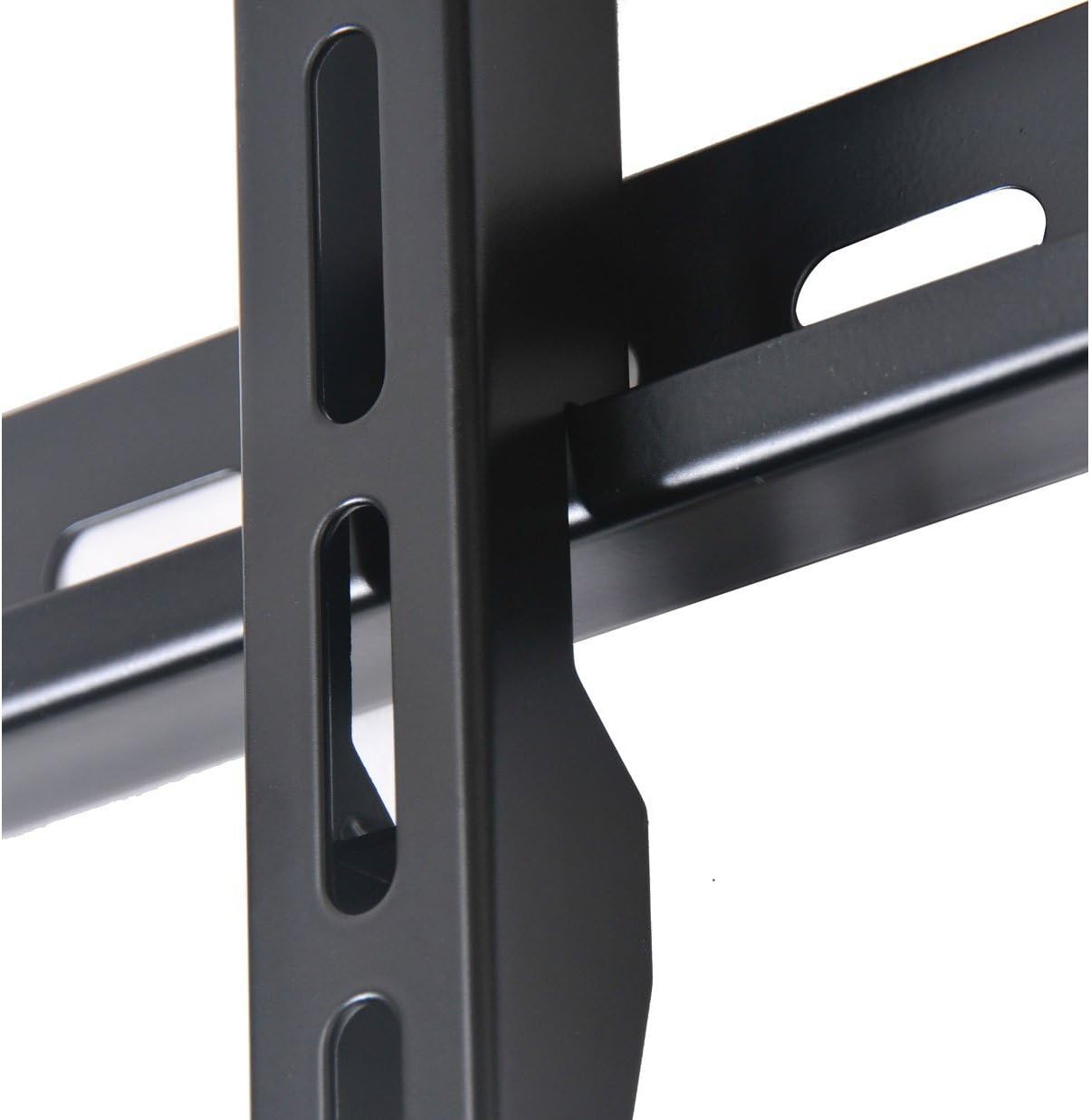
Image: Close-up of the wall mount's connection point. This image highlights the sturdy construction and the mechanism where the TV brackets engage with the wall plate, ready for the safety screws.
Step 4: Hang and Secure Television
- With assistance, carefully lift the television with the attached brackets.
- Hook the TV mounting brackets onto the top edge of the wall plate.
- Gently lower the TV until the brackets fully engage with the wall plate. The "lift and lock" system will secure the TV in place.
- Locate the safety screws at the bottom of the TV mounting brackets. Tighten these screws to lock the TV securely to the wall plate, preventing accidental dislodgement.
- Double-check all connections to ensure the TV is stable and level.
Operating Instructions
Once installed, the VideoSecu Ultra Low Profile TV Wall Mount provides a fixed and secure position for your television. This mount is designed for a low-profile installation, keeping your TV close to the wall. While the specifications mention "Tilt" movement, this model is primarily a fixed mount with minimal or no adjustable tilt once installed and secured. For optimal viewing, ensure the TV is mounted at the desired height during installation.
Maintenance
- Cleaning: Clean the mount with a soft, dry cloth. Avoid abrasive cleaners or solvents.
- Periodic Checks: Periodically check all screws and bolts to ensure they remain tight and secure. Over time, vibrations or environmental changes can cause fasteners to loosen.
- Damage: If any part of the mount appears damaged or worn, do not use it. Contact customer support for replacement parts or advice.
Troubleshooting
- TV Not Level: Ensure the wall plate was installed perfectly level. If not, minor adjustments may be possible by slightly loosening and re-tightening the wall plate bolts, or by using shims if necessary.
- TV Feels Loose: Verify that the safety screws at the bottom of the TV brackets are fully tightened. Re-check all wall mounting bolts for tightness.
- Missing Parts: Refer to the "Package Contents" section. If parts are missing, contact VideoSecu customer support.
- Difficulty Hanging TV: Ensure the TV brackets are correctly aligned with the wall plate. It may require two people to safely lift and position the TV.
Specifications
| Brand | VideoSecu |
| Model | B0019D6EA2 |
| Mounting Type | Wall Mount |
| Movement Type | Fixed (with minimal tilt capability as per product specifications) |
| Compatible Screen Sizes | 32 to 65 inches (some models up to 70-75 inches) |
| Maximum Supported Weight | 165 lbs (75 kg) |
| VESA Compatibility | 100x100, 200x100, 200x200, 300x200, 300x300, 400x200, 400x300, 400x400, 500x200, 500x300, 500x400, 600x200, 600x300, 600x400, 680x400 mm |
| Profile from Wall | 1.5 inches (3.8 cm) |
| Color | Black |
Customer Support
For technical assistance, missing parts, or warranty inquiries, please contact VideoSecu customer support. Refer to the product packaging or the VideoSecu official website for current contact information.