
1. Product Overview
The Oregon 91-235 lawnmower blade is designed for consistent performance and durability, aiming to deliver a clean cut. This blade is compatible with specific John Deere models, including 636M and 652M QuickTrack. For a 52-inch cutting deck, three blades are typically required, while a 36-inch cutting deck requires two blades. Oregon blades are manufactured to meet specific quality standards.
Key Features
- Length: 18 inches
- Center Hole: 5/8 inches
- Plane Type: Straight
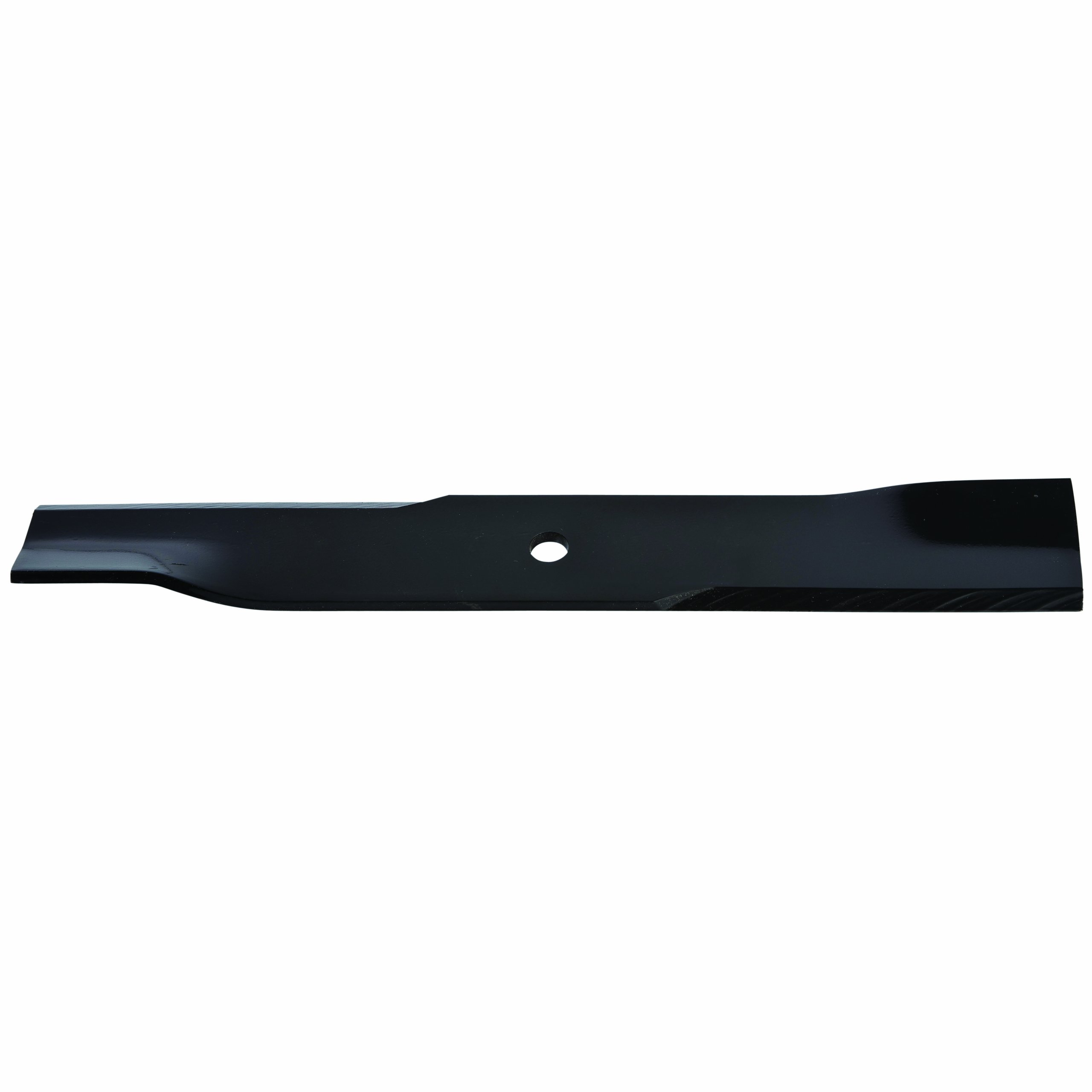
A top-down view of the Oregon 91-235 lawnmower blade, showcasing its straight design and the central mounting hole. The blade features a black finish with a visible Oregon brand label.
2. Safety Information
Always prioritize safety when handling lawnmower blades and performing maintenance. Failure to follow safety precautions can result in serious injury.
- Wear Protective Gear: Always wear heavy-duty gloves and eye protection when handling blades.
- Disconnect Spark Plug: Before working on the mower deck, ensure the engine is off and the spark plug wire is disconnected to prevent accidental starting.
- Secure the Mower: Tilt the mower onto its side with the carburetor facing up to prevent fuel leakage. Use blocks or stands to stabilize the mower.
- Sharp Edges: Blades are extremely sharp. Handle with extreme care to avoid cuts.
- Proper Disposal: Dispose of old blades responsibly according to local regulations.
3. Specifications
| Attribute | Value |
|---|---|
| Model Number | 91-235 |
| Length | 18 inches |
| Center Hole | 5/8 inches |
| Plane Type | Straight |
| Item Weight | 2.8 pounds |
| Product Dimensions | 4 x 4 x 24 inches |
| Manufacturer | Oregon |
4. Installation Instructions
Follow these steps carefully to replace your lawnmower blade. Refer to your lawnmower's owner's manual for specific instructions related to your model.
Required Tools
- Heavy-duty work gloves
- Eye protection
- Wrench (appropriate size for blade bolt)
- Wood block or blade removal tool
- Wire brush (optional, for cleaning)
Blade Removal
- Prepare the Mower: Ensure the engine is off and cool. Disconnect the spark plug wire to prevent accidental starting.
- Secure the Mower: Tilt the mower onto its side, ensuring the carburetor is facing upwards to prevent fuel or oil leaks. Use sturdy blocks to keep the mower stable.
- Locate the Blade: Identify the blade and the central bolt holding it in place.
- Prevent Blade Rotation: Place a wood block between the blade and the mower deck to prevent the blade from turning while you loosen the bolt.
- Remove the Bolt: Using the appropriate wrench, turn the blade bolt counter-clockwise to loosen and remove it. Note that some bolts may have reverse threads.
- Remove Old Blade: Carefully remove the old blade, noting its orientation (which side faces up).
- Clean Deck (Optional): Use a wire brush to clean any accumulated grass clippings or debris from the underside of the mower deck.
Blade Installation
- Orient New Blade: Position the new Oregon 91-235 blade with the cutting edge facing the direction of rotation (typically upwards towards the deck). The curved or angled ends of the blade should point up towards the mower deck.
- Align Blade: Align the center hole of the blade with the spindle on the mower deck. Ensure any alignment pins or washers are correctly seated.
- Insert Bolt: Reinsert the blade bolt and hand-tighten it.
- Secure Blade: Use the wood block again to prevent the blade from rotating.
- Tighten Bolt: Using the wrench, tighten the blade bolt clockwise until it is secure. Refer to your mower's manual for specific torque specifications.
- Reconnect Spark Plug: Once the blade is securely installed, reconnect the spark plug wire.

An angled view of the Oregon 91-235 lawnmower blade, illustrating the sharpened cutting edge and the upward curve designed for optimal grass lift and cutting performance. This orientation is crucial for proper installation.
5. Operation Guidelines
After installing the new blade, ensure the mower is on a flat, level surface before starting. Perform a visual inspection to confirm the blade is securely fastened and spins freely without obstruction. Always operate the lawnmower according to its manufacturer's instructions.
- Check Blade Balance: An unbalanced blade can cause excessive vibration and damage to the mower. If you notice unusual vibration, check the blade for balance.
- Mow at Appropriate Height: Adjust your mower's cutting height to suit grass conditions. Cutting too low can damage the blade and the lawn.
- Avoid Obstacles: Be mindful of rocks, roots, and other debris that can damage the blade.
6. Maintenance
Regular maintenance of your Oregon 91-235 blade will extend its lifespan and ensure optimal cutting performance.
Cleaning
- After each use, disconnect the spark plug and carefully clean grass clippings and debris from the blade and the underside of the mower deck. This prevents rust and maintains balance.
Sharpening
- Dull blades tear grass, leading to an unhealthy lawn. Sharpen the blade regularly using a file or grinder, maintaining the original cutting angle.
- Ensure the blade remains balanced after sharpening. An unbalanced blade can cause excessive vibration and damage to the mower.
Inspection
- Periodically inspect the blade for bends, cracks, or excessive wear. A damaged blade should be replaced immediately to prevent further damage to the mower or injury.
7. Troubleshooting
If you encounter issues with your lawnmower's cutting performance, consider the following:
- Uneven Cut: This can be caused by a dull blade, an unbalanced blade, or an improperly installed blade. Check blade sharpness, balance, and ensure it is correctly mounted.
- Excessive Vibration: Often indicates an unbalanced or bent blade. Immediately stop the mower, disconnect the spark plug, and inspect the blade for damage or imbalance. Replace if necessary.
- Poor Grass Discharge: May be due to a dull blade, excessive grass clippings under the deck, or incorrect blade orientation. Clean the deck and check blade sharpness and installation.
8. Warranty and Support
For information regarding the warranty of your Oregon 91-235 Lawnmower Blade, please refer to the official Oregon product documentation or contact Oregon customer support directly. Keep your purchase receipt as proof of purchase.
For further assistance or technical support, please visit the official Oregon website or contact their customer service department. You can often find contact details on the manufacturer's packaging or website.
Manufacturer: Oregon
Website: Visit the Oregon Store on Amazon

