
Introduction
This manual provides instructions for the proper installation, operation, and maintenance of your Dirt Devil Style 9 Flat Drive Belt. This belt is designed specifically for Dirt Devil Vision series vacuum cleaners to ensure optimal performance. Please read these instructions carefully before proceeding with installation.
Safety Information
- Always unplug the vacuum cleaner from the electrical outlet before performing any maintenance, including belt replacement.
- Wear protective gloves if you have sensitive skin, as some components may have sharp edges.
- Keep hands and loose clothing away from moving parts when the vacuum is plugged in.
- Ensure the vacuum cleaner is stable and on a flat surface during maintenance.
- Use only genuine Dirt Devil replacement parts to maintain product integrity and warranty.
Package Contents
Your package should contain the following items:
- Two (2) Dirt Devil Style 9 Flat Drive Belts
Installation Instructions
Follow these steps to replace the drive belt on your Dirt Devil Vision vacuum cleaner:
- Unplug the Vacuum: Ensure the vacuum cleaner is unplugged from the wall outlet before beginning.
- Position the Vacuum: Lay the vacuum cleaner flat on its front side, exposing the brush roll and bottom plate.
- Remove Bottom Plate: Locate and remove the screws holding the bottom plate in place. Carefully lift off the bottom plate.
- Remove Brush Roll: Gently lift out the brush roll from its housing. The old belt, if still present, will likely be around the brush roll or motor shaft.
- Remove Old Belt: Carefully remove the old, broken, or worn belt. Dispose of it properly.
- Install New Belt:
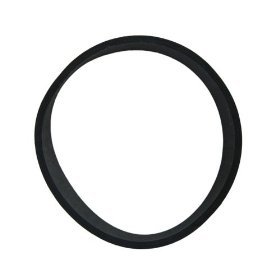
Image: A new Dirt Devil Style 9 flat drive belt, black and elastic, ready for installation. This belt connects the motor to the brush roll, enabling the brush to spin and agitate carpet fibers.
Loop one end of the new Style 9 flat drive belt around the motor shaft (the small metal spindle). Then, stretch the belt around the brush roll in the designated groove. Ensure the belt is seated correctly and not twisted.
- Reinstall Brush Roll: Carefully place the brush roll back into its housing, ensuring the belt remains properly seated on both the motor shaft and the brush roll. The brush roll should spin freely when rotated by hand.
- Replace Bottom Plate: Position the bottom plate back onto the vacuum and secure it with the screws removed earlier. Do not overtighten.
- Test Vacuum: Plug the vacuum cleaner back into the electrical outlet and turn it on to ensure the brush roll spins correctly.
Operating Confirmation
After installation, turn on your Dirt Devil Vision vacuum. The brush roll should rotate smoothly and consistently. If the brush roll does not spin, or if it makes unusual noises, refer to the Troubleshooting section.
Maintenance
Regular inspection of your vacuum belt is essential for maintaining cleaning performance.
- Inspection Frequency: Inspect the belt every 3-6 months, or if you notice a decrease in cleaning effectiveness or the brush roll stops spinning.
- Signs of Wear: Look for cracks, fraying, stretching, or a loose fit. A worn belt can cause the brush roll to spin slowly or not at all.
- Replacement: Replace the belt immediately if any signs of wear are observed. Using a worn belt can damage the vacuum motor or brush roll.
Troubleshooting
If you encounter issues after installing the new belt, consider the following:
- Brush Roll Not Spinning:
- Ensure the vacuum is plugged in and powered on.
- Check if the belt is properly seated on both the motor shaft and the brush roll.
- Verify that the brush roll is free of obstructions (hair, debris) that might prevent it from spinning.
- Confirm you have the correct belt style (Style 9) for your Dirt Devil Vision model.
- Belt Breaking Frequently:
- Excessive strain on the brush roll (e.g., vacuuming thick carpets or objects) can cause premature belt failure.
- Check for any damage to the brush roll or motor shaft that might be causing friction or misalignment.
Specifications
| Feature | Detail |
|---|---|
| Product Type | Flat Drive Belt |
| Model | Style 9 |
| Compatibility | Dirt Devil Vision series vacuum cleaners |
| Item Weight | 0.1 Pounds (approx.) |
| Product Dimensions | 9 x 6 x 2 inches (packaging dimensions) |
Warranty Information
This replacement part may be covered under the original vacuum cleaner's warranty or a separate limited warranty from Dirt Devil. Please refer to the warranty documentation provided with your original Dirt Devil Vision vacuum cleaner or visit the official Dirt Devil website for detailed warranty terms and conditions.
Customer Support
For further assistance, technical support, or to purchase additional genuine replacement parts, please contact Dirt Devil customer service or visit their official website:
- Dirt Devil Official Website: www.dirtdevil.com
- Refer to your original vacuum cleaner manual for specific contact information.


