
Introduction
This manual provides comprehensive instructions for the Streamlight Stylus Pro 66118 100-Lumen Penlight. This compact, durable penlight is designed for various applications, offering reliable illumination. Please read this manual thoroughly before using your device to ensure proper operation and longevity.
Product Overview
Key Features
- Durable, anodized machined aircraft aluminum construction.
- White LED produces 100 Lumens; 950 Candela; 62m beam; runs 8 hours.
- IPX4 – water-resistant; 2m impact resistance tested.
- Compact size: 5.3 inches (134 millimeter); 1.64 ounce (46.9 gram).
- Removable pocket clip for convenient carrying.
- Tail cap switch for momentary or constant-on operation.
- Unbreakable polycarbonate lens.
Components
The Streamlight Stylus Pro 66118 Penlight includes the following components:
- Penlight body with LED head.
- Tail cap switch.
- Removable pocket clip.
- Two AAA alkaline batteries (included).
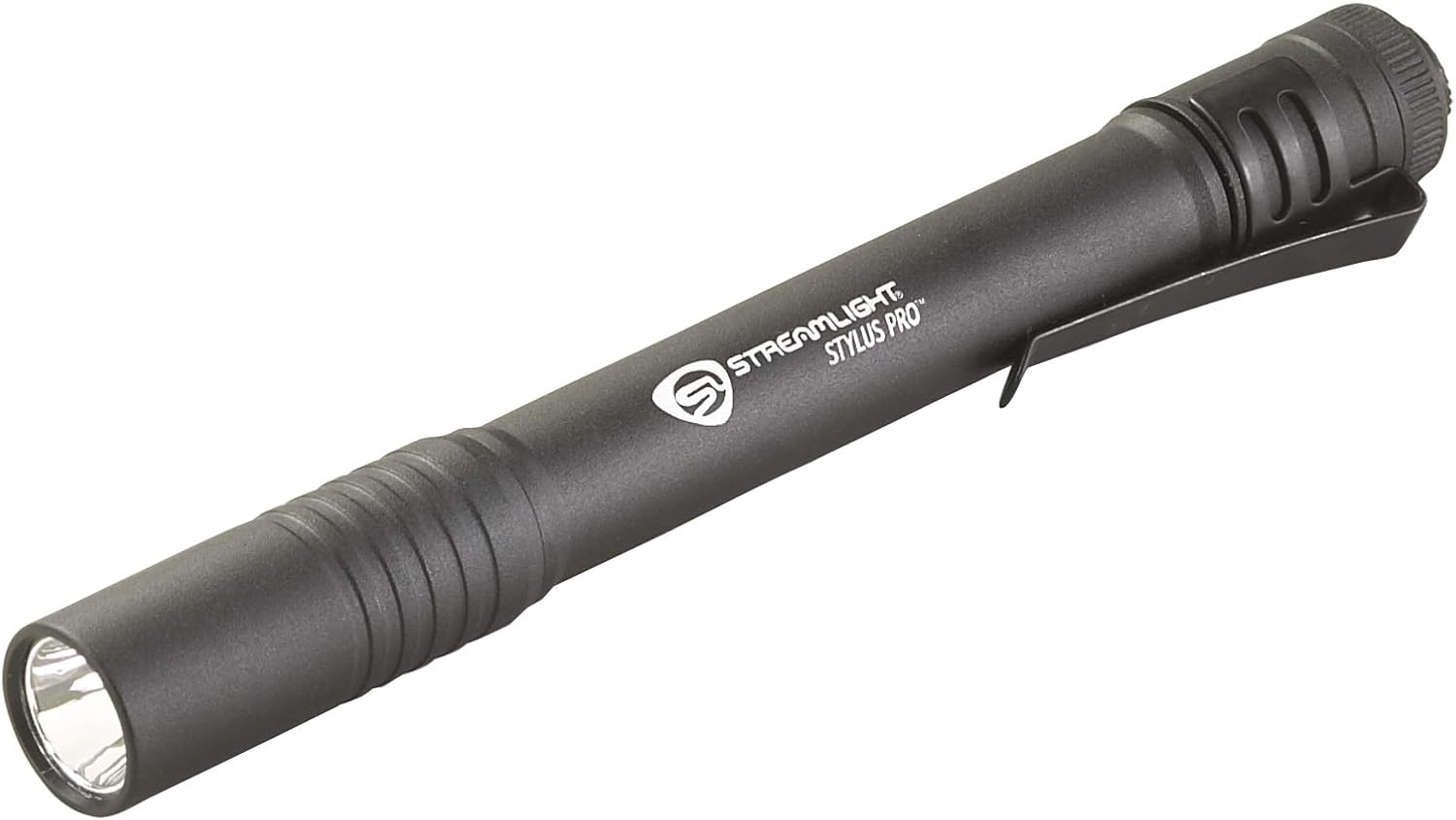
Image 1: The Streamlight Stylus Pro 66118 100-Lumen Penlight, showcasing its sleek black design and integrated pocket clip.

Image 2: An annotated diagram illustrating the key components of the Stylus Pro penlight, including the LED, body, pocket clip, and tail cap switch.
Setup
Battery Installation
Your Streamlight Stylus Pro 66118 Penlight requires two AAA alkaline batteries (included). Follow these steps to install them:
- Unscrew the tail cap of the penlight by turning it counter-clockwise.
- Insert two AAA alkaline batteries into the battery compartment with the positive (+) end facing towards the head of the flashlight.
- Screw the tail cap back on by turning it clockwise until it is securely tightened. Ensure the tail cap is fully tightened to maintain water resistance.
Note: Always use fresh, high-quality alkaline batteries. Do not mix old and new batteries, or different types of batteries, as this can impair performance or cause damage.
Operating Instructions
The Stylus Pro features a multi-function tail cap switch for easy operation:
- Momentary On: Lightly press the tail cap switch. The light will remain on as long as the switch is pressed. Release the switch to turn the light off.
- Constant On: Fully press the tail cap switch until it clicks. The light will remain on. Press the switch again until it clicks to turn the light off.

Image 3: A hand holding the Streamlight Stylus Pro penlight, demonstrating its use to illuminate a confined space such as an engine bay.
Maintenance
Cleaning
Wipe the penlight with a clean, damp cloth as needed. Do not use abrasive cleaners or solvents, as these can damage the finish or lens. Keep the lens clean for optimal light output.
Battery Replacement
When the light output diminishes, replace both AAA alkaline batteries. Refer to the "Battery Installation" section for detailed instructions.
Storage
If storing the penlight for an extended period, remove the batteries to prevent leakage and potential damage to the device. Store in a cool, dry place.
Troubleshooting
| Problem | Possible Cause | Solution |
|---|---|---|
| Light does not turn on. |
|
|
| Light is dim. |
|
|
Specifications
| Feature | Detail |
|---|---|
| Model Number | 66118 |
| Light Output | 100 Lumens |
| Beam Distance | 62 meters |
| Peak Beam Intensity | 950 Candela |
| Run Time | 8 hours |
| Power Source | 2 AAA Alkaline Batteries |
| Material | Anodized Machined Aircraft Aluminum |
| Water Resistance | IPX4 (Water-resistant) |
| Impact Resistance | 2m tested |
| Dimensions | 5.9"D x 0.6"W x 0.6"H (134mm length) |
| Weight | 1.64 ounces (46.9 grams) |
| Included Components | Penlight, Battery, User Guide |
Warranty and Support
Warranty Information
The Streamlight Stylus Pro 66118 Penlight is covered by a limited lifetime warranty. For specific details regarding warranty coverage and claims, please refer to the official Streamlight website or contact their customer service.
Customer Support
For technical assistance, replacement parts, or any other inquiries, please visit the official Streamlight website or contact their customer support department. Contact information can typically be found on the product packaging or the manufacturer's website.


