1. Introduction
This manual provides comprehensive instructions for the installation, operation, and maintenance of your Broan-NuTone L200 High Capacity Ventilation Fan. This fan is designed to provide effective air movement with a 210 CFM (Cubic Feet per Minute) airflow and a quiet 1.7 Sones sound level, operating at 120V. Please read this manual thoroughly before proceeding with installation or use to ensure safe and efficient operation.
2. Safety Information
To reduce the risk of fire, electric shock, or injury to persons, observe the following:
- Read all instructions carefully before installing or servicing this fan.
- Always disconnect power at the service panel before wiring, cleaning, or servicing the unit. Lock out the service panel to prevent power from being turned on accidentally.
- Installation work and electrical wiring must be done by qualified person(s) in accordance with all applicable codes and standards, including fire-rated construction codes and standards.
- When cutting or drilling into walls or ceilings, do not damage electrical wiring and other hidden utilities.
- This unit is intended for general ventilating use only. Do not use to exhaust hazardous or explosive materials and vapors.
- To prevent motor bearing damage and noisy and/or unbalanced impellers, keep drywall spray, construction dust, etc., off power unit.
3. Package Contents
Verify that all components are present before beginning installation:
- Broan-NuTone L200 Fan Housing (20-gauge galvanized steel)
- White Polymer Grille
- Installation Hardware (screws, wire connectors)
- Instruction Manual
4. Setup (Installation)
4.1 Before Installation
Plan the installation location carefully. The fan can be installed in a ceiling or wall. Ensure there is adequate space for the fan housing (11.75"D x 12.25"W x 12.25"H) and for connecting the 8-inch round ductwork. Consider the path for ducting, which can be configured horizontally or vertically.
Tools Required: Drill, screwdriver, wire strippers, measuring tape, utility knife, safety glasses, gloves.
4.2 Mounting the Fan Housing
The fan housing is constructed of durable 20-gauge galvanized steel. Secure the housing firmly to joists or studs using appropriate fasteners. Ensure the housing is level before proceeding.

Figure 1: Overall view of the Broan-NuTone L200 fan housing with the grille and 8-inch round duct connector.

Figure 2: Cutaway view illustrating the internal centrifugal blower wheel and motor assembly within the fan housing.
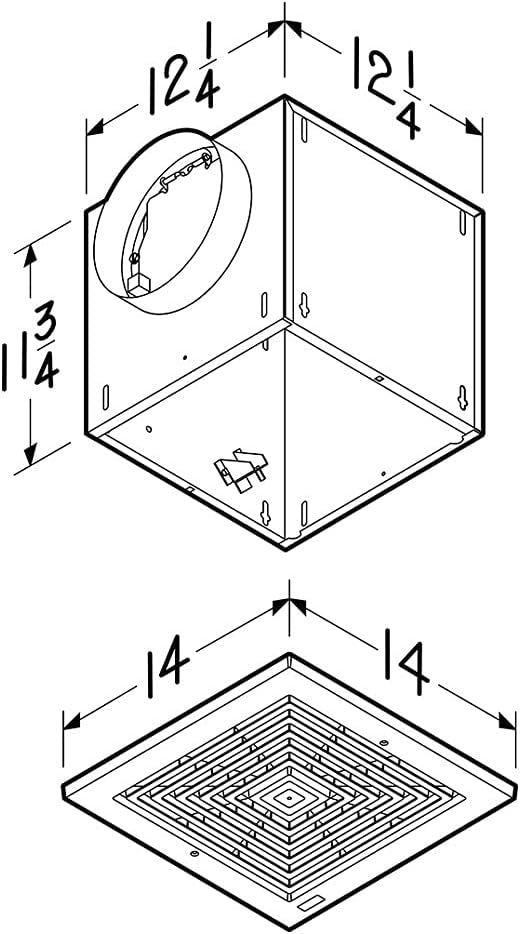
Figure 3: Dimensional drawing providing measurements for the fan housing and the grille for installation planning.
4.3 Electrical Connection
Connect the fan to a 120V AC power supply. The fan operates at 1.8 amps. All wiring must comply with local electrical codes. If you are not familiar with electrical wiring, consult a qualified electrician.
4.4 Ducting Connection
Connect 8-inch round ductwork to the fan's duct connector. Ensure all duct connections are sealed with duct tape or mastic to prevent air leakage and maximize efficiency. The fan can be ducted horizontally or vertically depending on your installation requirements.
4.5 Grille Installation
Once the fan housing and electrical connections are complete, attach the white polymer grille to the housing. The grille is designed for easy installation and removal for maintenance.
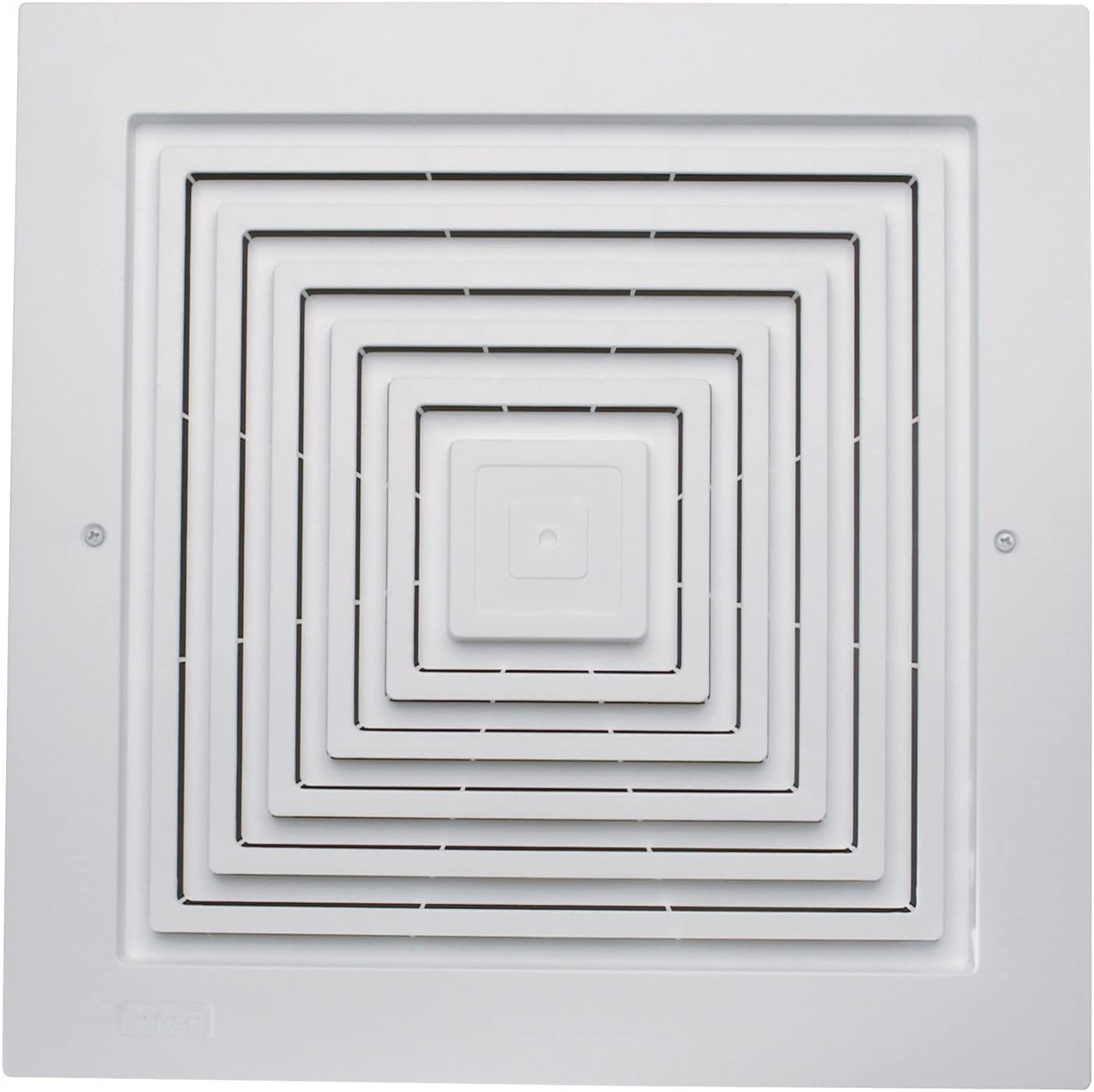
Figure 4: Close-up view of the white polymer grille, which covers the fan opening.
5. Operating Instructions
The Broan-NuTone L200 fan is typically operated via a wall switch (not included). Simply toggle the switch to turn the fan on or off. The fan is designed for continuous and quiet operation, providing effective ventilation for the intended space.
6. Maintenance
Regular maintenance ensures optimal performance and longevity of your ventilation fan.
6.1 Cleaning the Grille
Periodically remove the white polymer grille and wash it with mild soap and water. Rinse thoroughly and dry completely before reattaching. This helps maintain airflow and appearance.
6.2 Motor Maintenance
The fan motor is permanently lubricated and requires no additional oiling. Inspect the blower wheel and motor assembly annually for any accumulation of dust or debris. If necessary, carefully clean with a soft brush or vacuum cleaner. Ensure power is disconnected before any cleaning or inspection.
7. Troubleshooting
If you experience issues with your Broan-NuTone L200 fan, refer to the following common problems and solutions:
- Fan does not operate:
- Check if the power supply is connected and the circuit breaker is not tripped.
- Ensure the wall switch is in the 'ON' position.
- Verify all electrical connections are secure.
- Reduced airflow:
- Clean the grille and blower wheel to remove dust and debris.
- Check for obstructions in the ductwork.
- Ensure ductwork is properly sealed and free of leaks.
- Excessive noise:
- Ensure the fan housing is securely mounted and not vibrating against surrounding structures.
- Check the blower wheel for debris or damage that could cause imbalance.
- Verify that the grille is properly installed and secured.
If problems persist after attempting these solutions, contact customer support or a qualified technician.
8. Specifications
| Feature | Specification |
|---|---|
| Brand | Broan-NuTone |
| Model | L200 |
| Airflow (CFM) | 210 |
| Noise Level (Sones) | 1.7 |
| Voltage | 120V |
| Amperage | 1.8 Amps |
| Duct Connector Size | 8-inch Round |
| Housing Material | 20-gauge Galvanized Steel |
| Grille Material | White Polymer |
| Product Dimensions (D x W x H) | 11.75" x 12.25" x 12.25" |
| UL Listed | Yes |
| Motor Type | Permanently Lubricated |
| Ducting Options | Horizontal or Vertical |
9. Warranty and Support
For warranty information, please refer to the documentation included with your product or visit the official Broan-NuTone website. For technical support or assistance with parts, please contact Broan-NuTone customer service. Keep your purchase receipt as proof of purchase for warranty claims.


