1. Introduction
This manual provides essential information for the safe and effective use of your Sony Cyber-shot DSC-W300 digital camera. Please read this manual thoroughly before operating the camera and retain it for future reference. The DSC-W300 is a 13.6-megapixel digital camera featuring a 3x optical zoom lens, Super Steady Shot optical image stabilization, and a durable titanium body.

Figure 1.1: Front view of the Sony Cyber-shot DSC-W300 digital camera, showing the lens, flash, and viewfinder.
2. Camera Components
Familiarize yourself with the various parts of your camera to ensure proper operation.
2.1 Front and Rear Views
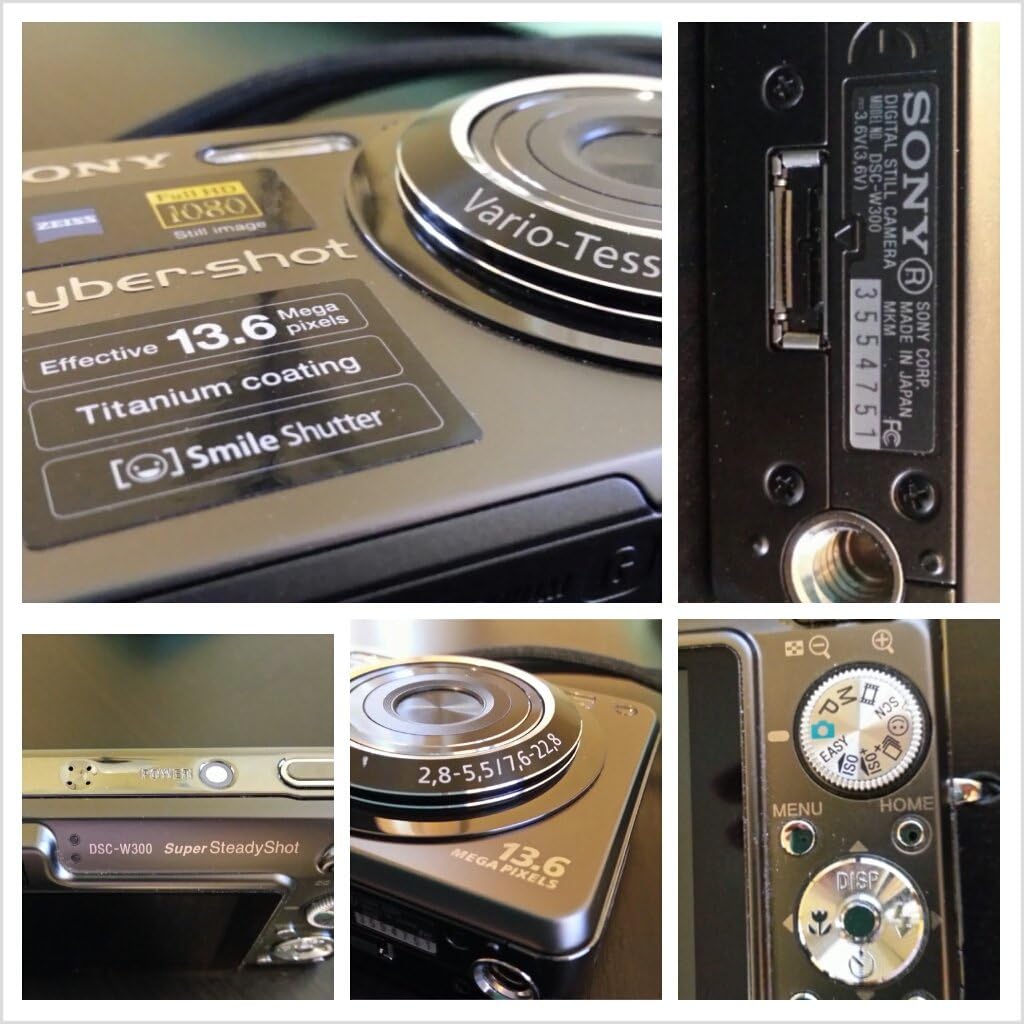
Figure 2.1: Rear view of the camera, displaying the LCD screen, control buttons, and mode dial.

Figure 2.2: Detailed views including the Carl Zeiss Vario-Tessar lens, model number, and mode dial.
2.2 Control Buttons and Dials
- Shutter Button: Press halfway to focus, fully to capture an image.
- Power Button: Turns the camera on or off.
- Mode Dial: Selects shooting modes (e.g., Auto, Program, Scene, Movie).
- Zoom Lever: Controls optical and digital zoom.
- Directional Pad (D-Pad): Navigates menus and adjusts settings.
- MENU Button: Accesses camera settings and options.
- HOME Button: Returns to the main menu screen.
- DISP Button: Changes information displayed on the LCD.
3. Setup
Before using your camera, perform the following setup procedures.
3.1 Battery Installation and Charging
- Open the battery/Memory Stick compartment cover on the bottom of the camera.
- Insert the supplied NP-BG1 Lithium-Ion battery with the correct orientation, ensuring it clicks into place.
- Close the compartment cover securely.
- Connect the battery charger to a power outlet and insert the battery into the charger. The charge lamp will illuminate during charging and turn off when complete.

Figure 3.1: The NP-BG1 Lithium-Ion battery and its dedicated charger.
3.2 Memory Card Installation
The camera uses Memory Stick PRO Duo media for storing images and videos.
- Open the battery/Memory Stick compartment cover.
- Insert the Memory Stick PRO Duo into the slot with the label facing the front of the camera until it clicks.
- Close the compartment cover securely.

Figure 3.2: A Sony Memory Stick PRO Duo, used for image and video storage.
3.3 Initial Settings
When you turn on the camera for the first time, you will be prompted to set the date, time, and time zone. Follow the on-screen instructions to complete these settings.
4. Operating the Camera
Learn how to capture photos and videos with your DSC-W300.
4.1 Powering On/Off
Press the POWER button located on the top of the camera to turn it on or off.
4.2 Basic Photography (Auto Mode)
- Turn the mode dial to the AUTO position.
- Frame your subject using the LCD screen.
- Press the shutter button halfway down to focus. The focus indicator will turn green when focus is achieved.
- Press the shutter button fully down to take the picture.
4.3 Advanced Shooting Modes
The mode dial offers various shooting options:
- Program Auto (P): Allows more control over settings like ISO and white balance while the camera sets exposure.
- Scene Selection (SCN): Choose from preset scenes (e.g., Portrait, Landscape, Night Scene) for optimized settings.
- Movie Mode: Records video clips.
- ISO: Adjusts sensitivity to light. Higher ISO allows shooting in darker conditions but may introduce noise.
4.4 Zoom Operation
Use the zoom lever around the shutter button to adjust the focal length. Push it towards W for wide-angle and T for telephoto (zoom in).
4.5 Flash Settings
Press the left side of the directional pad to cycle through flash modes: Auto, Fill-flash, Slow Sync, and Flash Off.
4.6 Reviewing Images
Press the Playback button (usually indicated by a play icon) to view your captured images and videos. Use the directional pad to navigate through them.
4.7 Connecting to a Computer or TV
You can connect your camera to a computer to transfer images or to a TV to view them on a larger screen.
- For Computer: Use the supplied USB cable to connect the camera to your computer. The camera will appear as a removable disk.
- For TV: Use the supplied AV cable to connect the camera to your TV's video input.
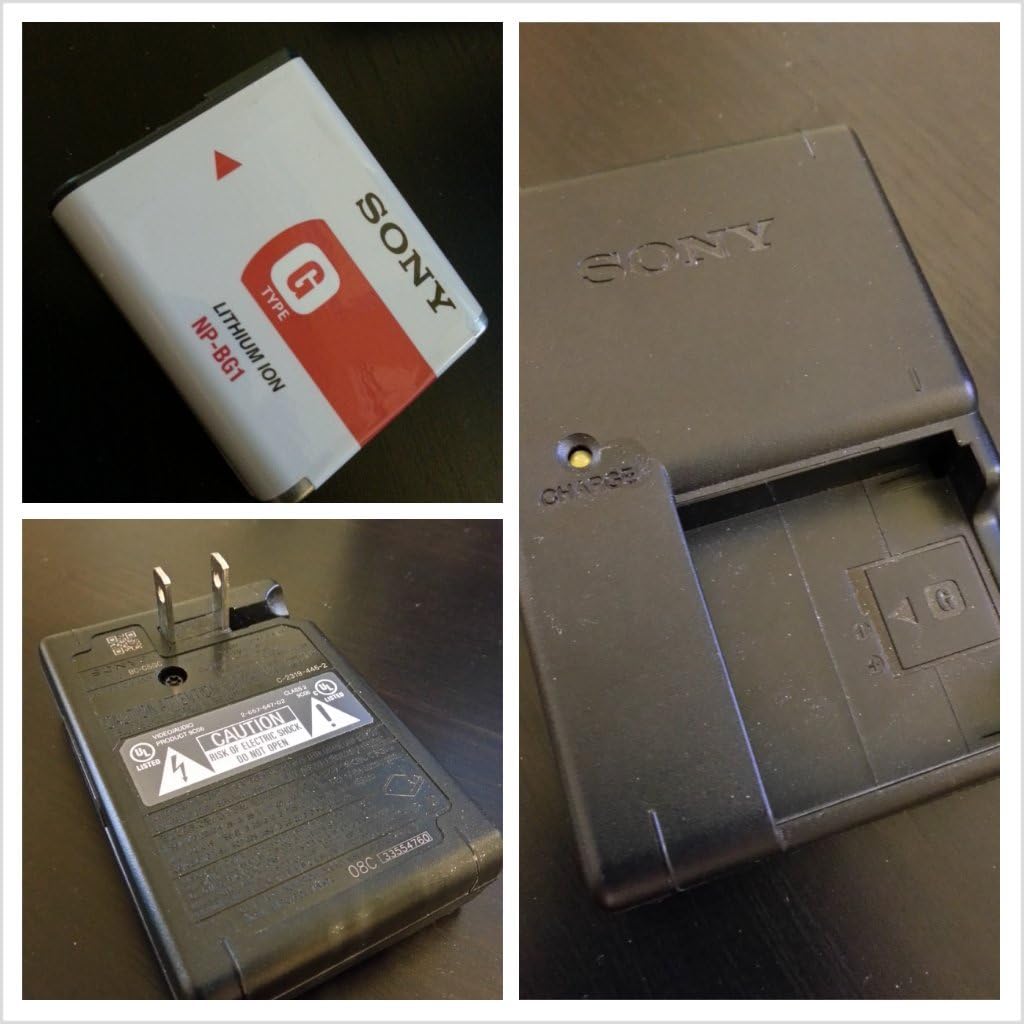
Figure 4.1: The USB and AV cables used for connecting the camera to external devices.
5. Maintenance
Proper care ensures the longevity and performance of your camera.
5.1 Cleaning the Camera
- Camera Body: Wipe with a soft, dry cloth. For stubborn dirt, use a cloth lightly dampened with water or a mild detergent, then wipe dry.
- Lens: Use a lens brush to remove dust, then gently wipe with a lens cleaning cloth. Avoid touching the lens with your fingers.
- LCD Screen: Gently wipe with a soft, dry cloth.
5.2 Battery Care
- Charge the battery fully before first use.
- Store the battery in a cool, dry place when not in use.
- If the camera will not be used for an extended period, remove the battery.
5.3 Storage
Store the camera in a dry, well-ventilated area, away from direct sunlight, high temperatures, and humidity. Use a camera case for protection during transport.
6. Troubleshooting
Refer to this section for solutions to common issues.
| Problem | Possible Cause | Solution |
|---|---|---|
| Camera does not turn on. | Battery is depleted or incorrectly inserted. | Charge the battery. Reinsert the battery correctly. |
| Cannot take pictures. | Memory Stick is full or not inserted. | Delete unnecessary images or insert a new Memory Stick. Ensure Memory Stick is inserted correctly. |
| Images are blurry. | Camera shake, subject movement, or incorrect focus. | Hold the camera steady. Use Super Steady Shot. Ensure proper focus before shooting. Increase ISO in low light. |
| Flash does not fire. | Flash is set to 'Flash Off' or battery is low. | Change flash mode. Charge the battery. |
| Cannot connect to computer. | Incorrect cable, driver issue, or camera setting. | Use the supplied USB cable. Ensure camera is in USB Connect mode (check settings). Try a different USB port. |
7. Specifications
- Model: DSC-W300
- Image Sensor: 13.6-megapixel Super HAD CCD
- Lens: 3x Optical Zoom (35mm-105mm equivalent)
- Image Stabilization: Optical (Super Steady Shot)
- LCD Display: 2.7-inch Clear Photo LCD
- Storage Media: Memory Stick PRO Duo
- Battery: NP-BG1 Lithium-Ion
- Dimensions (W x H x D): 3.7 x 2.32 x 1.06 inches (approx.)
- Weight: 6.6 ounces (approx., with battery and Memory Stick)
- Supported File Formats: JPEG, RAW
- Aspect Ratio: 4:3
- Manufacturer: Sony
8. Warranty & Support
For detailed warranty information, please refer to the warranty card included with your product or visit the official Sony support website. Sony provides customer support for product inquiries, technical assistance, and service requests.
Online Support: Visit the Sony support website for FAQs, software downloads, and contact information.
Telephone Support: Refer to your product packaging or the Sony website for regional customer service numbers.


