
1. Introduction
The EyeClops Night Vision Infrared Stealth Goggles provide an authentic night vision experience using infrared technology. This device allows users to see in low-light or complete darkness, enhancing exploration and play. This manual provides essential information for the safe and effective use of your EyeClops Night Vision Goggles.

Image 1.1: EyeClops Night Vision Infrared Stealth Goggles in use.
2. Product Features
- Authentic night vision experience powered by infrared technology.
- Enables clear visibility up to 50 feet in complete darkness.
- Features both long-range infrared and invisible stealth infrared modes.
- Designed for covert operations and exploring nocturnal environments.
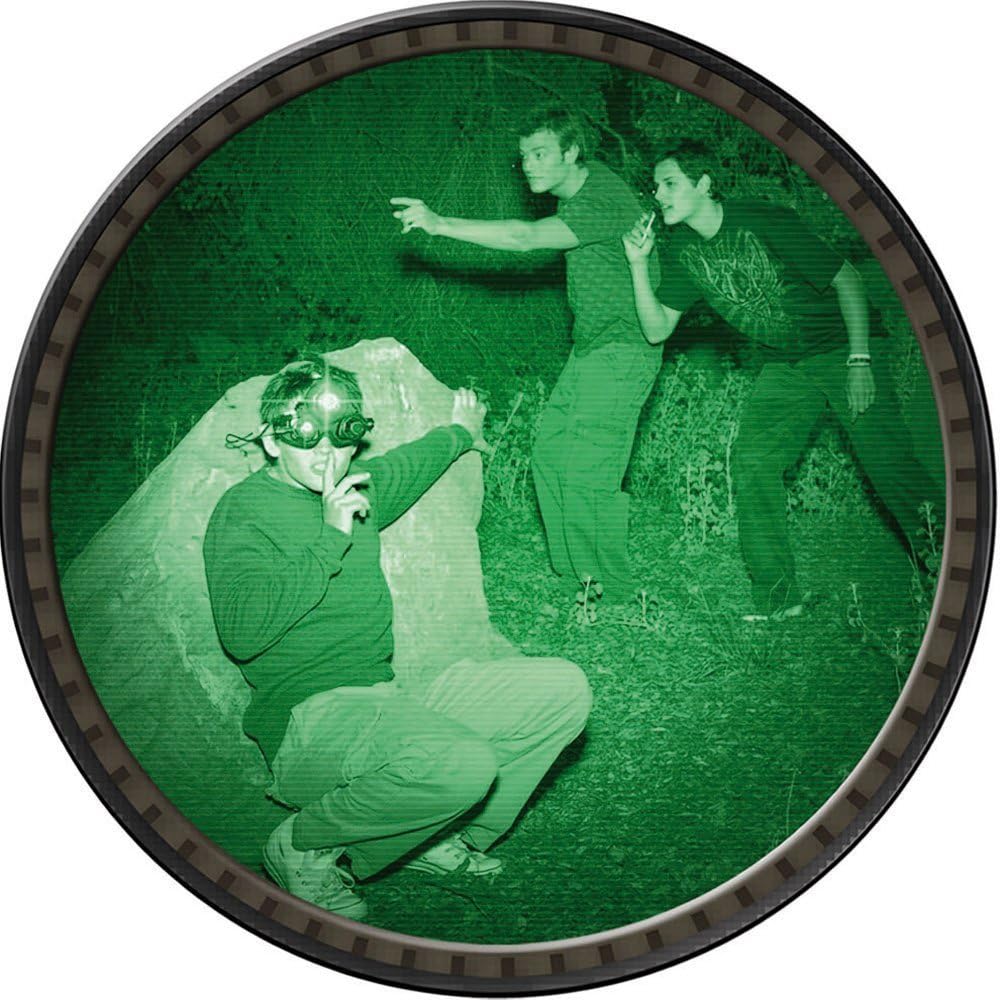
Image 2.1: Children using EyeClops Goggles in a simulated night vision environment.
3. Package Contents
Your EyeClops Night Vision Infrared Stealth Goggles package should contain:
- 1 x EyeClops Night Vision Infrared Stealth Goggles (Model 60860)
- 1 x Instruction Manual
4. Setup
4.1 Battery Installation
The EyeClops Goggles require 5 AA batteries (not included). A small Phillips head screwdriver is necessary for battery compartment access.
- Locate the battery compartment on the back of the goggles.
- Use a small Phillips head screwdriver to unscrew the two screws securing the battery compartment cover.
- Carefully remove the cover.
- Insert 5 AA batteries, ensuring correct polarity (+/-) as indicated inside the compartment. The spring always touches the flat (-) side of the battery.
- Replace the battery compartment cover and secure it with the two screws. Ensure the cover is properly aligned to avoid damaging the battery poles.
Note: Battery life is approximately 2 to 2.5 hours of continuous use. Keep a small Phillips screwdriver handy for replacements.
4.2 Strap Adjustment
Proper adjustment of the head straps ensures comfort and stability during use.
- Side Straps: The side attachment tabs have a button-like appearance. These do not screw; they push in. While pushing the button, gently pry the tab away from the goggles with a rocking motion to release it.
- To lengthen the strap, hold the ribbed rubber band near the plastic tab with one hand. With the other hand, pull the plastic tab itself away from the rubber band, allowing it to snap along the ribs. Do not attempt to pull the ribbed band through the tab, as this is difficult and may cause damage.
- Adjust both side straps for a comfortable fit. For children, extend the outer rubber band until the final ribbed stop is about 6 to 8 ribs from the outer edge of the mask. For adults or teens, 2 or 3 ribs, or even with the stop tab, may provide a comfortable fit.
- Top Strap: The top strap is easily adjustable without removal. Create slack in the bottom band, move the plastic rectangular stay washer up, and lengthen the top strap as needed. The top strap primarily helps pull the goggles down for full coverage.
5. Operating Instructions
5.1 Powering On/Off
Locate the power switch on the goggles. Slide the switch to the 'ON' position to activate the night vision function. Slide it to 'OFF' when not in use to conserve battery life.
5.2 Night Vision Modes
The EyeClops Goggles feature different infrared modes:
- Observation Mode: Utilizes higher-powered infrared LEDs that may emit a slight red glow visible to the naked eye. This mode provides maximum visibility in complete darkness.
- Stealth Mode: Uses lower-powered infrared LEDs that do not visibly glow, offering a more discreet viewing experience with slightly reduced visibility.
Switch between modes using the designated control on the goggles, if available. Refer to the markings on your specific unit.
5.3 Viewing Experience
The EyeClops Goggles provide a monocular view (one eye) with a narrow field of vision. Users may experience a loss of depth perception. Exercise caution when moving around while wearing the goggles to avoid tripping or bumping into objects.

Image 5.1: Comparison of normal vision and EyeClops night vision.
5.4 Official Product Video
Watch this official video for a demonstration of the EyeClops Night Vision Infrared Stealth Goggles in action.
Video 5.1: Official demonstration of EyeClops Night Vision Goggles.
6. Maintenance
6.1 Cleaning
To clean the goggles, wipe them with a soft, dry cloth. Do not use abrasive cleaners or solvents, as these can damage the lenses or plastic components.
6.2 Storage
When not in use for extended periods, remove the batteries to prevent leakage and store the goggles in a cool, dry place away from direct sunlight.
7. Troubleshooting
- Goggles not turning on: Ensure batteries are correctly installed with proper polarity and are not depleted. Replace with fresh batteries if necessary.
- Poor or blurry vision: Confirm that the environment is sufficiently dark for night vision operation. Check that the infrared emitters are active. The camera has a fixed focus and cannot be adjusted.
- Straps difficult to adjust: Refer to Section 4.2 for detailed instructions on proper strap adjustment technique, especially for the side tabs.
- Left eye cup detaches: The left eye cup is designed to hinge open. If it detaches, it can typically be snapped back into its hinges.
8. Specifications
| Brand | JAKKS Pacific |
| Model Number | 60860 |
| Color | Black |
| Material | Plastic |
| Item Weight | 1 Pound |
| Night Vision | Yes |
| Field Of View | 20 Feet |
| Power Source | 5 x AA Batteries (not included) |
9. Safety Information
- Adult supervision is recommended, especially for younger users.
- Due to the monocular view and potential loss of depth perception, avoid running or engaging in activities that require precise spatial awareness while wearing the goggles.
- Do not look directly at strong light sources (e.g., sun, bright lamps) through the goggles, as this may damage the internal components and your eyes.
- Keep batteries out of reach of small children.
- Dispose of used batteries responsibly according to local regulations.
10. Warranty and Support
Specific warranty information for the EyeClops Night Vision Infrared Stealth Goggles Model 60860 is not provided in this manual. For warranty details, product support, or replacement parts, please contact JAKKS Pacific customer service directly or visit their official website. Keep your purchase receipt as proof of purchase.