
1. Introduction
Thank you for choosing the Armitron Crissal 37 Mid-Size Watch, Model 20/4309GYTT. This timepiece combines classic design with reliable Japanese quartz movement, featuring a two-tone stainless steel bracelet, a sunray dial, and a date display. This manual provides detailed instructions to help you set up, operate, and maintain your watch for optimal performance and longevity.

Image 1.1: Front view of the Armitron Crissal 37 Mid-Size Watch, showcasing its two-tone design, sunray dial, and date window.
2. Setup
2.1 Setting the Time
- Locate the crown on the right side of the watch case.
- Gently pull the crown out to the second click position. The second hand will stop.
- Rotate the crown clockwise or counter-clockwise to adjust the hour and minute hands to the correct time. Ensure you account for AM/PM if the watch has a 24-hour indicator (this model does not, but setting past 12 will advance the date).
- Once the time is set, push the crown back into its original position. The second hand will resume movement.
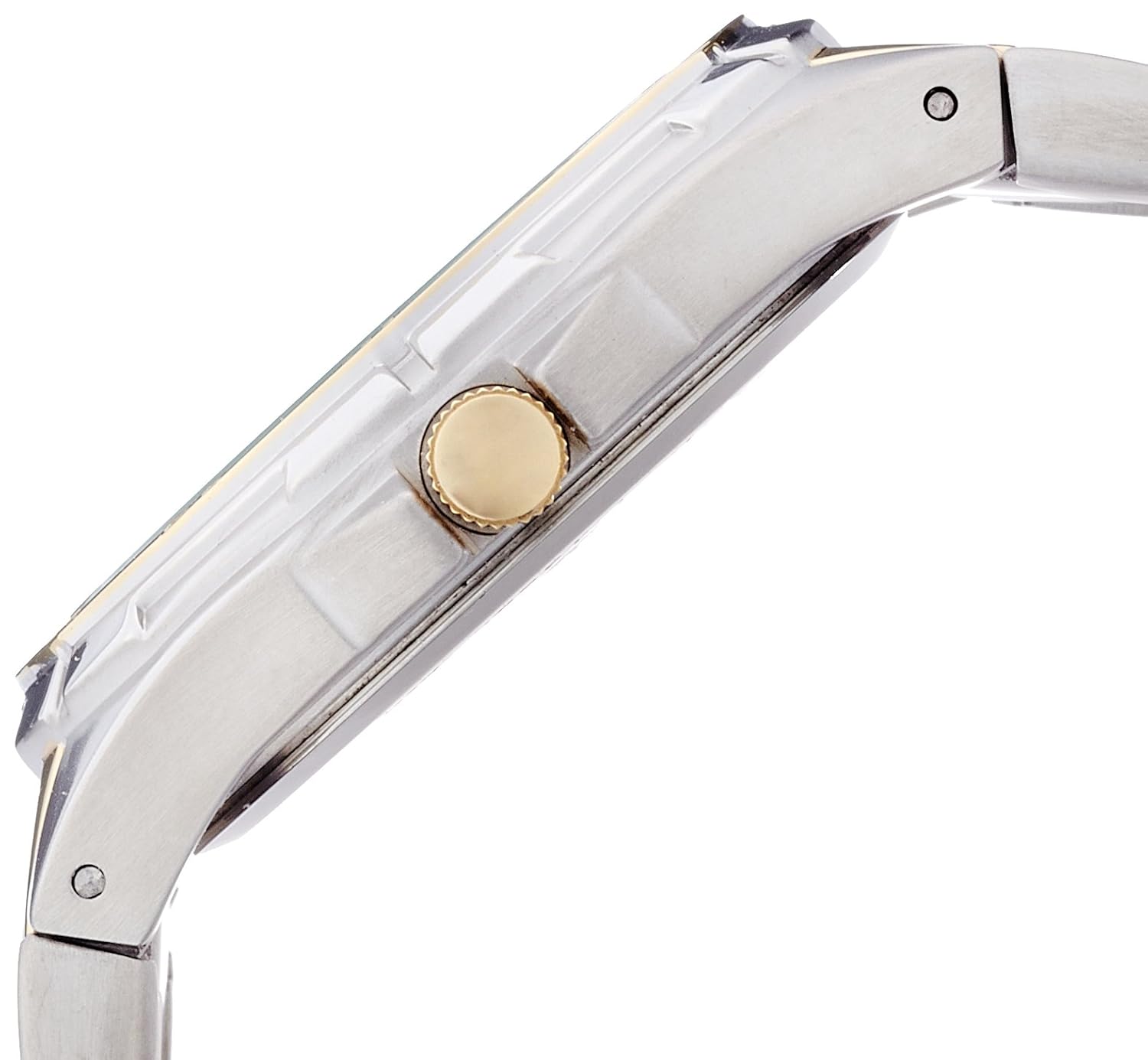
Image 2.1: Side view of the watch, highlighting the crown used for time and date adjustments.
2.2 Setting the Date
- Pull the crown out to the first click position.
- Rotate the crown clockwise or counter-clockwise to adjust the date.
- Once the correct date is displayed, push the crown back into its original position.
- Note: Avoid setting the date between 9 PM and 3 AM, as this can interfere with the automatic date change mechanism. If you need to set the date during this period, first set the time outside this range, adjust the date, and then reset the time.
2.3 Adjusting the Bracelet
The watch features a five-link adjustable stainless steel bracelet. For optimal comfort and fit, the bracelet may need to be adjusted by removing or adding links. It is recommended to have this adjustment performed by a qualified jeweler or watch technician to prevent damage to the bracelet or clasp.

Image 2.2: Rear view of the watch, showing the stainless steel case back and the open fold-over push-button clasp with safety.
3. Operating Your Watch
3.1 Timekeeping
Your Armitron Crissal 37 watch is powered by a precise Japanese quartz movement, ensuring accurate timekeeping. Once the time and date are set, the watch will operate continuously until the battery requires replacement.
3.2 Water Resistance
This watch is water resistant to 165 feet (50 meters). This rating makes it suitable for short periods of recreational swimming and showering. It is not suitable for diving, snorkeling, or prolonged water activities. Always ensure the crown is fully pushed in before any contact with water.
- Do not operate the crown while the watch is wet or submerged.
- Avoid exposing the watch to hot water or steam, as this can compromise the water seals.
4. Maintenance
4.1 Cleaning
To maintain the appearance of your watch, wipe the case and bracelet regularly with a soft, dry cloth. For stainless steel components, a slightly damp cloth can be used, followed by immediate drying. Avoid using harsh chemicals, solvents, or abrasive cleaners, as these can damage the watch's finish.
4.2 Battery Replacement
The watch uses one CR123A battery (included). The lifespan of the battery varies depending on usage. When the watch stops or the second hand begins to skip, it indicates a low battery. Battery replacement should be performed by a qualified watch technician to ensure proper sealing and prevent damage to the movement.
4.3 Storage
When not wearing your watch, store it in a cool, dry place away from direct sunlight, extreme temperatures, and strong magnetic fields. Keeping it in its original box or a watch case can help protect it from dust and scratches.
5. Troubleshooting
- Watch not running:
- Check if the crown is fully pushed in.
- The battery may need replacement. Consult a professional watch technician.
- Incorrect time or date:
- Refer to sections 2.1 and 2.2 for instructions on setting the time and date.
- Ensure the crown is fully pushed in after adjustment.
- Condensation under the crystal:
- This may indicate a breach in the water resistance. Avoid further water exposure and have the watch inspected by a professional immediately.
6. Specifications
| Feature | Detail |
|---|---|
| Model Number | 20/4309GYTT |
| Movement | Japanese Quartz |
| Case Material | Stainless Steel |
| Band Material | Stainless Steel (Two-tone) |
| Crystal | Protective Mineral Crystal |
| Case Diameter | 37 Millimeters |
| Water Resistance | 50 Meters (165 Feet) |
| Features | Date Window, Luminous Hands and Index Markers, Outside Minute Track |
| Battery | 1 CR123A (included) |
| Item Weight | 159 g |
| Product Dimensions | 7.62 x 10.16 x 5.08 cm |
7. Warranty
This Armitron watch comes with a manufacturer's warranty. For specific details regarding warranty coverage, duration, and claims process, please refer to the warranty information provided at the time of purchase or contact the seller of record directly. The warranty type is "Contact Seller of Record" as per product specifications.
8. Customer Support
Should you require further assistance, have questions about your watch, or need to arrange for service, please contact the retailer from whom you purchased the watch or visit the official Armitron website for customer support information. Ensure you have your model number (20/4309GYTT) and proof of purchase available.
For more information about Armitron products, you can visit the Armitron Store on Amazon.