
1. Safety Instructions
Always observe basic safety precautions to reduce the risk of fire, electric shock, and personal injury when operating power tools. Keep this manual for future reference.
- Work Area Safety: Keep the work area clean and well-lit. Cluttered or dark areas invite accidents. Do not operate power tools in explosive atmospheres, such as in the presence of flammable liquids, gases, or dust.
- Electrical Safety: Power tool plugs must match the outlet. Never modify the plug in any way. Avoid body contact with earthed or grounded surfaces such as pipes, radiators, ranges, and refrigerators.
- Personal Safety: Always wear eye protection. Use appropriate personal protective equipment such as dust masks, non-skid safety shoes, hard hats, or hearing protection when necessary. Stay alert, watch what you are doing, and use common sense when operating a power tool.
- Tool Use and Care: Do not force the power tool. Use the correct power tool for your application. Disconnect the plug from the power source before making any adjustments, changing accessories, or storing power tools.
2. Product Overview
The DEWALT D25901K is a 23.4-pound SDS MAX demolition hammer designed for heavy-duty chipping, demolition, and chasing applications in masonry materials like brick, concrete, and stone. It features SHOCKS-Active Vibration Control for reduced user fatigue and enhanced productivity.
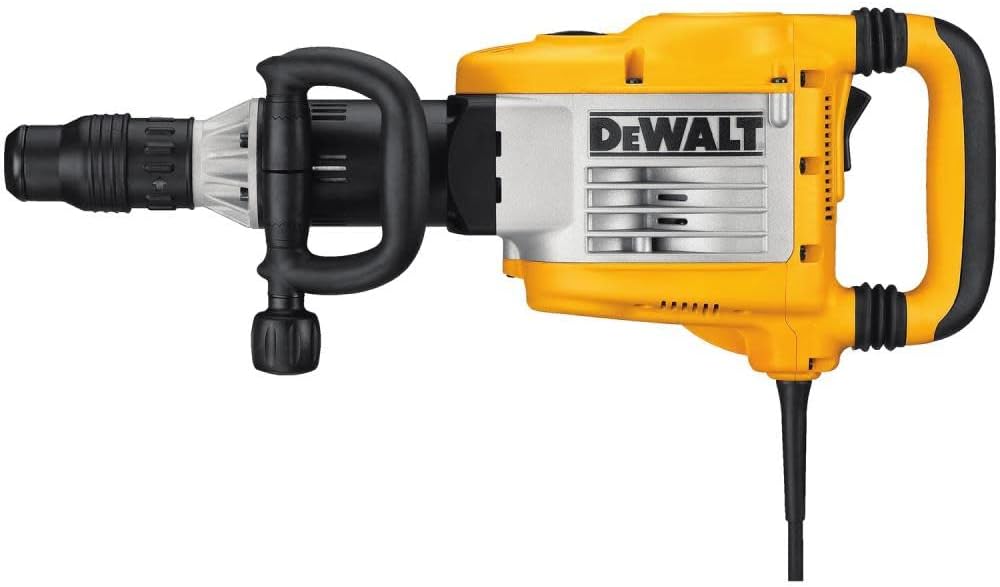
Figure 1: DEWALT D25901K SDS MAX Demolition Hammer, showing its robust design and yellow casing.
Key Features:
- SHOCKS - Active Vibration Control system reduces vibration at the handles.
- Powerful 14 amp motor provides high performance and overload protection.
- Non-air pumping beat piece design prevents masonry dust from entering the unit, extending tool and seal life.
- Spring-loaded dust seals ensure longer tool life.
- Variable impact control dial with 9 settings for accurate impact energy adjustment.
- Large on/off rocker switch for easy single-finger operation.
- One-step chisel rotation (12 positions) allows quick and accurate chisel adjustment.
- Large rear rubber handle for comfortable one- or two-hand operation.
- Variable position side handle with 360-degree rotation and 150-degree adjustment.
- In-line design for easy operation in horizontal or vertical applications.
3. Components and Controls
Familiarize yourself with the main components and controls of your demolition hammer before operation.

Figure 2: Close-up view of the rear handle and on/off rocker switch, highlighting the ergonomic design.
- SDS MAX Chuck: For quick and secure insertion of SDS MAX chisels.
- Side Handle: Adjustable for optimal grip and control.
- Rear Handle: Large, rubberized handle for comfortable operation.
- On/Off Rocker Switch: Located on the rear handle for easy activation.
- Variable Impact Control Dial: Adjusts the impact energy output.
- Chisel Rotation Selector: Allows for 12 different chisel angle positions.
4. Setup
4.1 Attaching the Side Handle
- Loosen the side handle clamp by turning it counter-clockwise.
- Slide the side handle onto the tool body.
- Adjust the handle to a comfortable position (360-degree rotation and 150-degree lateral adjustment are possible).
- Tighten the clamp by turning it clockwise until secure.
4.2 Inserting/Removing SDS MAX Chisels
- Clean the shank of the chisel and apply a thin layer of grease.
- Pull back the chuck collar and insert the chisel into the chuck until it clicks into place.
- Release the chuck collar. Pull on the chisel to ensure it is securely locked.
- To remove, pull back the chuck collar and withdraw the chisel.
5. Operating Instructions
5.1 Powering On/Off
To turn the tool on, press the large rocker switch. To turn it off, press the switch again.
5.2 Adjusting Impact Energy
The variable impact control dial allows you to select from 9 settings to match the impact energy to the material and application. Rotate the dial to the desired setting before beginning work.
5.3 Chisel Positioning
The one-step chisel rotation feature allows you to quickly adjust the chisel angle. Simply rotate the chisel rotation selector to one of the 12 available positions to optimize the working angle without needing to remove the chisel.
5.4 Demolition Technique
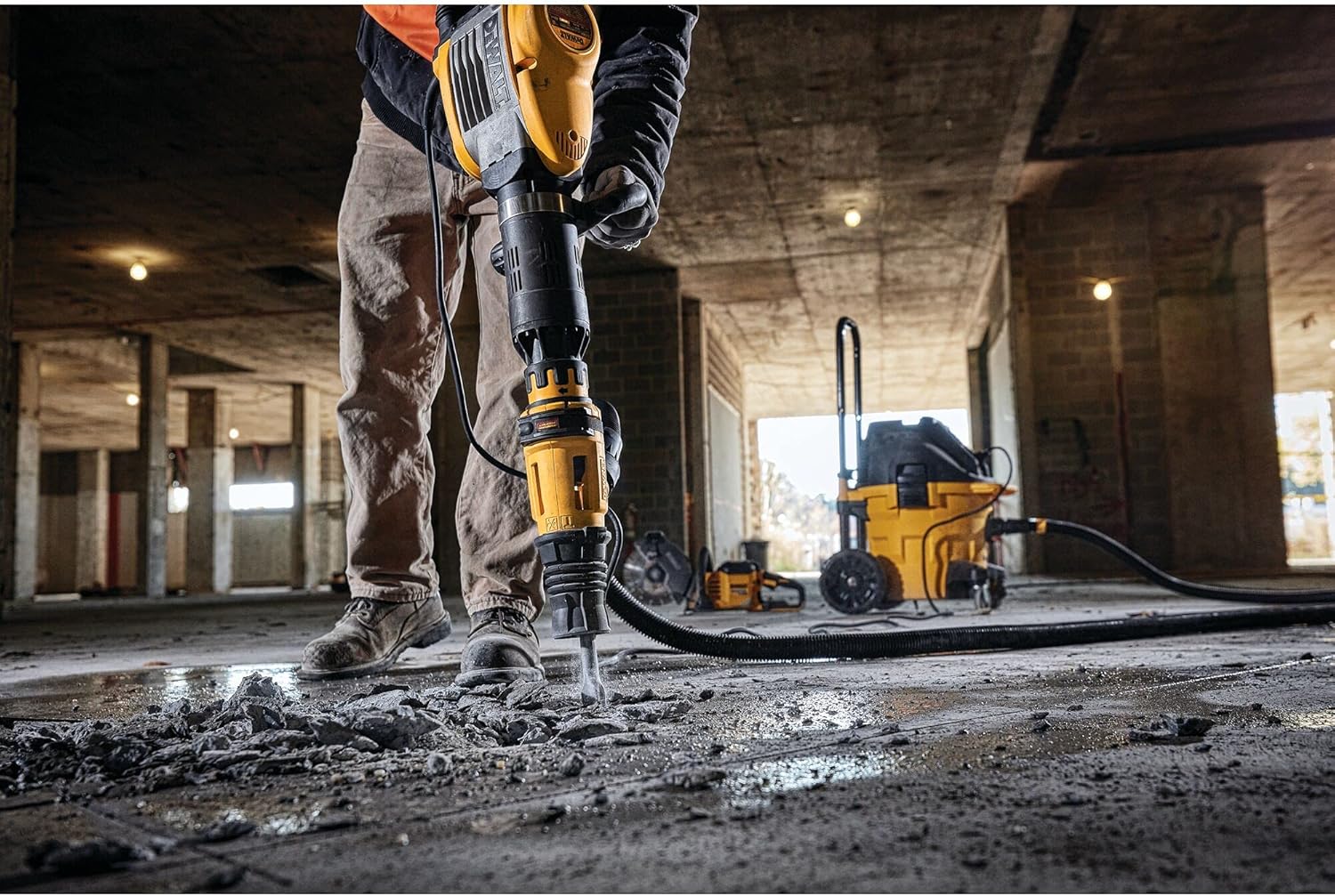
Figure 3: The DEWALT D25901K demolition hammer being used to break concrete, demonstrating its application.
- Hold the tool firmly with both hands using the main and side handles.
- Apply steady, downward pressure. Do not lean excessively or use body weight to force the tool.
- Allow the tool to do the work. The hammer mechanism is designed for efficient material removal.
- For optimal performance and safety, ensure the work piece is stable and secured.
6. Maintenance
Regular maintenance ensures the longevity and optimal performance of your DEWALT D25901K demolition hammer.
- Cleaning: After each use, clean the tool with a soft cloth. Remove any dust or debris from ventilation openings. Do not use water or chemical cleaners.
- Chuck Maintenance: Keep the SDS MAX chuck clean and lubricated. Regularly apply a small amount of grease to the chisel shank to ensure smooth operation and prevent wear.
- Dust Seals: The tool features spring-loaded dust seals. Inspect them periodically for damage and ensure they are free from debris to maintain their effectiveness.
- Carbon Brushes: Periodically check the carbon brushes for wear. Worn brushes can lead to reduced performance or tool failure. Refer to a qualified service technician for replacement.
- Storage: Store the tool in a dry, secure location out of reach of children.
7. Troubleshooting
This section addresses common issues you might encounter with your demolition hammer.
| Problem | Possible Cause | Solution |
|---|---|---|
| Tool does not start | No power supply; Faulty switch; Worn carbon brushes | Check power cord and outlet; Contact service for switch or brush replacement. |
| Reduced impact performance | Worn chisel; Incorrect impact setting; Internal mechanism issue | Replace chisel; Adjust impact control dial; Contact service. |
| Excessive vibration | Damaged chisel; Internal component issue | Inspect and replace chisel if damaged; Contact service if issue persists. |
| Chisel not locking in chuck | Debris in chuck; Damaged chuck collar | Clean chuck thoroughly; Contact service for chuck repair/replacement. |
For issues not listed or if solutions do not resolve the problem, contact DEWALT customer service or an authorized service center.
8. Specifications
| Specification | Value |
|---|---|
| Model Number | D25901K |
| Power Source | Corded Electric |
| Voltage | 240 Volts |
| Amperage | 14 Amps |
| Maximum Chuck Size | 20 Millimeters |
| Item Weight | 23.4 lbs (approx. 10.6 kg) |
| Product Dimensions | 27.56"L x 10.24"W x 4.72"H |
| Wattage | 1600 watts |
| Special Features | Variable Speed, SHOCKS Active Vibration Control |
9. Warranty and Support
This DEWALT tool is backed by a three-year limited warranty covering any defects due to faulty materials or workmanship from the date of purchase. It also includes a two-year free service contract, where DEWALT will maintain the tool and replace worn parts caused by normal use, free of charge.
For warranty claims, service, or technical support, please contact DEWALT customer service or visit an authorized DEWALT service center. Keep your proof of purchase for warranty validation.
Contact Information: Refer to the DEWALT official website or product packaging for the most current contact details and service center locations.


