
Introduction
This manual provides essential information for the safe and effective use of your Singing Machine Wireless Karaoke Microphone. Please read these instructions carefully before operating the device and retain them for future reference.
What's in the Box
- Singing Machine Party Machine Mic (SMM548R)
- Micro-USB Charging Cable
Setup
1. Charging the Microphone
Before first use, fully charge the microphone. Connect the supplied micro-USB cable to the charging port located at the bottom of the microphone and to a USB power source (not included).

Image: The Party Machine microphone connected to a micro-USB charging cable. The charging port is located at the base of the handle.
The charging indicator light will illuminate during charging and turn off when fully charged. A full charge typically takes approximately 1 hour and provides up to 4 hours of use.
2. Powering On/Off
Press and hold the Power button (usually the top button on the control panel) to turn the microphone on or off. The LED lights will activate upon powering on.
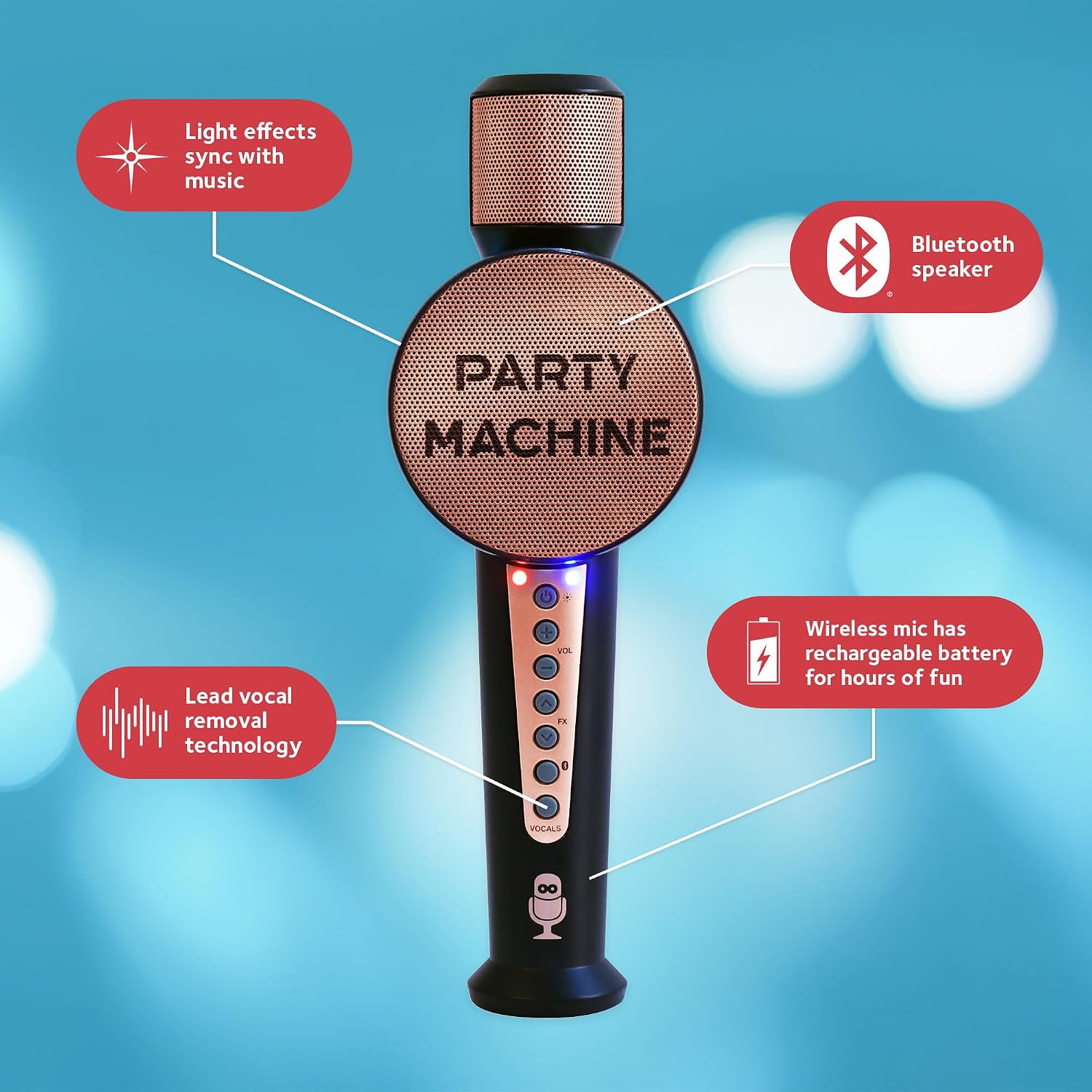
Image: A detailed view of the microphone's control panel, highlighting the power button, volume controls, effects buttons, and vocal removal button.
3. Bluetooth Pairing
Once powered on, the microphone will automatically enter Bluetooth pairing mode. On your Bluetooth-compatible device (smartphone, tablet, etc.), search for "Singing Machine" in the Bluetooth settings and select it to connect. A confirmation sound will indicate successful pairing.
Operating Instructions
1. Adjusting Volume
Use the VOL+ and VOL- buttons on the control panel to increase or decrease the microphone's volume.
2. Voice Changer Effects
The microphone features six built-in voice changer effects. Press the FX button repeatedly to cycle through the available effects: Male, Female, Echo, Robot, Chipmunk, and Radio.

Image: Visual representation of the six voice changer effects available on the microphone.
3. Lead Vocal Removal
To remove lead vocals from a song playing via Bluetooth, press the VOCALS button. This feature allows you to sing along to instrumental tracks.
4. Light Effects
The microphone includes synchronized light effects that respond to the music. These lights activate automatically when the microphone is powered on.
Maintenance
- Cleaning: Wipe the microphone with a soft, dry cloth. Do not use abrasive cleaners or immerse in water.
- Storage: Store the microphone in a cool, dry place away from direct sunlight and extreme temperatures.
- Battery Care: To prolong battery life, avoid fully discharging the battery frequently. Charge the microphone regularly, even if not in use for extended periods.
Troubleshooting
| Problem | Solution |
|---|---|
| Microphone does not power on. | Ensure the battery is charged. Connect the micro-USB cable and allow it to charge for at least 1 hour. |
| No sound from the microphone. | Check the volume levels on both the microphone and your connected Bluetooth device. Ensure the microphone is properly paired. |
| Bluetooth device cannot find the microphone. | Make sure the microphone is powered on and within range (approx. 30 feet). Turn off and on both devices and try pairing again. |
| Voice effects are not working. | Press the FX button to cycle through the effects. Ensure the microphone is not muted. |
Specifications
- Brand: Singing Machine
- Model Name: Party Machine Portable
- Model Number: SMM548R
- Connectivity Technology: Bluetooth
- Power Source: Battery Powered (Rechargeable)
- Battery Life: Up to 4 hours (approx.)
- Item Weight: 15 Ounces
- Item Dimensions (D x W x H): 2.2"D x 3.4"W x 10"H
- Included Components: SMM548R Party Machine Mic, USB Cable
Warranty and Support
This product comes with a 90-day limited warranty. For warranty claims or technical support, please visit the official Singing Machine website or contact their customer service. You can find more information at The Singing Machine Store on Amazon.
Product Videos
Video: Official product overview of the Singing Machine SMM548 Microphone, demonstrating its features and functionality.


