Introduction
This manual provides essential information for the safe and efficient operation, installation, and maintenance of your Gardena Comfort Aquasensor 8500 Submersible Pump. Please read these instructions carefully before use and keep them for future reference.
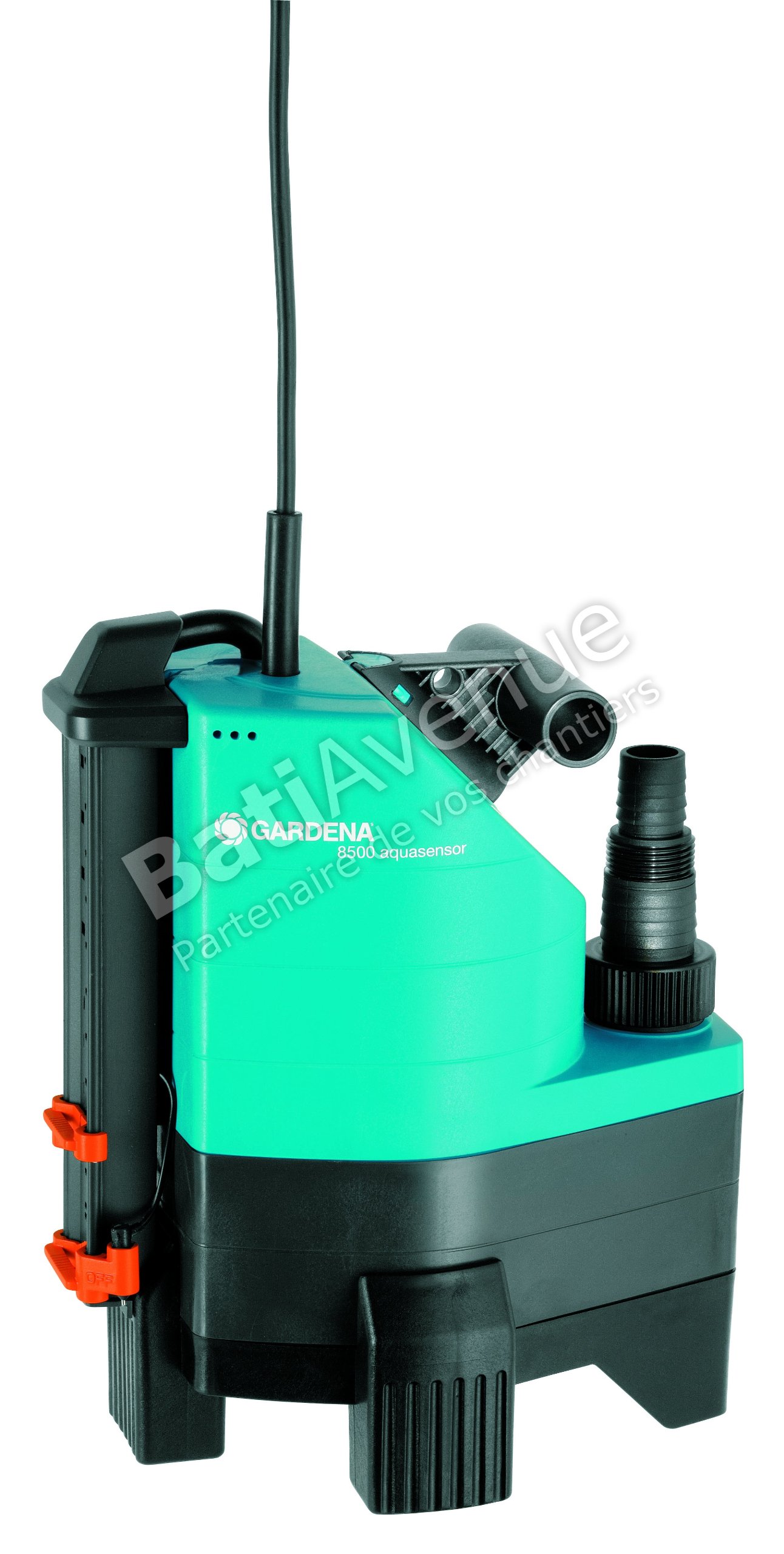
Image: The Gardena Comfort Aquasensor 8500 Submersible Pump operating in dirty water, demonstrating its primary function.
Safety Information
Always observe the following safety precautions to prevent personal injury and damage to the pump:
- Electrical Safety: Ensure the power supply matches the pump's specifications (230V AC). Do not operate the pump with a damaged power cord or plug. Always disconnect from power before handling or servicing.
- Immersion: The pump is designed for submersible use only. Do not operate it dry.
- Water Temperature: Do not pump liquids exceeding 35°C (95°F).
- Particle Size: The pump can handle particles up to 30 mm. Pumping larger particles may cause damage.
- Children and Pets: Keep children and pets away from the operating pump and water being pumped.
- Installation: Ensure stable placement of the pump. Do not lift the pump by its power cable.
Setup
- Unpacking: Carefully remove the pump and all accessories from the packaging. Inspect for any damage.
- Hose Connection:
Attach a suitable hose to the universal connector. The pump accommodates hoses from 13 mm (1/2") to 38 mm (1 ½"). Secure the hose with a clamp if necessary to prevent detachment during operation.

Image: A detailed view of the Gardena Comfort Aquasensor 8500 pump, highlighting the universal connector for hose attachment.
- Placement: Place the pump on a stable, level surface in the water to be drained. Ensure the pump is fully submerged before starting. The maximum immersion depth is 7 meters.
- Power Connection: Connect the 10-meter power cable to a grounded 230V AC power outlet. Ensure the outlet is protected by a residual current device (RCD).
Operating Instructions
The Gardena Comfort Aquasensor 8500 features an intelligent Aquasensor for automatic operation.
- Automatic Mode: The Aquasensor automatically activates drainage when the water level reaches 65 mm. Two additional sensors provide flexible control for autonomous shutdown.
- Manual Continuous Operation: For continuous operation, the on/off sensors can be individually adjusted. Refer to the markings on the sensor unit for specific settings.
- Starting the Pump: Once connected to power and submerged, the pump will start automatically in Aquasensor mode or operate continuously based on your sensor settings.
- Stopping the Pump: In automatic mode, the pump will stop when the water level drops below the set threshold. For manual shutdown, disconnect the pump from the power supply.
- Monitoring: Regularly check the pump's operation and the water level. Avoid running the pump dry.
Maintenance
Regular maintenance ensures the longevity and optimal performance of your pump.
- Cleaning: After each use, especially when pumping dirty water, rinse the pump with clean water. Remove any debris or particles that may have accumulated around the impeller or sensor.
- Sensor Cleaning: If the Aquasensor function becomes unreliable, clean the sensor contacts. Deposits like limescale can affect their sensitivity.
- Impeller Inspection: Periodically inspect the impeller for wear or damage. A low-wear impeller is designed for durability, but extreme conditions can cause issues.
- Storage: When not in use for extended periods, clean the pump thoroughly, drain all water, and store it in a dry, frost-free location.
- Cable Inspection: Regularly check the power cable for any signs of damage. Do not use the pump if the cable is frayed or cut.
Troubleshooting
| Problem | Possible Cause | Solution |
|---|---|---|
| Pump does not start. | No power supply; Thermal breaker tripped; Impeller jammed. | Check power connection and RCD. Allow pump to cool down. Disconnect power and clear any obstructions from the impeller. |
| Pump runs but no water is pumped. | Air in the pump; Hose blocked or kinked; Water level too low. | Ensure pump is fully submerged. Check hose for blockages or kinks. Verify water level is above the minimum activation threshold. |
| Aquasensor not functioning correctly. | Sensors are dirty or covered in deposits. | Clean the Aquasensor contacts thoroughly. |
| Reduced pumping performance. | Partial blockage; Worn impeller. | Clean the pump and check for debris. Inspect impeller for wear. |
Specifications
| Feature | Detail |
|---|---|
| Model Number | 1797-20 |
| Power | 380 Watts |
| Voltage | 230 Volts (AC) |
| Max. Flow Rate | 8300 Liters per hour |
| Max. Delivery Head | 6 meters |
| Max. Immersion Depth | 7 meters |
| Max. Particle Size | 30 mm |
| Max. Media Temperature | 35°C |
| Cable Length | 10 meters |
| Electrical Protection | IP X8 |
| Product Dimensions (L x W x H) | 28.1 x 22.5 x 35.5 cm |
| Weight | 5.6 kg (12.35 lbs) |
| Material | Plastic |
Warranty and Support
Gardena products are engineered in Germany and built for durability. For warranty information, please refer to the documentation included with your purchase or visit the official Gardena website. For technical support, spare parts, or service inquiries, please contact Gardena customer service through their official channels. Keep your proof of purchase for warranty claims.
Manufacturer: Gardena Deutschland GmbH


