1. Introduction
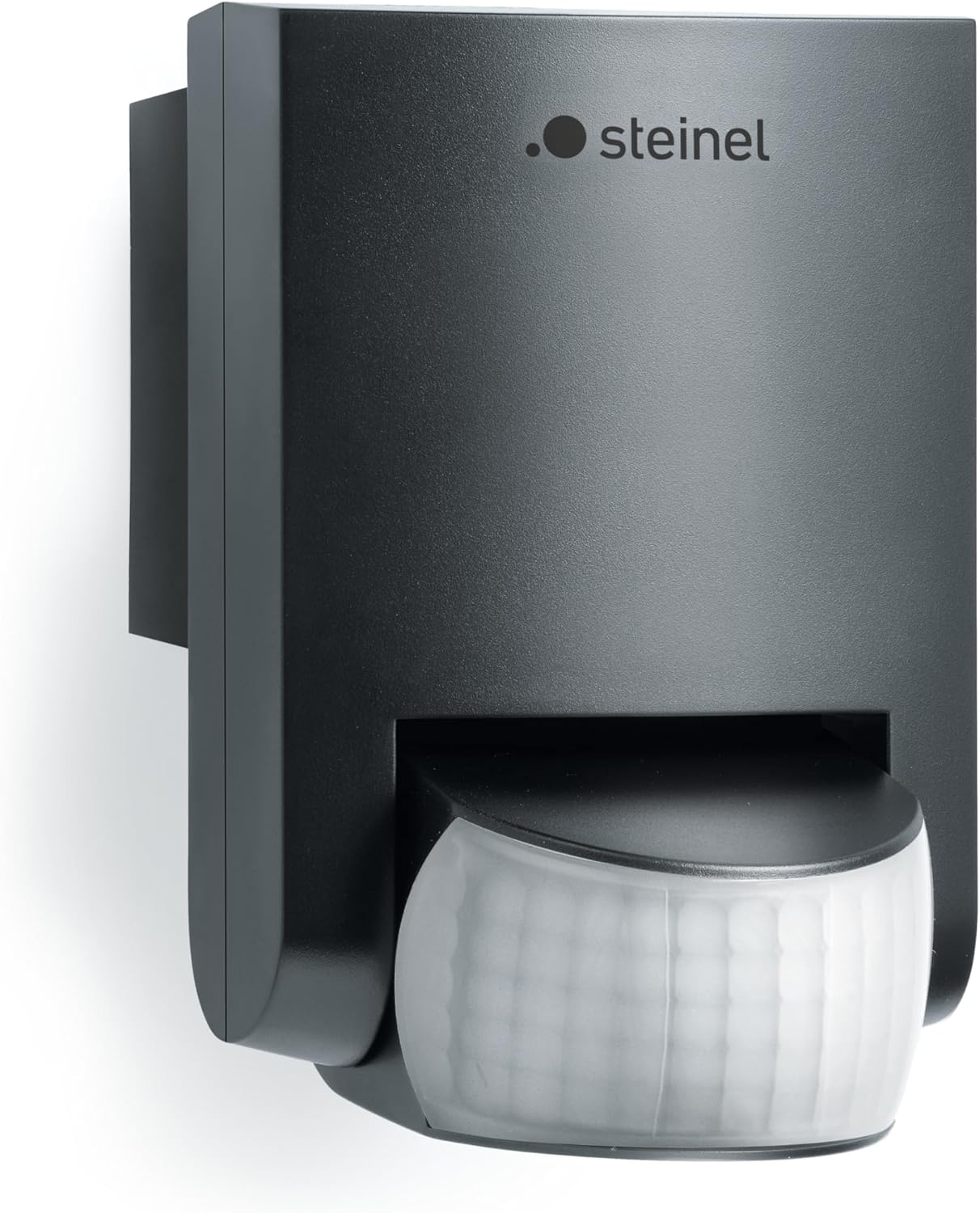
The Steinel IS 130-2 Infrared Motion Detector is designed for reliable and targeted surveillance of areas around your home. This versatile wall-mounted sensor is suitable for both indoor and outdoor applications, providing enhanced security and convenience by automatically controlling lighting based on detected movement.
Its advanced infrared technology ensures precise detection, while adjustable settings allow for customization to suit various environmental conditions and user preferences.
2. Safety Instructions
Please read these safety instructions carefully before installation and operation. Failure to comply may result in electric shock, fire, or other hazards.
- Installation must be carried out by a qualified electrician in accordance with national wiring regulations and local electrical codes.
- Ensure the power supply is disconnected before performing any installation, maintenance, or troubleshooting.
- The product is rated IP54, meaning it is protected against dust ingress and splashing water from any direction. However, do not immerse the device in water.
- Do not open or modify the device. There are no user-serviceable parts inside.
- Keep packaging materials away from children.
3. Package Contents
Verify that all components are present in the package:
- Steinel IS 130-2 Motion Detector unit
- Protection covers (for limiting detection area)
- Mounting hardware (2 screws, 2 x 6mm wall plugs, 2 sealing plugs)
- User manual
4. Installation
The IS 130-2 motion detector is designed for wall mounting. Ensure the mounting surface is stable and suitable for the device's weight.
4.1 Mounting Location
For optimal performance, install the detector at an ideal height of 2 meters. Consider the desired detection area (130° angle, up to 12m range) when choosing the location.

4.2 Mounting Steps
- Prepare the mounting surface: Mark the drilling points using the mounting plate as a template.
- Drill holes: Drill two holes with a diameter of 6mm at the marked positions.
- Insert wall plugs: Insert the provided 6mm wall plugs into the drilled holes.
- Wire the device: Open the clear connection compartment. Connect the electrical wires (Live, Neutral, Load) according to the wiring diagram. The clear compartment facilitates quick and easy wiring, allowing for both surface and concealed cable routing.
- Secure the device: Mount the detector to the wall using the provided screws. Ensure it is firmly attached.


5. Operation
The Steinel IS 130-2 motion detector automatically activates connected lighting when movement is detected within its adjustable range and under specific light conditions.
5.1 Detection Area
The detector features a 130° detection angle and a maximum range of 12 meters, covering an area of up to 150 m². The multi-lens can be swiveled 50° horizontally and 90° vertically to precisely adapt the detection zone. Included covers can be used to limit the detection area and prevent unwanted triggering.


5.2 Adjusting Settings
The time and twilight thresholds can be continuously adjusted using the rotary knobs located under the sensor head.
- Time Setting (8 seconds - 35 minutes): Controls how long the light remains on after motion is no longer detected.
- Twilight Setting (2-2000 lux): Determines the ambient light level at which the sensor becomes active. At higher lux settings, the sensor will only activate in brighter conditions (e.g., daytime). At lower lux settings, it will activate in darker conditions (e.g., dusk/night).

6. Maintenance
The Steinel IS 130-2 motion detector requires minimal maintenance. To ensure optimal performance and longevity:
- Regularly clean the sensor lens with a soft, damp cloth to remove dust, dirt, or cobwebs that may obstruct detection. Do not use abrasive cleaners or solvents.
- Periodically check the mounting screws to ensure the device remains securely fastened to the wall.
- Ensure no objects are blocking the sensor's field of view.
7. Troubleshooting
If you experience issues with your Steinel IS 130-2 motion detector, refer to the following common problems and solutions:
| Problem | Possible Cause | Solution |
|---|---|---|
| Light does not switch on when motion is detected. | Incorrect twilight setting (too high). No power supply. Bulb/LED faulty. | Adjust twilight setting to a lower lux value. Check power connection and circuit breaker. Replace bulb/LED. |
| Light remains on continuously. | Continuous motion in detection area. Time setting too long. Wiring error. | Clear detection area of obstructions. Reduce time setting. Check wiring connections. |
| Light switches on without apparent motion. | Small animals or moving objects (e.g., branches) in detection area. Sensor too sensitive. | Adjust detection area using covers. Reposition sensor or reduce sensitivity if possible (not directly adjustable on this model, rely on covers). |
If the problem persists after attempting these solutions, please contact Steinel customer support or a qualified electrician.
8. Specifications
Detailed technical specifications for the Steinel IS 130-2 Infrared Motion Detector:

| Feature | Value |
|---|---|
| Manufacturer | Steinel |
| Model Number | IS130-2 |
| Product Dimensions (L x W x H) | 7.8 x 13 x 8.4 cm; 160 grams |
| Color | Black |
| Material | Plastic |
| Power Source | Electric Cable |
| Voltage | 230 Volts |
| Max. Switching Power | 600 Watts (max. 250W LED / 50 pieces) |
| Frequency | 50 Hz |
| Detection Angle | 130° Infrared Sensor |
| Maximum Range | 12 Meters |
| Time Setting | 8 seconds - 35 minutes (continuously adjustable) |
| Twilight Setting | 2-2000 lux (continuously adjustable) |
| Mounting Type | Wall Mount |
| IP Rating | IP54 |
| Usage | Indoor and Outdoor |
| Country of Origin | Republic of Moldova |
9. Warranty and Support
The Steinel IS 130-2 Motion Detector comes with a 2-year manufacturer warranty. For warranty claims or technical support, please refer to the official Steinel website or contact their customer service.
Spare parts availability is guaranteed for 1 year.
For more information, visit the Steinel Brand Store.


