
Introduction
The Canon DM-100 Directional Stereo Microphone is designed to enhance audio recording with compatible Canon HF/HG Series camcorders. This microphone offers both mono and stereo recording capabilities with an adjustable field width, allowing for versatile audio capture in various environments. Its integrated shock-mount minimizes handling noise, and the included windmuff helps reduce outdoor wind interference. The DM-100 connects directly to the camcorder's advanced accessory shoe and operates without requiring external batteries.
What's in the Box
- Canon DM-100 Directional Stereo Microphone
- Windmuff
Setup
- Compatibility Check: Ensure your Canon camcorder is equipped with an advanced accessory shoe and is compatible with the DM-100 microphone (e.g., Canon HF/HG Series).
- Attach Microphone: Slide the Canon DM-100 microphone onto the camcorder's advanced accessory shoe until it clicks securely into place. The microphone draws power directly from the camcorder, requiring no separate batteries.
- Connect Cable: Plug the microphone's 3.5 mm jack into the corresponding microphone input on your camcorder.
- Install Windmuff (Optional): For outdoor recording or in windy conditions, gently place the windmuff over the microphone to reduce wind noise.
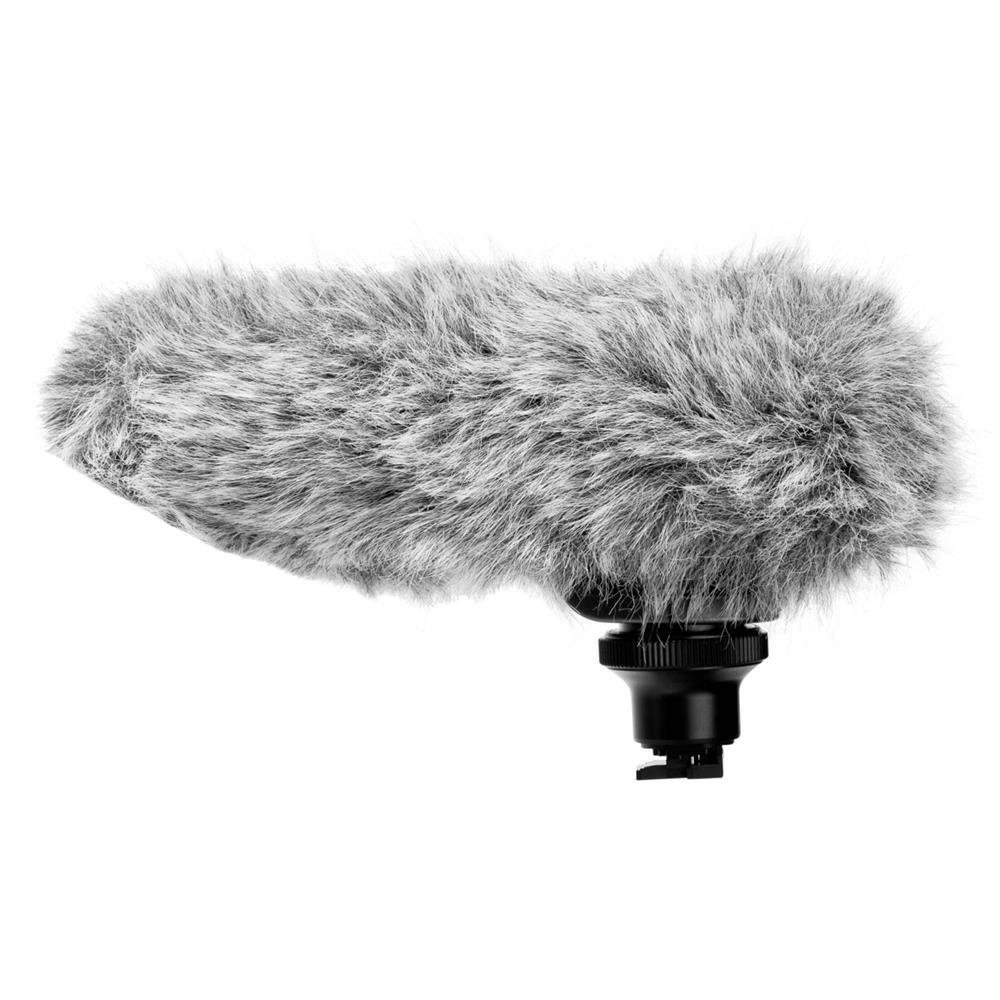
Image: The Canon DM-100 Directional Stereo Microphone shown attached to a compatible Canon camcorder, illustrating its compact and integrated design.
Operating Instructions
The DM-100 offers flexible audio capture modes to suit various recording scenarios:
- Adjustable Field Width: The microphone features a switch to select between different directional patterns.
- 90-degree Stereo: Ideal for capturing audio from a relatively close and narrowly focused subject. This setting provides a clear stereo image within a defined area.
- 120-degree Stereo: Suitable for recording wider or more distant subjects, such as sporting events, plays, or group conversations, where a broader soundstage is desired.
- Shotgun (Mono): Focuses audio capture directly in front of the microphone, minimizing sounds from the sides and rear. This is effective for isolating a single speaker or sound source.
- Windmuff Usage: When recording outdoors, attach the provided windmuff to significantly reduce unwanted wind noise, ensuring clearer audio.
- Shock-Mount System: The built-in shock-mount in the microphone's stem helps to absorb vibrations and handling noise from the camcorder, contributing to cleaner recordings.
- Camcorder Settings: Refer to your camcorder's instruction manual for specific audio input settings and monitoring options to optimize recording levels and quality.
Maintenance
- Cleaning: Use a soft, dry cloth to wipe the microphone body. Avoid using liquid cleaners or solvents, which can damage the finish or internal components.
- Windmuff Care: If the windmuff becomes dirty, it can typically be hand-washed gently with mild soap and water, then air-dried completely before reattaching.
- Storage: Store the microphone in a clean, dry place away from extreme temperatures and humidity when not in use.
- Handling: Handle the microphone with care to prevent physical damage. The shock-mount is designed to reduce noise, but excessive force can still cause damage.
Troubleshooting
- No Audio Recording:
- Ensure the microphone is securely attached to the camcorder's advanced accessory shoe.
- Verify the 3.5 mm audio jack is fully inserted into the camcorder's microphone input.
- Check your camcorder's audio settings to ensure the external microphone input is selected and recording levels are appropriate.
- Poor Sound Quality / Excessive Noise:
- If recording outdoors, ensure the windmuff is properly installed to minimize wind noise.
- Check the microphone's directional setting (90°, 120°, Shotgun) to ensure it matches your recording environment and subject.
- Avoid handling the camcorder or microphone excessively during recording, as the shock-mount reduces, but does not eliminate, all handling noise.
- Ensure there are no obstructions covering the microphone's elements.
- Microphone Not Recognized by Camcorder:
- Confirm your camcorder model is compatible with the Canon DM-100.
- Remove and reattach the microphone to ensure a proper connection to the advanced accessory shoe.
- Consult your camcorder's manual for troubleshooting external accessory connections.
Specifications
| Model Number | 2591B002 |
| Brand | Canon |
| Recommended Uses | Camcorder recording |
| Connectivity Technology | Auxiliary |
| Connector Type | 3.5 mm Jack |
| Compatible Devices | Camcorder (Canon HF/HG Series) |
| Color | Black |
| Polar Pattern | Unidirectional (with adjustable stereo field) |
| Audio Sensitivity | 8 Decibels |
| Impedance | 600 Ohms |
| Microphone Form Factor | Detachable |
| Power Source | Camcorder powered (No batteries required) |
| Signal-to-Noise Ratio | 80 dB |
| Frequency Range | 100 Hz - 10 kHz |
| Enclosure Material | Metal or High-Grade Plastic |
| Item Weight | 8.32 ounces (approx. 236 grams) |
| Item Dimensions (L x W x H) | 7.62 x 5.37 x 3.37 inches (approx. 19.35 x 13.64 x 8.56 cm) |
| UPC | 013803095081 |
Warranty and Support
The Canon DM-100 Directional Stereo Microphone is covered by a standard Canon warranty. For specific warranty terms, duration, and service procedures, please refer to the warranty documentation included with your product or visit the official Canon support website.
For further assistance, technical support, or to access additional resources, please visit the official Canon website or contact Canon customer service directly. You can find contact information and support portals on the Canon website: www.usa.canon.com/support