1. Introduction
This manual provides essential instructions for setting up, operating, maintaining, and troubleshooting your Kodak Easyshare M763 7.2 MP Digital Camera. Please read this manual thoroughly to ensure proper use and to maximize your camera's performance.
2. Product Overview
The Kodak Easyshare M763 is a compact 7.2-megapixel digital camera designed for ease of use and high-quality image capture. It features a 3x optical zoom lens, digital image stabilization, and a 2.7-inch LCD display.
Key Features:
- 7.2-megapixel resolution: Enables stunning prints up to 20 x 30 inches.
- 3x optical zoom and 5x digital zoom: Brings subjects closer with clarity.
- HD picture capture: Records images in 16:9 format for high-definition viewing.
- Face detection technology: Automatically adjusts settings for optimal portraits.
- Digital image stabilization: Reduces blur from camera or subject movement.
- Kodak Perfect Touch Technology: Enhances picture quality for brighter, more vivid results.
- High ISO (up to 1600): Improves performance in low-light conditions and for fast-action shots.
- VGA video recording: Captures continuous video (640 x 480) at 15 fps with sound.
- 2.7-inch LCD display: Large screen for easy viewing and playback, with auto picture rotation.
- Li-Ion rechargeable battery: Provides reliable power with convenient in-camera charging.
- Internal memory plus: 16 MB internal memory with SD/SDHC card expansion slot.
- On-camera Share button: Simplifies tagging photos for printing or emailing.
Camera Views:
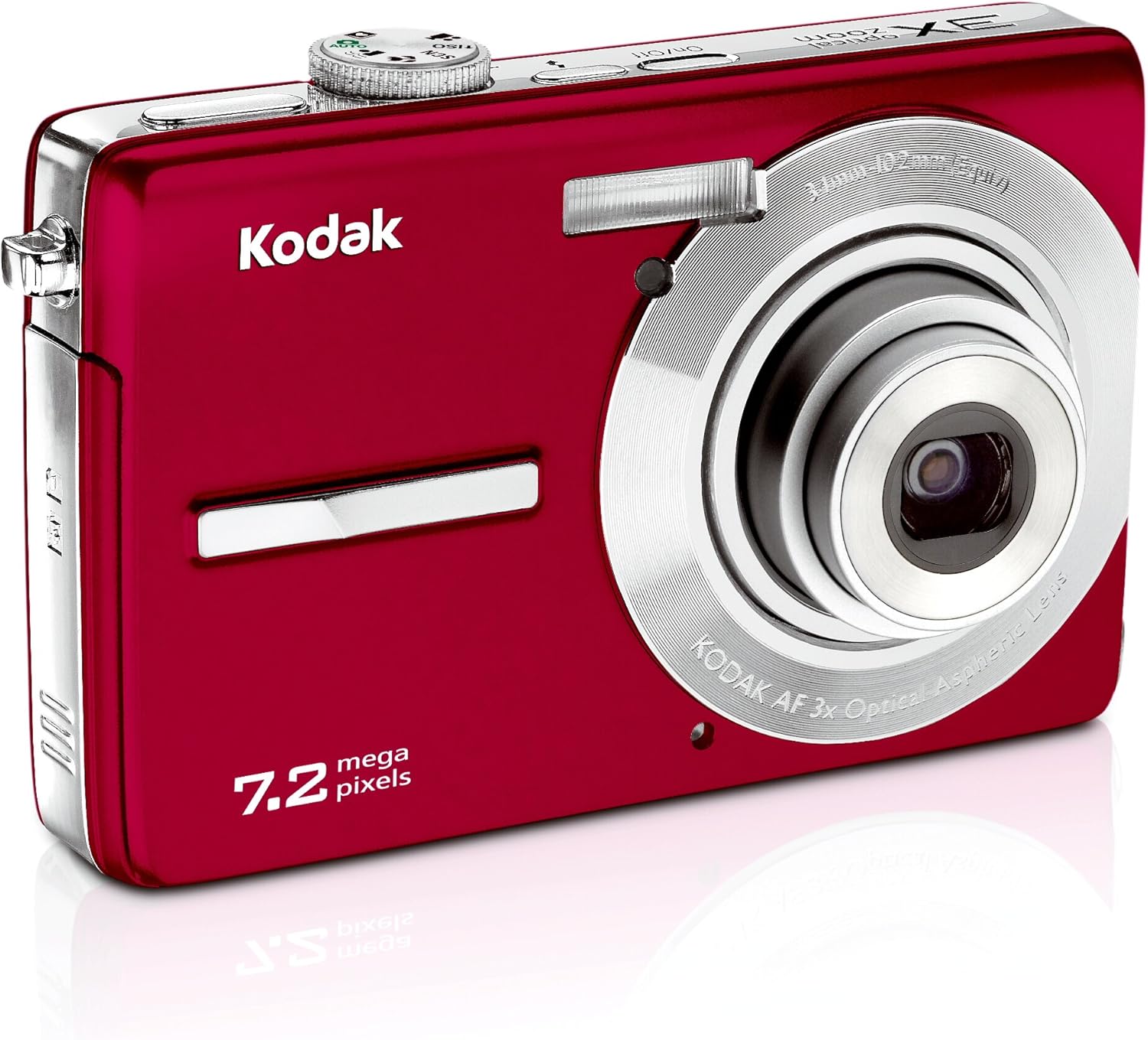
This image displays the front of the Kodak Easyshare M763 digital camera. Visible components include the camera lens, the built-in flash, and the Kodak branding. The camera's compact design and red finish are also prominent.

This image presents the rear of the Kodak Easyshare M763 digital camera. The prominent feature is the 2.7-inch LCD screen, which displays a sample image. Various control buttons, including navigation, menu, and share buttons, are visible around the screen, indicating user interface elements.
3. Setup
3.1 Battery Installation and Charging
- Locate the battery compartment door on the bottom or side of the camera.
- Open the compartment door and insert the Li-Ion rechargeable battery, ensuring the correct orientation as indicated by the markings inside the compartment.
- Close the battery compartment door securely.
- Connect the camera to a power source using the provided USB cable or charger to fully charge the battery before first use. The charging indicator light will show the charging status.
3.2 Memory Card Installation
The Kodak Easyshare M763 supports SD and SDHC memory cards. While the camera has 16 MB of internal memory, a memory card is recommended for extended storage.
- Locate the memory card slot, typically near the battery compartment.
- Insert the SD/SDHC memory card into the slot with the metal contacts facing the correct direction, as indicated by the diagram near the slot.
- Push the card gently until it clicks into place. To remove, push the card in again until it springs out slightly, then pull it out.
4. Operating the Camera
4.1 Power On/Off
Press the On/Off button, usually located on the top of the camera, to power the camera on or off.
4.2 Taking Pictures
- Turn on the camera.
- Frame your shot using the 2.7-inch LCD display.
- Use the W (Wide) and T (Telephoto) buttons to adjust the optical and digital zoom.
- Press the shutter button halfway down to allow the camera to focus. A green frame or indicator will confirm focus.
- Press the shutter button fully down to capture the image.
4.3 Scene Modes and Settings
The camera offers 20 scene modes and 3 color modes to optimize settings for various shooting conditions. Access these modes through the camera's menu system. Examples include Portrait, Children, Snow, Beach, and Backlight.
- Panorama Stitch Mode: Combine up to three shots into one large panoramic picture directly on the camera.
- On-camera Editing: Features like cropping, blurry picture alert, and digital red-eye reduction are available for post-capture adjustments.
- Voice Tagging: Record short audio clips to accompany your pictures, useful for remembering names, dates, or events.
4.4 Video Recording
- Switch the camera to video recording mode (refer to your camera's on-screen icons or mode dial).
- Press the shutter button to start recording. The camera will capture continuous VGA video (640 x 480) at 15 frames per second with sound.
- Press the shutter button again to stop recording.
4.5 Reviewing and Sharing Images
- Press the Review button to view your captured photos and videos on the LCD screen.
- Use the navigation buttons to scroll through your media.
- To share, press the dedicated Share button. This allows you to tag pictures for easy printing or emailing when the camera is connected to a computer with Kodak EasyShare Software installed.
- The Favorites feature allows you to mark special pictures without filling up internal memory.
5. Maintenance
5.1 Cleaning the Camera
- Camera Body: Use a soft, dry cloth to gently wipe the camera body. Avoid using harsh chemicals or abrasive materials.
- Lens: For the lens, use a specialized lens cleaning cloth and a lens cleaning solution. Never touch the lens surface with your fingers.
- LCD Screen: Clean the LCD screen with a soft, lint-free cloth. For stubborn smudges, use a screen cleaner designed for electronics.
5.2 Battery Care
- Store the Li-Ion battery in a cool, dry place when not in use.
- Avoid fully discharging the battery frequently to prolong its overall lifespan.
- Recharge the battery as needed, but avoid overcharging for extended periods.
5.3 Storage
When not using the camera for an extended period, remove the battery and memory card. Store the camera in a protective case or bag to prevent dust accumulation and scratches. Avoid storing the camera in areas with extreme temperatures or high humidity.
6. Troubleshooting
This section addresses common issues you might encounter with your Kodak Easyshare M763 camera.
6.1 Camera Not Turning On
- Ensure the battery is fully charged.
- Verify the battery is inserted correctly into the compartment.
- Try removing and reinserting the battery.
6.2 Blurry Pictures
- Check for sufficient lighting conditions.
- Ensure the camera lens is clean and free from smudges.
- Utilize the digital image stabilization feature.
- Hold the camera steady or use a tripod.
- For moving subjects, select a scene mode designed for action shots.
6.3 Memory Card Error
- Ensure the memory card is inserted correctly and fully seated.
- If the error persists, try formatting the memory card (note: this will erase all data on the card).
- Test with a different, compatible SD/SDHC memory card.
6.4 Short Battery Life
- Ensure the battery is fully charged before use.
- Reduce the brightness of the LCD screen.
- Disable unnecessary features or settings that consume power.
- Consider purchasing a spare battery for extended shooting sessions.
7. Specifications
Below are the technical specifications for the Kodak Easyshare M763 Digital Camera.
| Feature | Specification |
|---|---|
| Model Name | Kodak Easyshare M763 |
| Model Number | 1030311 |
| Photo Sensor Resolution | 7.2 MP |
| Optical Zoom | 3x |
| Digital Zoom | 5x |
| Screen Size | 2.7 Inches |
| Display Type | LCD |
| Image Stabilization | Electronic |
| Supported File Format | JPEG, RAW |
| Video Resolution | 480p (VGA 640x480 at 15 fps) |
| Internal Memory | 16 MB |
| Memory Card Support | SD, SDHC (up to 32 GB) |
| Battery Type | Lithium Ion |
| ISO Sensitivity | Expanded ISO Minimum 80, Expanded ISO Maximum 1600 |
| Item Weight | 0.4 Pounds |
| UPC | 041771030315 |
8. Warranty and Support
For detailed warranty information, please refer to the warranty card or documentation included with your Kodak Easyshare M763 Digital Camera at the time of purchase. For technical support, software downloads, and frequently asked questions, please visit the official KODAK support website or contact their customer service.


