Introduction
This manual provides detailed instructions for the proper use, setup, operation, and maintenance of your Velleman DVM9500 Anemometer. Please read this manual thoroughly before using the device to ensure safe and efficient operation.
Product Features
- Wind speed measurements in mph, km/h, or m/s units.
- Wind speed display in Beaufort wind scale bar graph.
- Wind chill display.
- Temperature display in degrees Celsius or Fahrenheit.
- Data-hold function.
- Automatic power-off feature.
- LCD backlight for improved visibility.
- Includes a neckband for convenient carrying.
Package Contents
Verify that all items are present and in good condition upon unpacking:
- Velleman DVM9500 Anemometer
- Neckband
- User Manual
- Note: 1 CR2 battery is required and not included.
Setup
1. Battery Installation
- Locate the battery compartment cover on the back of the device.
- Open the cover.
- Insert one CR2 battery, ensuring correct polarity (+/-).
- Close the battery compartment cover securely.
2. Attaching the Neckband
Thread the provided neckband through the designated loop on the anemometer for convenient carrying and to prevent accidental drops.

Image: The Velleman DVM9500 Anemometer shown with its included neckband. The device is yellow with a black fan at the top and an LCD screen displaying '57.6' and 'ANEMOMETER'. The black neckband is coiled next to it.
Operating Instructions
Power On/Off
- To power on, press the MODE/O button.
- The device features an auto power-off function to conserve battery life.
Measuring Wind Speed
Hold the anemometer so that the fan (impeller) faces directly into the wind. The wind speed will be displayed on the LCD screen.

Image: A Velleman DVM9500 Anemometer superimposed on a beach scene with two people kitesurfing. The anemometer's screen shows '14.8 km/h' and 'WIND'. This illustrates the typical environment for measuring wind speed.
Changing Measurement Units
Press the MODE/O button repeatedly to cycle through different measurement units for wind speed (m/s, km/h, mph) and temperature (°C, °F).
Beaufort Wind Scale
The device displays wind speed using a Beaufort wind scale bar graph, providing a visual indication of wind intensity.
Wind Chill Display
The anemometer can also display the calculated wind chill factor, which indicates how cold it feels due to the combined effect of temperature and wind speed.
Data Hold Function
To temporarily freeze the current reading on the display, activate the data-hold function. Refer to the device's specific button layout for the hold button (often indicated by a 'HOLD' or similar icon).
LCD Backlight
Press the backlight button (if available, often combined with another function or a dedicated light icon) to illuminate the LCD screen for better visibility in low-light conditions.
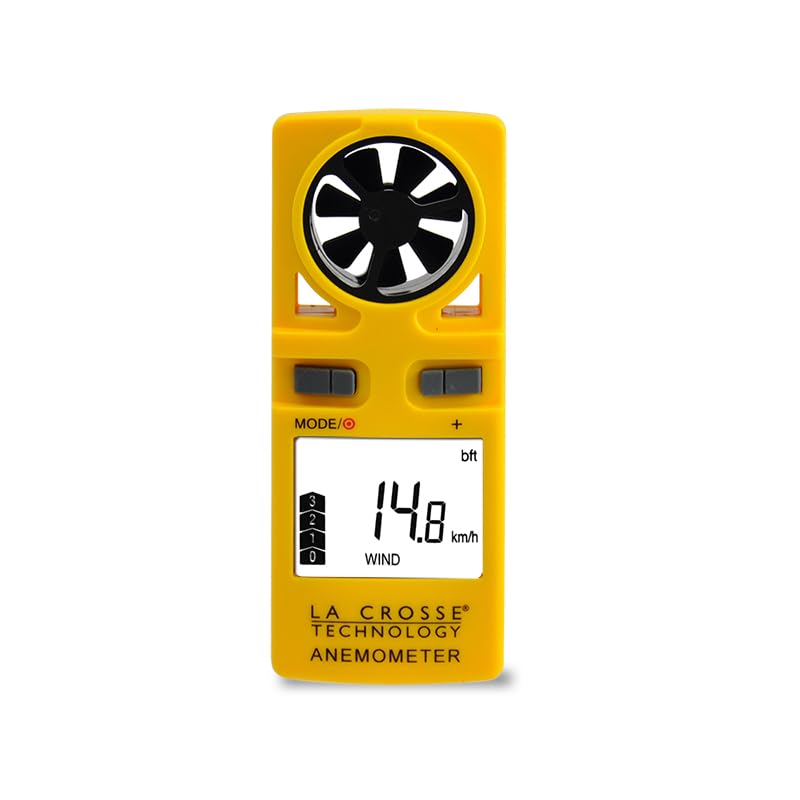
Image: A close-up front view of the Velleman DVM9500 Anemometer. The yellow device shows its black fan, two gray control buttons labeled 'MODE/O' and '+', and an LCD screen displaying '14.8 km/h' for wind speed and a Beaufort scale bar graph.
Maintenance
Cleaning
Wipe the device with a soft, dry cloth. Do not use abrasive cleaners or solvents. Ensure the impeller (fan) is free from dust and debris for accurate readings.
Battery Replacement
When the battery indicator appears on the LCD, replace the CR2 battery as described in the "Battery Installation" section. Remove the battery if the device will not be used for an extended period to prevent leakage.
Storage
Store the anemometer in a cool, dry place, away from direct sunlight and extreme temperatures.
Troubleshooting
| Problem | Possible Cause | Solution |
|---|---|---|
| Device does not power on. | Dead or incorrectly installed battery. | Check battery polarity or replace with a new CR2 battery. |
| Inaccurate wind speed readings. | Impeller obstructed or damaged; device not facing wind correctly. | Ensure impeller is clean and rotates freely. Point the device directly into the wind. |
| Display is dim or flickering. | Low battery. | Replace the CR2 battery. |
Specifications
| Feature | Detail |
|---|---|
| Model Number | DVM9500 |
| Wind Speed Units | m/s, km/h, mph |
| Temperature Units | °C, °F |
| Display Type | LCD with Backlight |
| Power Source | 1 x CR2 Battery (not included) |
| Special Features | Wind Chill Display, Beaufort Scale, Data Hold, Auto Power Off |
| Item Weight | 0.12 Grams |
| Manufacturer | Velleman |
Warranty and Support
For warranty information or technical support, please refer to the documentation provided with your purchase or contact Velleman customer service directly. Contact details can typically be found on the manufacturer's official website.
Note: Specific warranty terms may vary by region and retailer. Please retain your proof of purchase.


