
Introduction
Welcome to your new Citizen Eco-Drive watch. This timepiece is powered by light, eliminating the need for conventional battery replacement. This manual provides detailed instructions for the proper setup, operation, and maintenance of your BL9000-32A model, which features a perpetual calendar and minute repeater function.

Front view of the Citizen Eco-Drive BL9000-32A watch, showcasing its white dial, black leather strap, and various sub-dials for calendar and minute repeater functions.
Setup
Initial Charge
Your Eco-Drive watch requires light exposure to operate. Before initial use, expose the watch dial to direct sunlight or bright artificial light for several hours to ensure a full charge. A fully charged watch can operate for an extended period in darkness.
Setting the Time
- Pull the crown out to the time setting position (usually the second click).
- Rotate the crown to set the hour and minute hands to the correct time.
- Push the crown back in to the normal position (first click) to start the watch.
Setting the Date and Perpetual Calendar
The BL9000-32A features a perpetual calendar that automatically adjusts for month lengths and leap years. Setting the date and month typically involves using the crown and pushers in a specific sequence. Refer to the detailed instructions for Caliber 9000 series movements, usually found in the full user manual, for precise steps on how to set the month, date, and year (including leap year status) using the sub-dials and indicators.

Side view of the watch, highlighting the crown and two pushers used for adjusting time, date, and other functions.
Operating the Watch
Minute Repeater Function
The minute repeater function allows the watch to audibly indicate the current time. To activate, press the designated pusher (typically located at the 2 o'clock or 4 o'clock position, depending on the specific movement configuration). The watch will chime the hours, then the quarter hours, and finally the minutes. For example, 3:45 will be indicated by three chimes for the hours, three chimes for the quarter hours, and no chimes for the minutes.
Sub-dial Functions
The watch features multiple sub-dials on its face, each serving a specific purpose:
- Month/Year Indicator: This sub-dial displays the current month and indicates the leap year cycle (e.g., L for leap year, 1, 2, 3 years after leap year).
- 24-Hour Indicator: This sub-dial shows the time in a 24-hour format, useful for distinguishing AM/PM.
- Mode Indicator: This sub-dial may indicate different operational modes of the watch, such as timekeeping, alarm setting, or local time display.
Consult the full Caliber 9000 series manual for detailed instructions on how to cycle through modes and utilize each sub-dial's specific functions.
Maintenance
Charging
To maintain optimal performance and ensure continuous operation, regularly expose your watch to light. Avoid prolonged storage in dark places, as this can deplete the power reserve. If the watch stops, expose it to bright light for several hours to recharge.
Water Resistance
This watch has a water resistance depth of 50 meters (5 ATM). It is suitable for short periods of recreational swimming, but it is not designed for diving, snorkeling, or high-impact water sports. Always ensure the crown and pushers are fully pushed in before any contact with water. Do not operate the crown or pushers while the watch is wet.
Cleaning
Wipe the watch case and crystal with a soft, dry cloth to remove dust and smudges. For the leather strap, avoid excessive moisture and harsh cleaning agents, as these can damage the material. If the strap becomes wet, allow it to air dry naturally.

Rear view of the watch, displaying the stainless steel case back with engraved details and the black leather strap with its clasp.
Troubleshooting
Watch Not Running or Second Hand Moving Erratically
If the watch stops or the second hand moves in two-second intervals, it indicates that the watch is insufficiently charged. Expose the watch to bright light for several hours to recharge it. Once sufficiently charged, the second hand should resume normal one-second interval movement.
Incorrect Time or Date
Refer to the "Setting the Time" and "Setting the Date and Perpetual Calendar" sections of this manual. Ensure that the crown is fully pushed in after making any adjustments to prevent accidental changes and maintain water resistance.
Minute Repeater Not Functioning
Check if the watch is sufficiently charged. The minute repeater function may not operate if the power reserve is low. Also, ensure that the correct pusher is being used and pressed firmly according to the operating instructions for your specific movement.
Specifications
| Feature | Detail |
|---|---|
| Model Number | BL9000-32A |
| Movement Type | Light Powered (Eco-Drive) |
| Display Type | Analog |
| Dial Color | White |
| Case Material | Stainless Steel |
| Band Material | Leather |
| Band Color | Black |
| Dial Glass Material | Sapphire |
| Water Resistance Depth | 50 meters (5 ATM) |
| Item Weight | 1 kg 60 g |
Warranty and Support
Warranty Information
This Citizen watch comes with a 1-Year International Guarantee from the manufacturer. Please retain your proof of purchase for all warranty claims. The warranty covers manufacturing defects under normal use. It does not cover damage resulting from accidents, improper use, unauthorized repairs, or normal wear and tear.
Customer Support
For further assistance, service, or to locate an authorized service center, please visit the official Citizen website or contact their customer service department. You can also visit the Citizen Store on Amazon for more product information and support resources.
Additional Information
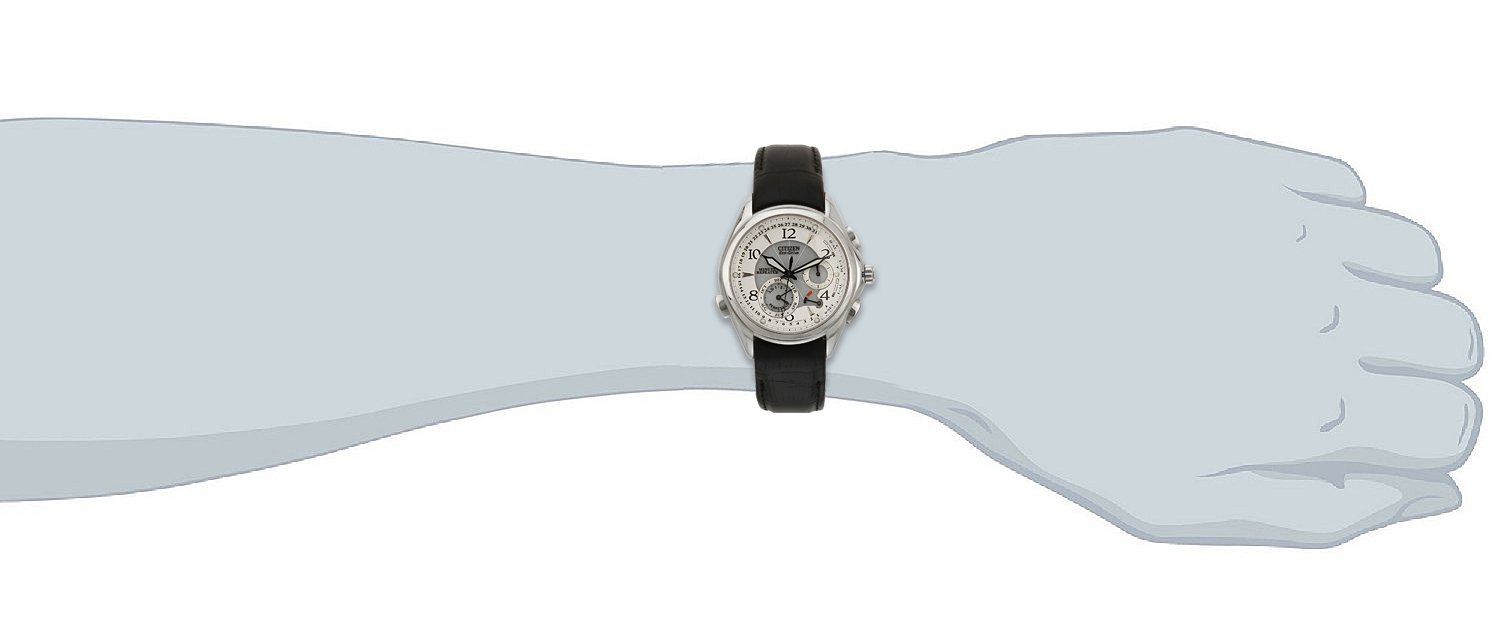
The Citizen Eco-Drive BL9000-32A watch displayed on a wrist, illustrating its size and fit.

The product packaging box for the Citizen Eco-Drive BL9000-32A watch, as it would be received.


