
NEIKO 03044A
NEIKO 03044A 1/4-Inch Drive Mini Ratchet Screwdriver Set
Model: 03044A
Brand: NEIKO
Introduction
This manual provides instructions for the proper use and maintenance of your NEIKO 03044A 1/4-Inch Drive Mini Ratchet Screwdriver Set. This compact tool is designed for fastening and unfastening screws in confined or hard-to-reach areas. Please read these instructions carefully before initial use to ensure safe and effective operation.

Image: The NEIKO 03044A Mini Ratchet Screwdriver and its accompanying bit set.
The set includes:
- 1 x Mini Ratchet Driver Handle
- 7 x 1-inch Chrome Vanadium Steel Bits in an organizer:
- 3 x Phillips bits (#1, #2, #3)
- 2 x Slotted bits (4.5mm, 7mm)
- 2 x Torx Star bits (T15, T20)
Setup
The NEIKO 03044A Mini Ratchet Screwdriver is designed for quick and easy bit changes. Follow these steps to prepare your tool for use:
- Select the Appropriate Bit: Identify the correct bit type and size (Phillips, Slotted, or Torx Star) required for your fastener. The included bits are stored in a compact organizer.
- Insert the Bit: Firmly push the selected 1/4-inch hex shank bit into the magnetic bit adapter at the head of the ratchet driver. The magnetic clip will hold the bit securely in place.

Image: A diagram illustrating the components of the screwdriver set, including the ratcheting mechanism, the bit organizer, and the magnetic bit adapter for secure bit retention.
Ensure the bit is fully seated to prevent slippage during operation.
Operating Instructions
The mini ratchet screwdriver features a reversible mechanism for efficient fastening and unfastening.
- Set Ratchet Direction: Locate the quick reverse thumb lever on the head of the ratchet driver. Move the lever to the desired direction for either tightening (clockwise) or loosening (counter-clockwise) fasteners. The 16-teeth ratcheting mechanism allows for smooth operation.
- Position the Tool: Place the selected bit into the head of the fastener. Due to its low-profile design (3/8" thick and 4" long), this tool is ideal for accessing fasteners in tight or confined spaces where traditional screwdrivers or larger tools cannot fit.
- Apply Torque: Hold the handle firmly and rotate the tool to turn the fastener. The ratcheting action allows you to turn the fastener without repositioning your grip on the handle, making work in tight spaces more efficient.
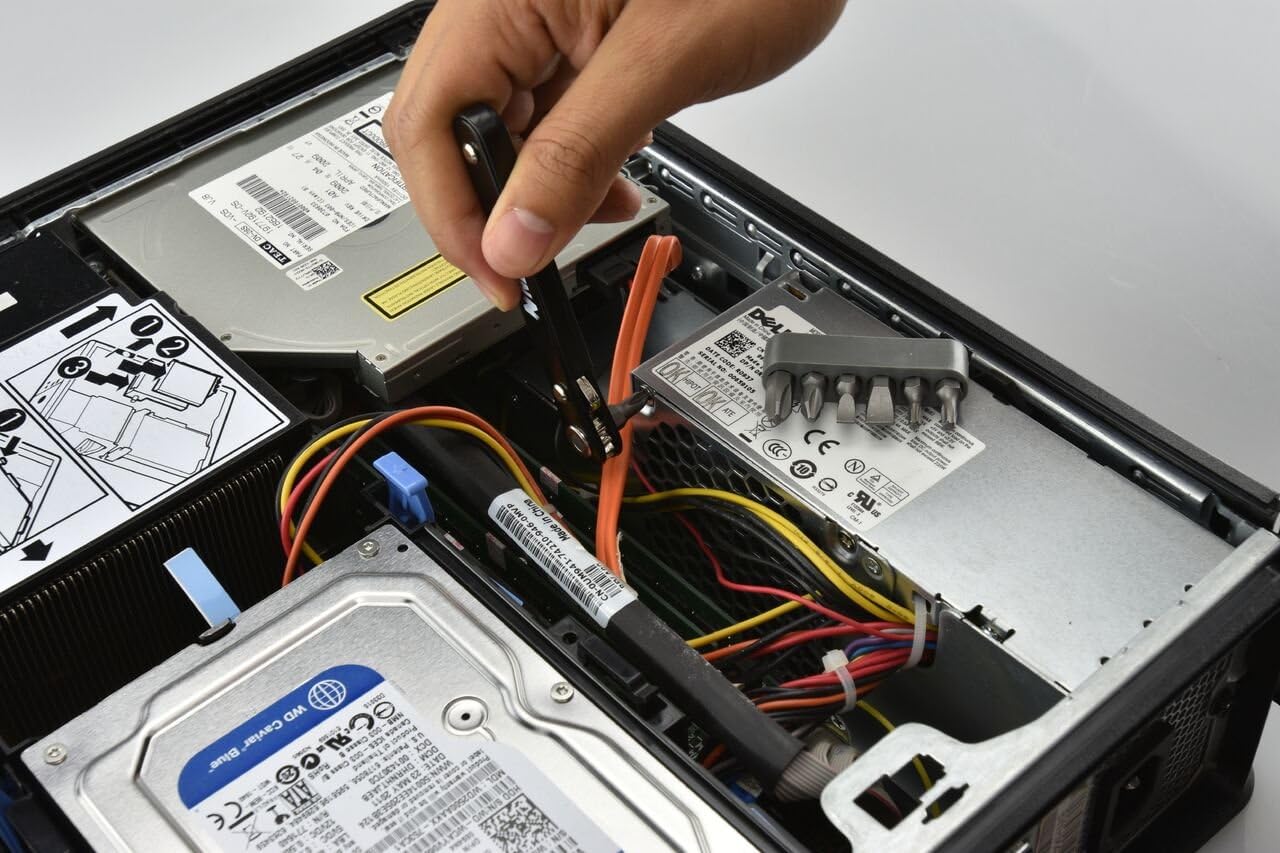
Image: A hand demonstrating the use of the mini ratchet screwdriver in a confined area, such as inside a computer chassis, highlighting its tight-reach capability.
Always ensure a secure grip on the tool and the fastener to prevent stripping or injury.
Maintenance
Proper maintenance will extend the life and performance of your NEIKO 03044A Mini Ratchet Screwdriver Set.
- Cleaning: After each use, wipe down the ratchet driver and bits with a clean, dry cloth to remove dirt, grease, or debris. For stubborn grime, a mild detergent solution can be used, followed by thorough drying.
- Lubrication: Periodically, apply a small amount of light machine oil to the ratcheting mechanism to ensure smooth operation. Avoid over-lubricating.
- Storage: Store the ratchet driver and bits in their original organizer or a suitable tool case in a dry environment to prevent rust and damage. Keep out of reach of children.
- Inspection: Regularly inspect the bits for wear or damage. Replace worn or damaged bits to maintain optimal performance and prevent fastener damage.
Troubleshooting
| Problem | Possible Cause | Solution |
|---|---|---|
| Bit falls out of driver head. | Bit not fully seated; magnetic clip weakened; incorrect bit size. | Ensure bit is pushed in completely. If issue persists, inspect magnetic clip for damage or try a different bit. |
| Ratcheting mechanism feels stiff or rough. | Lack of lubrication; dirt/debris in mechanism. | Clean the mechanism and apply a small amount of light machine oil. |
| Screwdriver slips on fastener head. | Incorrect bit size; worn bit; stripped fastener head. | Verify correct bit size for fastener. Replace worn bits. If fastener is stripped, use appropriate extraction methods. |
Specifications
- Model: NEIKO 03044A
- Drive Size: 1/4-Inch Hex
- Ratchet Mechanism: 16-teeth, Reversible
- Handle Dimensions (L x W x H): Approximately 4 x 0.67 x 0.4 inches
- Material: Chrome Vanadium Steel (bits), Durable composite (handle)
- Included Bits:
- Phillips: #1, #2, #3
- Slotted: 4.5mm, 7mm
- Torx Star: T15, T20
- Weight: Approximately 5 ounces

Image: A visual representation of the NEIKO 03044A mini ratchet screwdriver with its approximate dimensions labeled.
Warranty and Support
For information regarding product warranty, technical support, or replacement parts, please contact NEIKO customer service. Refer to the product packaging or the official NEIKO website for the most current contact details.
NEIKO Official Website: www.neikotools.com
Ask a question about this manual
Ask about setup, troubleshooting, compatibility, parts, safety, or missing instructions. Manuals+ will review the question and use this page’s manual context to help answer it.