
1. Introduction
Thank you for choosing the Tetra TH 35 Aquarium Thermometer. This high-precision liquid crystal thermometer is designed for reliable and easy temperature monitoring of your aquarium water. Proper temperature is crucial for the health and well-being of your aquatic inhabitants. This manual provides essential information for the correct installation, operation, and maintenance of your thermometer.
2. Product Overview
The Tetra TH 35 is an external aquarium thermometer that adheres to the outside of your aquarium glass. It features a clear, easy-to-read display and provides accurate temperature readings within the optimal range for most tropical fish.
Key Features:
- High-precision liquid crystal technology.
- Designed for external application on aquarium glass.
- Accurate temperature reading range: 20°C to 35°C.
- Easy-to-read display.
- Compact and discreet design.

Figure 1: Tetra TH 35 Aquarium Thermometer packaging. This image displays the product in its retail packaging, highlighting its key features and design, including the temperature scale and the Tetra brand logo.
3. Setup and Installation
The Tetra TH 35 thermometer is designed for simple external application. Follow these steps for proper installation:
- Clean the Surface: Ensure the outer surface of your aquarium glass where you intend to place the thermometer is clean and dry. Any dust, dirt, or moisture can affect adhesion.
- Peel Protective Backing: Carefully peel off the protective backing from the adhesive side of the thermometer.
- Position and Apply: Press the thermometer firmly onto the desired location on the outside of the aquarium glass. Choose a spot that is easily visible and away from direct heat sources or strong light that could affect readings.
- Allow to Settle: For optimal adhesion and accurate initial readings, allow the thermometer to settle for approximately 24 hours before relying on its temperature display.
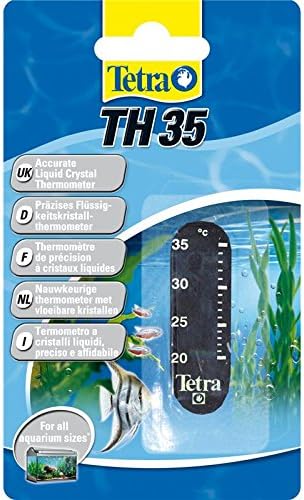
Figure 2: Close-up view of the Tetra TH 35 thermometer displaying a temperature. This image illustrates how the liquid crystal changes color to indicate the current water temperature, making it easy to read.
4. Operating Instructions
The Tetra TH 35 thermometer operates passively by reacting to the temperature of the aquarium glass, which in turn reflects the water temperature. No batteries or power source are required.
Reading the Temperature:
- The thermometer displays temperatures in Celsius (°C).
- The liquid crystal strip will change color to indicate the current temperature. The most prominent color (usually green) indicates the precise temperature.
- Ensure you read the temperature at eye level for the most accurate interpretation.
- The thermometer is designed to read temperatures between 20°C and 35°C.
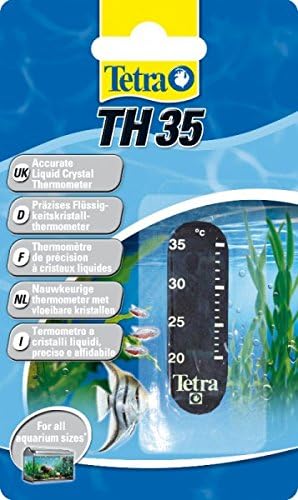
Figure 3: Tetra TH 35 thermometer applied to the exterior of an aquarium. This image demonstrates the thermometer's placement on the tank, showing its discreet profile and how it blends with the aquarium setup.
5. Maintenance
The Tetra TH 35 Aquarium Thermometer requires minimal maintenance to ensure continued accuracy and readability.
- Cleaning: If the surface of the thermometer becomes dusty or dirty, gently wipe it clean with a soft, damp cloth. Avoid using abrasive cleaners or solvents, as these can damage the liquid crystal display or the adhesive.
- Adhesion Check: Periodically check that the thermometer remains firmly adhered to the aquarium glass. If it begins to peel, re-adhere it carefully or replace it if necessary.
- Avoid Direct Sunlight: While the thermometer is designed for external use, prolonged exposure to direct sunlight or strong artificial light can affect its lifespan and potentially its accuracy. Position your aquarium in a suitable location.
6. Troubleshooting
If you encounter issues with your Tetra TH 35 Aquarium Thermometer, consider the following:
- Inaccurate Reading:
- Ensure the thermometer is firmly attached to the glass and has had sufficient time to acclimate (at least 24 hours).
- Verify that the thermometer is not exposed to direct heat sources (e.g., heaters, direct sunlight) or cold drafts, which could influence the glass temperature independently of the water.
- Compare the reading with another known accurate thermometer if available.
- Difficulty Reading:
- Ensure the thermometer surface is clean and free from smudges or dirt.
- Check lighting conditions. Adequate ambient light is needed to clearly see the color changes.
- Read at eye level to avoid parallax errors.
- Thermometer Not Changing Color:
- Confirm the water temperature is within the 20°C to 35°C range. If the temperature is outside this range, the thermometer may not display a clear reading.
- The thermometer may have reached the end of its lifespan. Liquid crystal thermometers can degrade over time.
7. Specifications
| Feature | Detail |
|---|---|
| Brand | Tetra |
| Model Number | 753686 |
| Product Model | TH 35 |
| Color | Black |
| Material | Crystal (Liquid Crystal) |
| Product Dimensions | 0.03 x 0.03 x 0.03 cm (approximate, as per product data) |
| Item Weight | 9.07 g |
| Special Features | High Accuracy |
| Display Type | Analog (Liquid Crystal) |
| Temperature Range | 20°C to 35°C |
8. Warranty and Support
For warranty information or technical support regarding your Tetra TH 35 Aquarium Thermometer, please refer to the warranty card included with your purchase or visit the official Tetra website. Contact details for customer service are typically available on the product packaging or the manufacturer's website.
For further assistance, you may also contact the retailer from whom you purchased the product.