
Introduction
This manual provides essential instructions for the assembly, operation, maintenance, and care of your Bush Business Furniture Series A 36W Small Desk. Designed for durability and functionality, this compact computer table is suitable for various professional and home office environments. Please read these instructions thoroughly before beginning assembly or use.
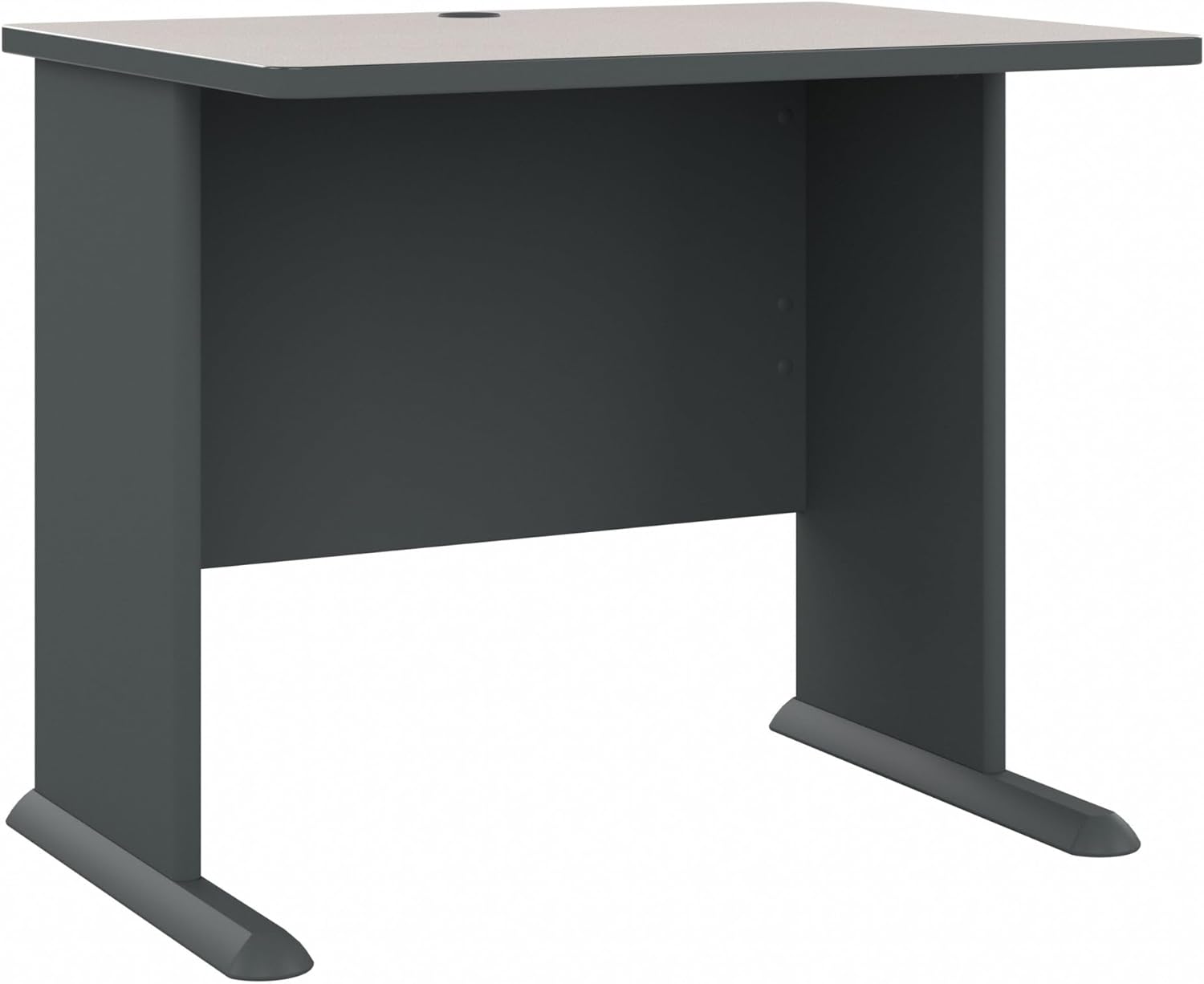
Image: The Bush Business Furniture Series A 36W Small Desk in Slate, showcasing its compact and functional design.
Setup and Assembly
The Bush Business Furniture Series A 36W Small Desk requires assembly. An instruction manual with detailed, step-by-step assembly diagrams is included with your purchase. Please ensure all components are present before starting assembly.
Before You Begin:
- Unpack Carefully: Remove all parts from the packaging and lay them out on a soft, clean surface to prevent scratches.
- Verify Components: Cross-reference the parts list in the included manual with the contents of the box.
- Required Tools: While some tools may be included, a Phillips head screwdriver and a rubber mallet are generally recommended for assembly.
- Assistance: Assembly may be easier with two people.

Image: An overview of the Bush Business Furniture Series A desk components, illustrating the modular nature of the collection.
Assembly Steps:
- Attach the C-leg bases to the side panels using the provided hardware.
- Secure the privacy panel between the side panels.
- Place the desktop onto the assembled base, aligning it carefully, and fasten it with the designated screws.
- Insert the wire management grommet into the pre-drilled hole on the desktop.
- Adjust the levelers on the C-leg bases to ensure stability on uneven flooring.
For detailed visual instructions, refer to the assembly guide provided in the product packaging.
Operating Features
The Series A 36W Small Desk is designed with practical features to enhance your workspace.
- C-Leg Design: The comfortable C-Leg design provides ample legroom and allows for versatile configurations, making it ideal for various office layouts.
- Wire Management Grommet: A centered grommet on the desktop helps organize and secure computer cables, keeping your work surface tidy and free from clutter.
- Adjustable Levelers: Sturdy desk feet include encapsulated steel armature and adjustable levelers to ensure stability on all types of flooring.
- Durable Surface: The thermally fused laminate surface is designed to resist scratches, stains, and dents, ensuring long-lasting professional quality.

Image: A close-up view of the built-in wire management grommet on the desk surface, designed to keep cables organized.

Image: Diagram highlighting key features of the desk, including the wire management grommet, finished privacy panel, and durable laminate finish.
Product Overview Video:
Video: An official overview of the Bush Business Furniture Series A collection, demonstrating its features and versatility in various office settings.
Maintenance and Care
To ensure the longevity and appearance of your Bush Business Furniture Series A 36W Small Desk, follow these care instructions:
- Cleaning: Wipe surfaces with a damp cloth. Avoid harsh chemicals or abrasive cleaners, which can damage the finish.
- Spills: Clean spills immediately to prevent staining, especially on the laminate surface.
- Heat and Moisture: Use coasters under hot beverages and protective pads under items that may scratch or leave moisture marks.
- Sunlight Exposure: Avoid prolonged exposure to direct sunlight to prevent fading or discoloration of the finish.
- Moving the Desk: When moving the desk, lift it rather than dragging it to prevent damage to the legs and flooring.
Troubleshooting
If you encounter any issues with your desk, consider the following common solutions:
- Instability/Wobbling: Check that all assembly hardware is securely tightened. Use the adjustable levelers on the C-leg bases to compensate for uneven floor surfaces.
- Damaged Upon Arrival: Inspect the packaging and product immediately upon delivery. If any damage is noted, document it with photographs and contact customer support for assistance.
- Missing Parts: If any parts are missing from the package, refer to the parts list in your assembly manual and contact customer support to request replacements.
- Assembly Difficulties: Review the assembly manual carefully. If you are still experiencing difficulties, contact customer service for guidance.
Specifications
Key specifications for the Bush Business Furniture Series A 36W Small Desk (Model WC8436A):
| Feature | Detail |
|---|---|
| Brand | Bush Furniture |
| Model Number | WC8436A |
| Product Dimensions (D x W x H) | 26.87"D x 35.62"W x 29.87"H |
| Item Weight | 59 Pounds |
| Color | Slate |
| Finish Type | White Spectrum and Slate |
| Top Material Type | Alloy Steel (Laminate Surface) |
| Base Material | Alloy Steel |
| Maximum Weight Recommendation | 200 Pounds |
| Assembly Required | Yes |
| Special Feature | Adjustable Levelers, Wire Management Grommet |

Image: Diagram illustrating the dimensions (width, depth, height) and maximum weight capacity of the desk.
Warranty Information
The Bush Business Furniture Series A 36W Small Desk is backed by a 10 Year Manufacturer's Warranty. This commercial-grade desk has been meticulously designed and tested to meet ANSI/BIFMA standards for safety, durability, and performance. For specific warranty terms and conditions, please refer to the documentation included with your product or visit the Bush Furniture official website.
Customer Support
For assembly assistance, missing parts, or any other product-related inquiries, please contact Bush Business Furniture customer service:
- Phone: 800-950-4782
- Online: Visit the official Bush Furniture website for support resources and contact forms.