
Goobay 69668-GB
Goobay 69668 CAT 5e SF/UTP Patch Cable User Manual
Model: 69668-GB | Brand: Goobay
Introduction
This manual provides essential information for the proper use, installation, and maintenance of your Goobay 69668 CAT 5e SF/UTP Patch Cable. This cable is designed for reliable data transmission in network environments, connecting devices such as computers, routers, switches, and modems.
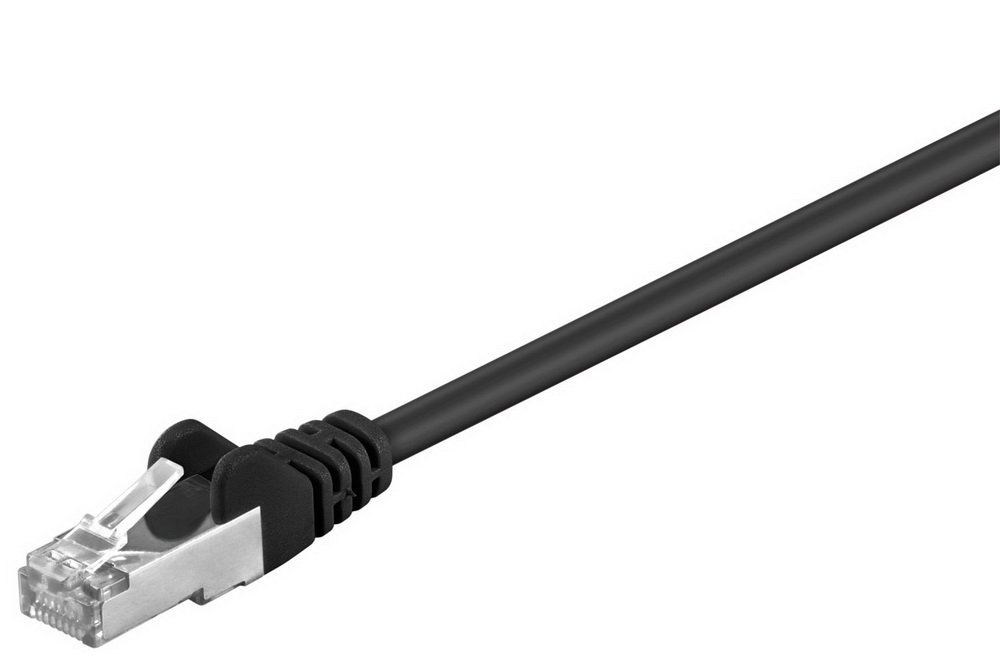
An image showing the black Goobay CAT 5e SF/UTP patch cable, highlighting the RJ45 connector end. The cable is designed for network connectivity.
Setup
The Goobay CAT 5e SF/UTP Patch Cable is designed for plug-and-play functionality. Follow these steps for proper connection:
- Identify Ports: Locate the Ethernet (RJ45) ports on the devices you wish to connect (e.g., computer, router, network switch).
- Insert First End: Gently insert one end of the Goobay patch cable into the Ethernet port of the first device until you hear a click, indicating a secure connection.
- Insert Second End: Insert the other end of the cable into the Ethernet port of the second device, ensuring it clicks into place.
- Verify Connection: Most network devices have indicator lights on their Ethernet ports. A solid or blinking light typically indicates a successful physical connection and data activity.
Ensure the cable is not excessively bent or kinked during installation to prevent damage to the internal wires and maintain optimal performance.
Operating Principles
The Goobay CAT 5e SF/UTP Patch Cable facilitates the transmission of data signals between network devices. As a passive component, it does not require external power or configuration. Its primary function is to provide a reliable physical medium for Ethernet communication.
- Data Transfer: The cable supports data transfer rates suitable for Fast Ethernet (100 Mbps) and Gigabit Ethernet (1000 Mbps) applications, though the provided specification states 1 Mbps. For optimal performance, ensure all connected devices support the desired speed.
- Shielding (SF/UTP): The SF/UTP (Screened Foiled/Unshielded Twisted Pair) construction provides shielding against electromagnetic interference (EMI) and radio-frequency interference (RFI), which helps maintain signal integrity in environments with potential interference sources.
- CCA Conductors: This cable utilizes Copper Clad Aluminum (CCA) conductors. While functional, CCA cables may have higher resistance and are generally recommended for shorter runs and less demanding applications compared to pure copper cables.
Maintenance
Proper care and maintenance will extend the lifespan of your Goobay patch cable and ensure consistent performance.
- Avoid Kinks and Bends: Do not bend the cable sharply or tightly coil it, as this can damage the internal conductors and shielding, leading to signal degradation.
- Protect Connectors: Keep the RJ45 connectors clean and free from dust or debris. Avoid pulling the cable by the wire; always grasp the connector housing when plugging or unplugging.
- Temperature and Environment: Store and use the cable in environments within typical room temperatures. Avoid extreme heat, cold, or excessive humidity.
- Cleaning: If necessary, gently wipe the cable and connectors with a soft, dry, lint-free cloth. Do not use liquid cleaners or solvents.
Troubleshooting
If you experience issues with your network connection, consider the following troubleshooting steps:
- No Network Connection:
- Ensure both ends of the cable are securely plugged into their respective ports. Listen for the "click" sound.
- Check the indicator lights on the network ports. If they are off, try a different port or device.
- Test the cable with another known working device or try a different cable to isolate the problem.
- Slow Network Speed:
- Verify that both connected devices support the desired network speed (e.g., Gigabit Ethernet).
- Ensure the cable is not damaged, kinked, or run near strong sources of electromagnetic interference.
- Check network settings on your devices to ensure they are configured for optimal speed.
- Intermittent Connection:
- This can often indicate a damaged cable or loose connection. Inspect the cable for visible damage.
- Ensure the RJ45 connectors are not bent or broken.
If problems persist after these steps, consult the documentation for your network devices or contact technical support.
Specifications
| Brand | Goobay |
| Model Number | 69668-GB |
| Cable Type | CAT 5e SF/UTP Patch Cable |
| Conductor Material | CCA (Copper Clad Aluminum) |
| Connector Type | RJ45 |
| Data Transfer Rate | 1 Megabits Per Second (Note: CAT 5e typically supports up to 1000 Mbps) |
| Product Dimensions | 0.79 x 0.79 x 0.79 inches (approximate cable dimensions, not packaging) |
| Item Weight | 50 Grams (1.76 ounces) |
| ASIN | B000VN4RJ6 |
| Date First Available | July 23, 2014 |
Warranty and Support
For specific warranty information regarding your Goobay 69668 CAT 5e SF/UTP Patch Cable, please refer to the documentation provided with your purchase or visit the official Goobay website. Warranty terms and conditions may vary by region and retailer.
For technical support or further inquiries, please contact Goobay customer service through their official channels. Always provide your product model number (69668-GB) and ASIN (B000VN4RJ6) when seeking assistance.
Related documents69668-GB


Ask a question about this manual
Ask about setup, troubleshooting, compatibility, parts, safety, or missing instructions. Manuals+ will review the question and use this page’s manual context to help answer it.