
Introduction
Thank you for purchasing the Classic Cantabile SG200R Guitar Amplifier. This 20-watt (RMS) combo amplifier is designed to provide versatile sound for guitarists, featuring two channels (Clean and Overdrive) and an 8-inch speaker. This manual provides essential information for safe and effective use, including setup, operation, maintenance, and troubleshooting.
Safety Instructions
- Power Supply: Connect the amplifier only to an AC power outlet with the correct voltage as indicated on the unit. Ensure the power cord is not damaged or pinched.
- Ventilation: Do not block ventilation openings. Ensure adequate airflow around the amplifier to prevent overheating.
- Moisture: Keep the amplifier away from water, rain, and high humidity. Do not operate with wet hands.
- Foreign Objects: Do not insert any objects into the amplifier's openings.
- Servicing: Do not attempt to service the amplifier yourself. Refer all servicing to qualified personnel.
- Placement: Place the amplifier on a stable, level surface. Avoid placing it near heat sources or in direct sunlight.
- Hearing Protection: Prolonged exposure to high volume levels can cause permanent hearing damage. Use caution when adjusting volume.
Setup
1. Unpacking and Placement
Carefully remove the amplifier from its packaging. Inspect the unit for any signs of damage. Place the amplifier on a stable, flat surface, ensuring sufficient space for ventilation. The amplifier features protective metal corners for durability.
2. Power Connection
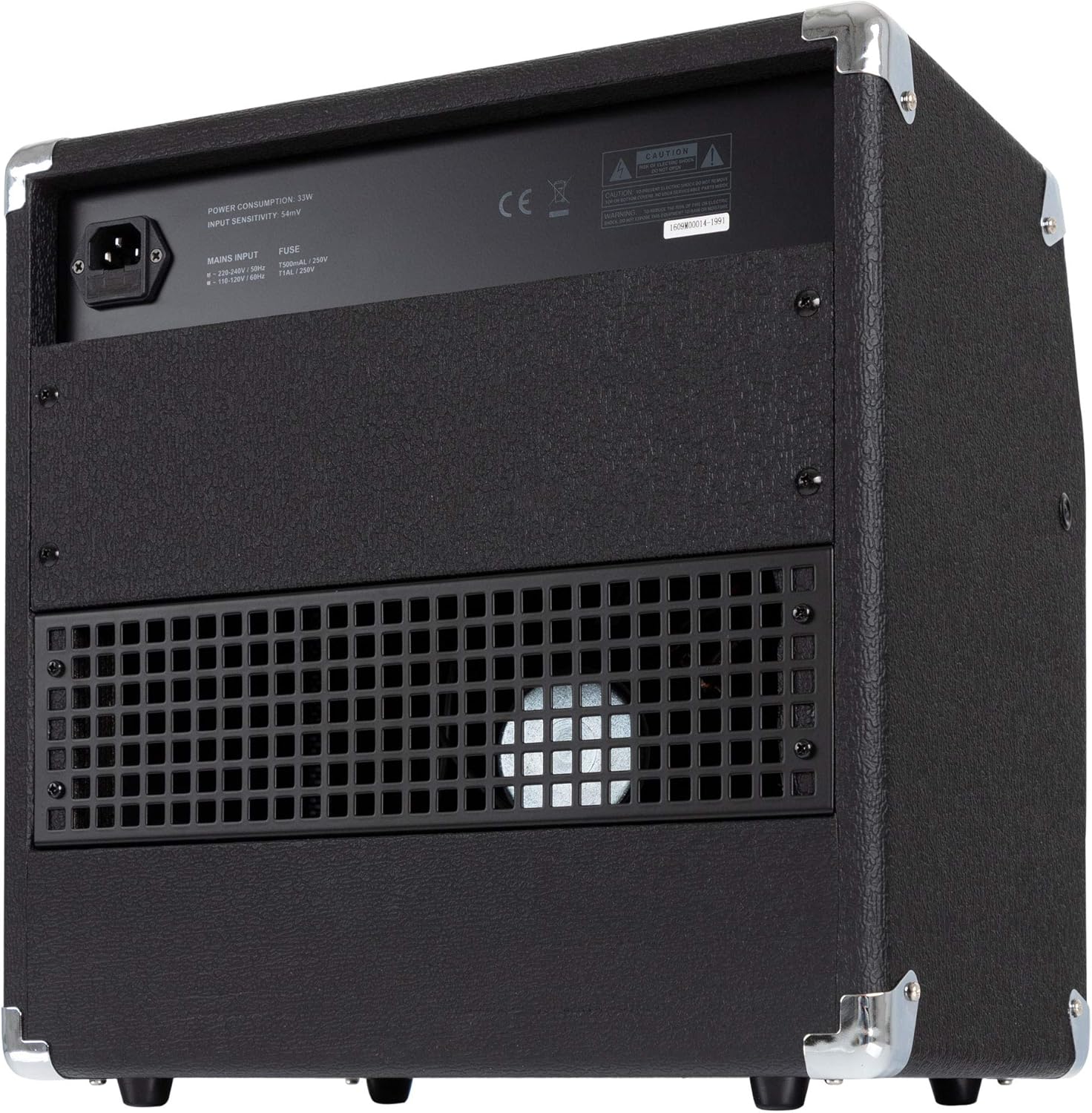
Connect the included power cable to the amplifier's power input on the rear panel and then to a suitable AC power outlet. Ensure the amplifier's power switch is in the 'OFF' position before connecting to power.
3. Guitar Connection
Plug your guitar cable into the 'INPUT' jack on the front panel of the amplifier.
4. Footswitch Connection (Optional)
If using an optional footswitch for channel switching, connect it to the 'FOOT SWITCH' jack on the front panel.
5. Headphone Connection (Optional)
For silent practice, connect standard 3.5mm headphones to the 'PHONES' jack. Connecting headphones will mute the internal speaker.
Operation
1. Powering On/Off
After all connections are made, press the 'POWER' switch to turn the amplifier on. The 'ON' indicator light will illuminate. To turn off, press the 'POWER' switch again.

2. Channel Selection
The SG200R features two channels: Clean and Overdrive. Use the 'CH/SEL' button or an optional footswitch to toggle between these channels. The indicator light next to 'CH/SEL' will show which channel is active.
3. Control Functions
Familiarize yourself with the control knobs:
- INPUT: 1/4" jack for connecting your guitar.
- GAIN (Overdrive Channel): Adjusts the amount of distortion or overdrive. Higher settings produce more saturated tones.
- VOLUME (Overdrive Channel): Controls the output level of the Overdrive channel.
- CH/SEL: Button to switch between Clean and Overdrive channels.
- FOOT SWITCH: 1/4" jack for connecting an optional footswitch for channel selection.
- VOLUME (Clean Channel): Controls the output level of the Clean channel.
- TREBLE (Equalization): Adjusts the high-frequency response of both channels.
- MIDDLE (Equalization): Adjusts the mid-range frequency response of both channels.
- BASS (Equalization): Adjusts the low-frequency response of both channels.
- LEVEL (Reverb): Controls the intensity of the built-in spring reverb effect.
- PHONES: 3.5mm stereo jack for connecting headphones. Mutes the internal speaker when in use.
- POWER: On/Off switch for the amplifier.

Maintenance
1. Cleaning
Wipe the amplifier's exterior with a soft, dry cloth. Do not use abrasive cleaners, solvents, or waxes, as these can damage the finish. Ensure the amplifier is unplugged before cleaning.
2. Storage
When not in use, store the amplifier in a dry, cool environment, away from direct sunlight and extreme temperatures. If storing for extended periods, consider covering it to protect against dust.
3. Fuse Replacement
The amplifier is equipped with a fuse for protection. If the amplifier fails to power on, check the fuse located on the rear panel near the power input. Always replace a blown fuse with one of the exact same type and rating (e.g., T500mA/250V for 230-240V input, T1A/250V for 100-120V input). Refer to the label on the rear panel for specific fuse requirements.
Troubleshooting
If you experience issues with your SG200R amplifier, consult the following table before seeking professional service:
| Problem | Possible Cause | Solution |
|---|---|---|
| No power | Power cable not connected; Power switch off; Blown fuse; Power outlet malfunction. | Ensure power cable is securely connected. Turn power switch on. Check and replace fuse if necessary (see Maintenance). Test power outlet with another device. |
| No sound | Guitar cable faulty; Guitar volume off; Amplifier volume low; Headphones connected; Incorrect channel selected. | Check guitar cable connection and try another cable. Ensure guitar volume is up. Increase amplifier's channel volume and master volume. Disconnect headphones. Verify correct channel (Clean/Overdrive) is selected. |
| Distorted or poor sound | High GAIN setting on Clean channel; Faulty guitar cable; Speaker damage. | If on Clean channel, reduce GAIN. If on Overdrive, adjust GAIN to desired level. Try a different guitar cable. If distortion persists across all settings and channels, contact service. |
| Reverb not working | REVERB LEVEL set to minimum. | Increase the REVERB LEVEL knob. |
Specifications
- Output Power: 20 Watts (RMS), 60 Watts (Peak)
- Speaker: 8-inch
- Channels: 2 (Clean, Overdrive)
- Controls: Gain, Volume (Overdrive), Volume (Clean), Treble, Middle, Bass, Reverb Level
- Effects: Adjustable Spring Reverb
- Inputs: 1x 1/4" Guitar Input, 1x 1/4" Footswitch Input
- Outputs: 1x 3.5mm Headphone Output
- Construction: Metal protective corners
- Dimensions (W x H x D): 37 x 38 x 24.5 cm (approximately 14.57 x 14.96 x 9.65 inches)
- Weight: 10.7 kg (approximately 23.6 lbs)
- Material: Metal
- Power Source: Electric
Warranty and Support
Classic Cantabile products are designed for reliability and performance. For warranty information, please refer to the documentation provided at the time of purchase or contact your retailer. For technical support or service inquiries, please contact the Classic Cantabile customer service department or your authorized dealer.

