1. Product Overview
The Comfort Zone CZ6C is a versatile 6-inch portable clip-on fan designed to provide personal cooling and air circulation in various indoor settings. Its compact design, two-speed control, and adjustable features make it suitable for use in homes, offices, dorm rooms, and more. The fan features a strong clamp for secure attachment to surfaces and a safety grill for protection.
2. Important Safety Instructions
Please read and save these important safety instructions before using this fan. Failure to follow these instructions may result in electric shock, fire, or injury.
- Always unplug the fan before cleaning or servicing.
- Do not operate the fan with a damaged cord or plug. If the cord or plug is damaged, contact a qualified electrician or service center.
- Do not run the power cord under carpeting or cover it with throw rugs, runners, or similar coverings. Arrange the cord away from traffic areas where it will not be tripped over.
- Do not insert fingers or foreign objects into any openings on the fan.
- Do not use this fan near water or in wet locations such as bathrooms or laundry areas.
- This fan is for indoor use only. Do not use outdoors.
- Ensure the fan is placed on a stable, level surface or securely clipped to a stable object to prevent it from falling.
- Keep children and pets away from the fan during operation.
3. Package Contents
Verify that all components are present upon opening the package:
- Comfort Zone CZ6C Clip Fan
- Power Cord
- Product Manual (this document)
4. Setup Instructions
The Comfort Zone CZ6C fan is designed for easy setup and versatile placement.
4.1 Attaching the Fan
The fan features a strong, firm-grip clamp for secure attachment to various surfaces. To attach:
- Identify a suitable surface (desk, shelf, table edge) that is stable and can securely hold the fan.
- Squeeze the handles of the clamp to open it.
- Position the open clamp over the desired surface and release the handles to secure the fan. Ensure the clamp has a firm grip.

Image: The Comfort Zone CZ6C fan securely clipped to the edge of a wooden table, demonstrating its primary function.
4.2 Adjusting Tilt and Rotation
The fan head offers 360-degree rotation and adjustable tilt to direct airflow precisely where needed.
- To adjust the tilt, loosen the control knob located on the side of the fan head.
- Angle the fan head to the desired position.
- Tighten the control knob to lock the fan head in place.
- The fan head can also be rotated 360 degrees on its base to change the direction of airflow.

Image: Detailed views illustrating the fan's adjustable features, including the thumbscrew for tilt, 360-degree rotation, and the robust clamp mechanism.
5. Operating Instructions
The Comfort Zone CZ6C fan features a simple two-speed control for customized airflow.
- Plug the fan's power cord into a standard 120V AC electrical outlet.
- Locate the slider switch on the back of the fan motor housing.
- Slide the switch to 'LO' for low-speed operation.
- Slide the switch to 'HI' for high-speed operation.
- To turn the fan off, slide the switch to the 'OFF' position.
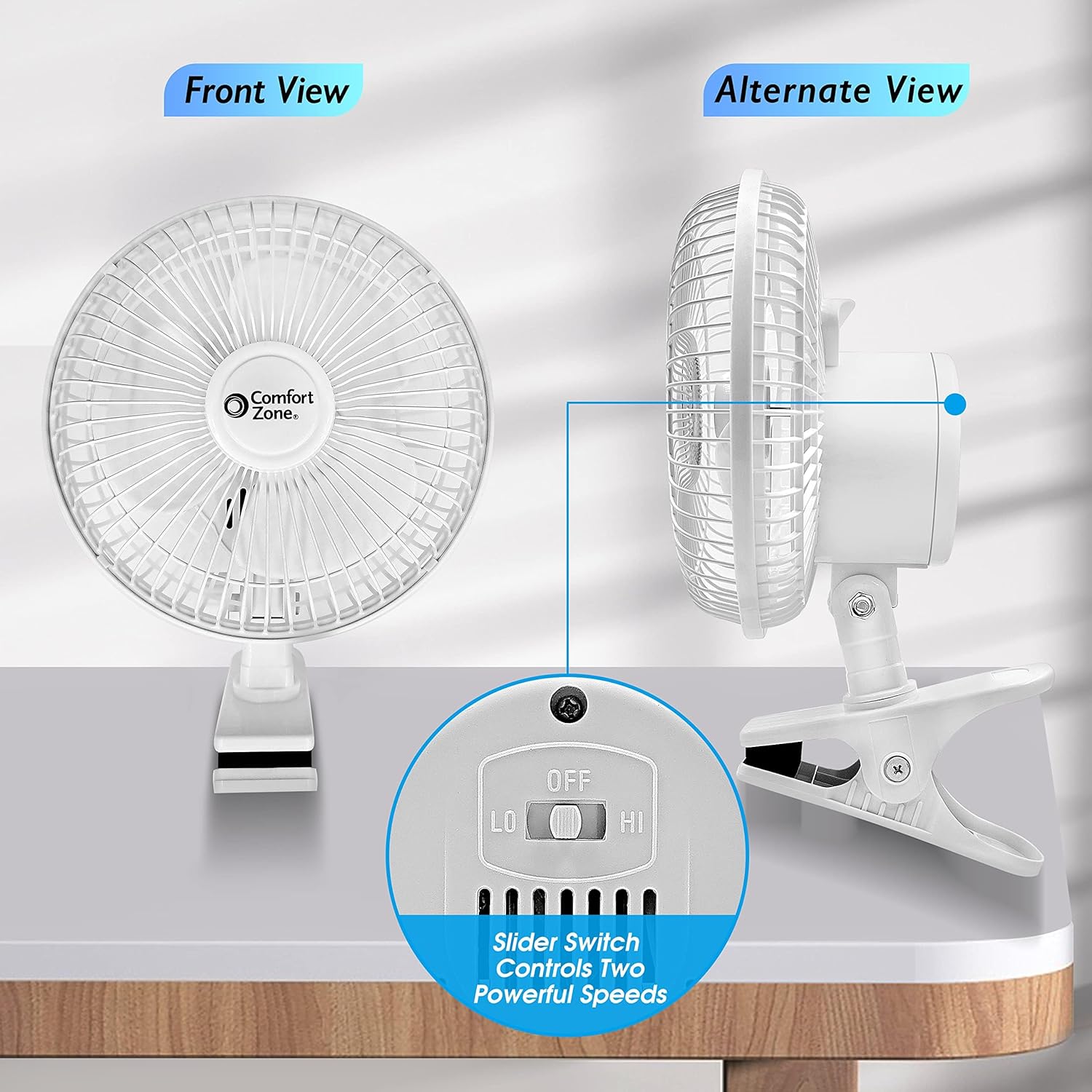
Image: A visual guide to the fan's control switch, highlighting the 'OFF', 'LO', and 'HI' settings for easy operation.
6. Key Features
- 2-Speed Control: Easily switch between low and high settings to adjust airflow intensity for optimal comfort.
- 360-Degree Rotation: The fan head can be rotated a full 360 degrees, allowing you to direct air in any desired direction.
- Adjustable Tilt: An adjustable tilt function enables you to angle the fan head up or down, providing targeted cooling.
- Secure Clamp-On Design: Equipped with a strong clamp, the fan securely attaches to desks, shelves, and other surfaces, ensuring stability during use.
- Quiet Performance: Engineered for quiet operation, this fan provides effective cooling without disruptive noise, ideal for work or rest environments.
- Coated Safety Grill: A protective grill covers the fan blades, safeguarding fingers and other objects from accidental contact.
- Portable and Lightweight: Its compact size and built-in carry handle make it easy to move and position wherever cooling is needed.

Image: An infographic summarizing the fan's main features, including quiet operation, two-speed control, 360-degree rotation, adjustable tilt, and a strong clamp.
7. Maintenance
Regular maintenance helps ensure optimal performance and longevity of your fan.
- Cleaning: Always unplug the fan before cleaning. Use a soft, damp cloth to wipe the exterior surfaces. Do not use abrasive cleaners or solvents. For the fan blades, carefully wipe them through the grill openings.
- Storage: When not in use, store the fan in a cool, dry place, preferably in its original packaging to protect it from dust and damage.
- No Lubrication Required: The fan motor is permanently lubricated and does not require additional oiling.
8. Troubleshooting
If you experience issues with your Comfort Zone CZ6C fan, refer to the following common problems and solutions:
| Problem | Possible Cause | Solution |
|---|---|---|
| Fan does not operate | Not plugged in; Power outlet not working; Switch in 'OFF' position. | Ensure fan is securely plugged into a working outlet; Check circuit breaker; Slide switch to 'LO' or 'HI'. |
| Reduced airflow | Fan blades or grill are dirty; Fan is on 'LO' speed. | Clean fan blades and grill (after unplugging); Switch to 'HI' speed. |
| Fan makes unusual noise | Loose parts; Obstruction in blades; Fan not securely clipped. | Unplug and check for loose parts or obstructions; Ensure fan is securely clipped to a stable surface. |
9. Specifications
| Specification | Detail |
|---|---|
| Brand | Comfort Zone |
| Model Name | CZ6C |
| Color | White |
| Electric Fan Design | Table Fan / Clip Fan |
| Power Source | Corded Electric |
| Product Dimensions | 6.5"D x 6.75"W x 7.5"H |
| Item Weight | 8 ounces |
| Number of Power Levels | 2 |
| Noise Level | 44 Decibels |
| Wattage | 10 watts |
| Voltage | 120V |
| Blade Length | 6 Inches |
| Indoor/Outdoor Usage | Indoor |
| Certification | ETL, UL |
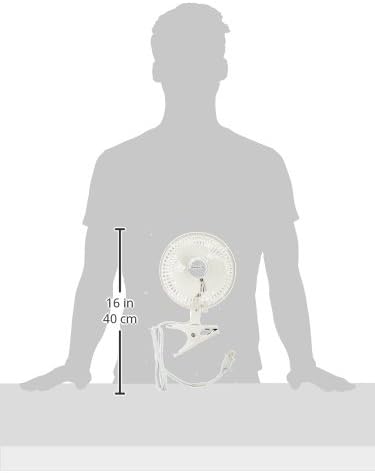
Image: The fan's dimensions relative to a person, indicating its compact size.
10. Warranty and Support
This Comfort Zone CZ6C fan comes with a 1 Year Warranty Against Manufacturer Defects. For warranty claims, technical support, or any questions regarding your product, please refer to the contact information provided on the product packaging or visit the official Comfort Zone website.


