
Introduction
This manual provides instructions for the proper use and installation of your DB Link SW16G500Z 16-Gauge Speaker Wire. This product is designed for connecting audio components, such as amplifiers to speakers, ensuring clear signal transmission over distances up to 500 feet. Please read these instructions carefully before installation to ensure optimal performance and safety.
Safety Information
- Always disconnect power to audio equipment before making or breaking connections.
- Avoid running speaker wire near power cables to prevent interference.
- Do not expose the wire to extreme temperatures, direct sunlight for prolonged periods, or harsh chemicals.
- Ensure all connections are secure to prevent short circuits.
Setup and Installation
Follow these steps for proper installation of your speaker wire:
- Unspooling the Wire: To prevent tangling and twisting, it is recommended to thread a pole or rod through the center of the wire spool and allow the spool to rotate freely as you pull the wire. This method helps maintain the wire's integrity and ease of handling.
- Measuring and Cutting: Determine the required length for each speaker connection. Cut the wire using a suitable wire cutter, ensuring clean, even ends.
- Stripping the Wire: Carefully strip approximately 0.5 to 0.75 inches (1.2 to 1.9 cm) of the outer insulation from both ends of the cut wire. Be cautious not to cut or damage the internal copper strands.
- Identifying Polarity: Speaker wire has two conductors, typically marked to distinguish positive (+) from negative (-). On this DB Link wire, one of the two wires features a pale gray ink with small dots running along it. This dotted line indicates the positive (+) conductor. If difficulty is encountered in seeing the marking, shining a flashlight directly onto the wire can help make it more visible. Consistent polarity is crucial for proper audio reproduction.
- Connecting to Speakers and Amplifier:
- Twist the exposed copper strands of each conductor tightly to prevent stray strands.
- Connect the positive (+) conductor of the speaker wire to the positive (+) terminal on your speaker and amplifier.
- Connect the negative (-) conductor of the speaker wire to the negative (-) terminal on your speaker and amplifier.
- Ensure all connections are firm and secure, with no loose strands touching other terminals, which could cause a short circuit.
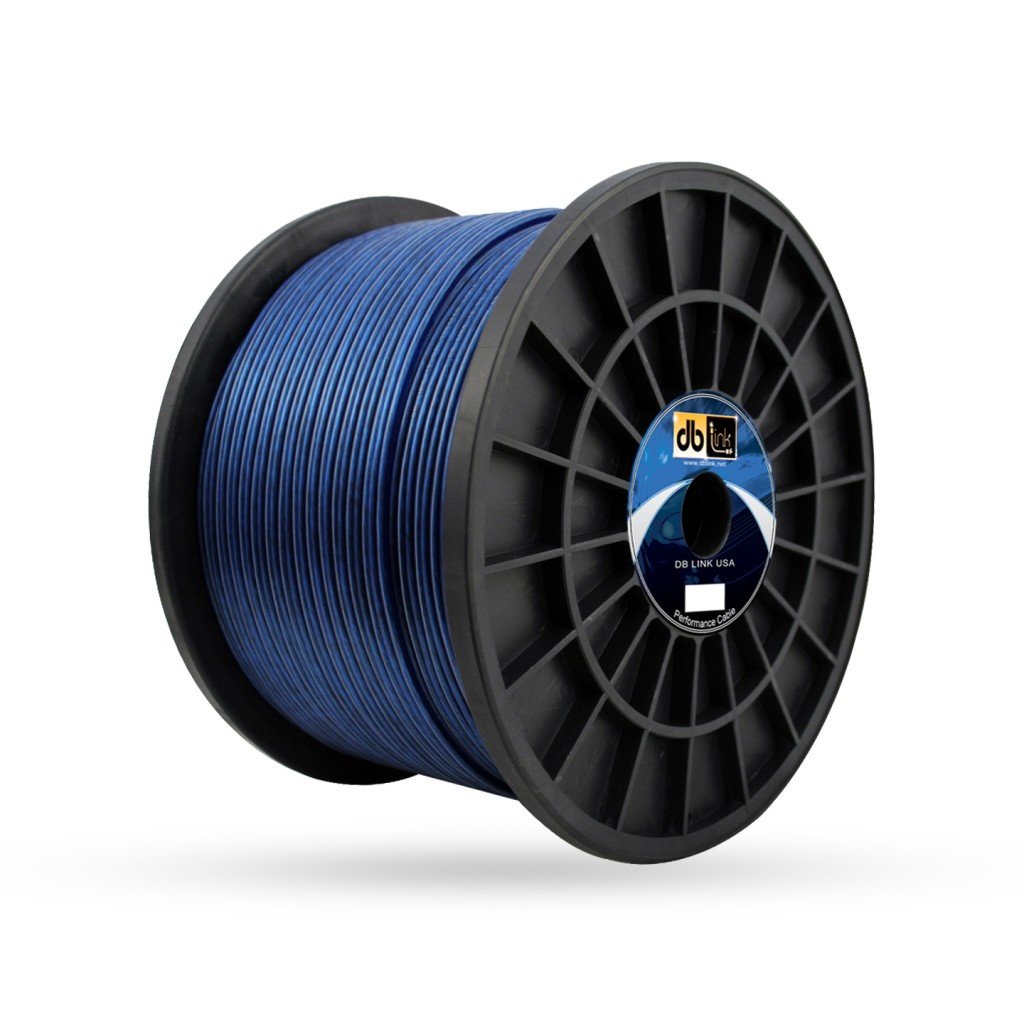
Image: A spool of DB Link SW16G500Z 16-Gauge Blue Speaker Wire. This image illustrates the product in its coiled form, ready for unspooling and installation.
Operating Principles
The DB Link SW16G500Z speaker wire functions by transmitting electrical audio signals from an amplifier or receiver to passive speakers. The 16-gauge thickness provides a good balance of conductivity and flexibility for most home audio applications, minimizing signal loss over its 500-foot length. Proper polarity ensures that speaker cones move in unison, producing accurate sound reproduction.
Maintenance
This speaker wire requires minimal maintenance. To ensure longevity and consistent performance:
- Inspect connections periodically to ensure they remain secure and free from corrosion.
- Avoid placing heavy objects on the wire or subjecting it to sharp bends, which can damage the internal conductors.
- If the wire needs to be moved or stored, coil it loosely to prevent kinks and damage.
- Keep the wire away from sources of heat or moisture.
Troubleshooting
- No Sound:
- Check all connections at both the amplifier/receiver and the speakers to ensure they are firmly attached.
- Verify that the amplifier/receiver is powered on and the correct input source is selected.
- Ensure speaker polarity is correctly matched (+ to + and - to -) at both ends.
- Poor Sound Quality (e.g., distorted, weak, or lacking bass):
- Re-check speaker polarity. Incorrect polarity can cause phase issues, leading to poor bass response and imaging.
- Inspect the wire for any visible damage to the insulation or conductors.
- Ensure that no stray wire strands are causing a short circuit at the terminals.
- Difficulty Distinguishing Polarity:
- As noted in the setup section, one conductor has a faint dotted line. Use a bright flashlight to illuminate the wire, making the marking more visible.
Specifications
| Feature | Detail |
|---|---|
| Model Number | SW16G500Z |
| Gauge | 16-Gauge |
| Length | 500 feet |
| Color | Blue |
| Material | Copper |
| Product Dimensions | 8.75 x 5.5 x 5.5 inches (spool) |
| Item Weight | 8 pounds |
| Manufacturer | DB Research L.L.P. |
Warranty Information
For specific warranty details regarding your DB Link SW16G500Z speaker wire, please refer to the documentation provided at the time of purchase or contact DB Link directly through their official website or customer service channels. Warranty terms typically cover manufacturing defects.
Customer Support
If you encounter issues not covered in this manual or require further assistance, please contact DB Link customer support. You can usually find contact information on the product packaging, the manufacturer's official website, or through your retailer.