
1. Introduction
This manual provides essential instructions for the installation, operation, and maintenance of your KMD 3.7V 600mAh lithium-ion rechargeable battery pack for the Game Boy Advance SP console. Please read this manual thoroughly before use to ensure proper function and longevity of your product.
Key Features:
- 3.7V 600mAh lithium-ion rechargeable battery
- Designed for longer play time
- Engineered for longer shelf life
2. Safety Information
WARNING: Failure to follow these safety instructions could result in fire, electric shock, injury, or damage to the product or property.
- Do not disassemble, puncture, crush, heat, or burn the battery.
- Keep the battery away from water, fire, and high temperatures.
- Do not use the battery if it appears damaged, swollen, or leaking.
- Dispose of used batteries according to local regulations. Do not dispose of with household waste.
- Keep out of reach of children.
3. Package Contents
Your KMD Game Boy Advance SP Replacement Battery Pack includes:
- 1 x KMD 3.7V 600mAh Lithium-Ion Battery Pack
- 1 x Small Phillips-head Screwdriver (for installation)

Image: KMD Game Boy Advance SP Replacement Battery Pack in its retail packaging.
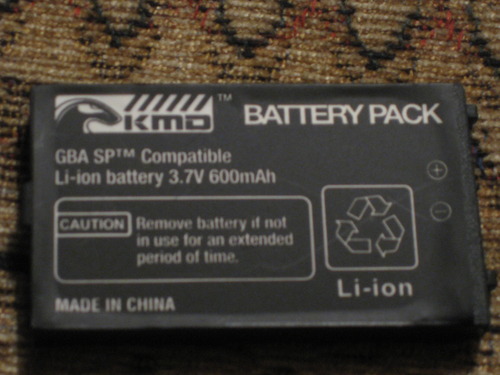
Image: The KMD replacement battery alongside the small Phillips-head screwdriver provided for installation.
4. Setup and Installation
Follow these steps to replace the battery in your Game Boy Advance SP console:
- Power Off: Ensure your Game Boy Advance SP is completely powered off before beginning.
- Locate Battery Cover: Turn the GBA SP over to locate the battery compartment cover on the back.
- Remove Screw: Use the included small Phillips-head screwdriver to carefully unscrew the single screw holding the battery cover in place.
- Open Cover: Gently lift and remove the battery compartment cover.
- Remove Old Battery: Carefully remove the old battery from its compartment. It may be slightly snug.
- Insert New Battery: Place the new KMD replacement battery into the compartment, ensuring the contacts align correctly.
- Replace Cover: Position the battery compartment cover back onto the console.
- Secure Screw: Use the Phillips-head screwdriver to fasten the screw, securing the battery cover. Do not overtighten.

Image: A side-by-side comparison of an original GBA SP battery and the KMD replacement battery, showing similar form factor.
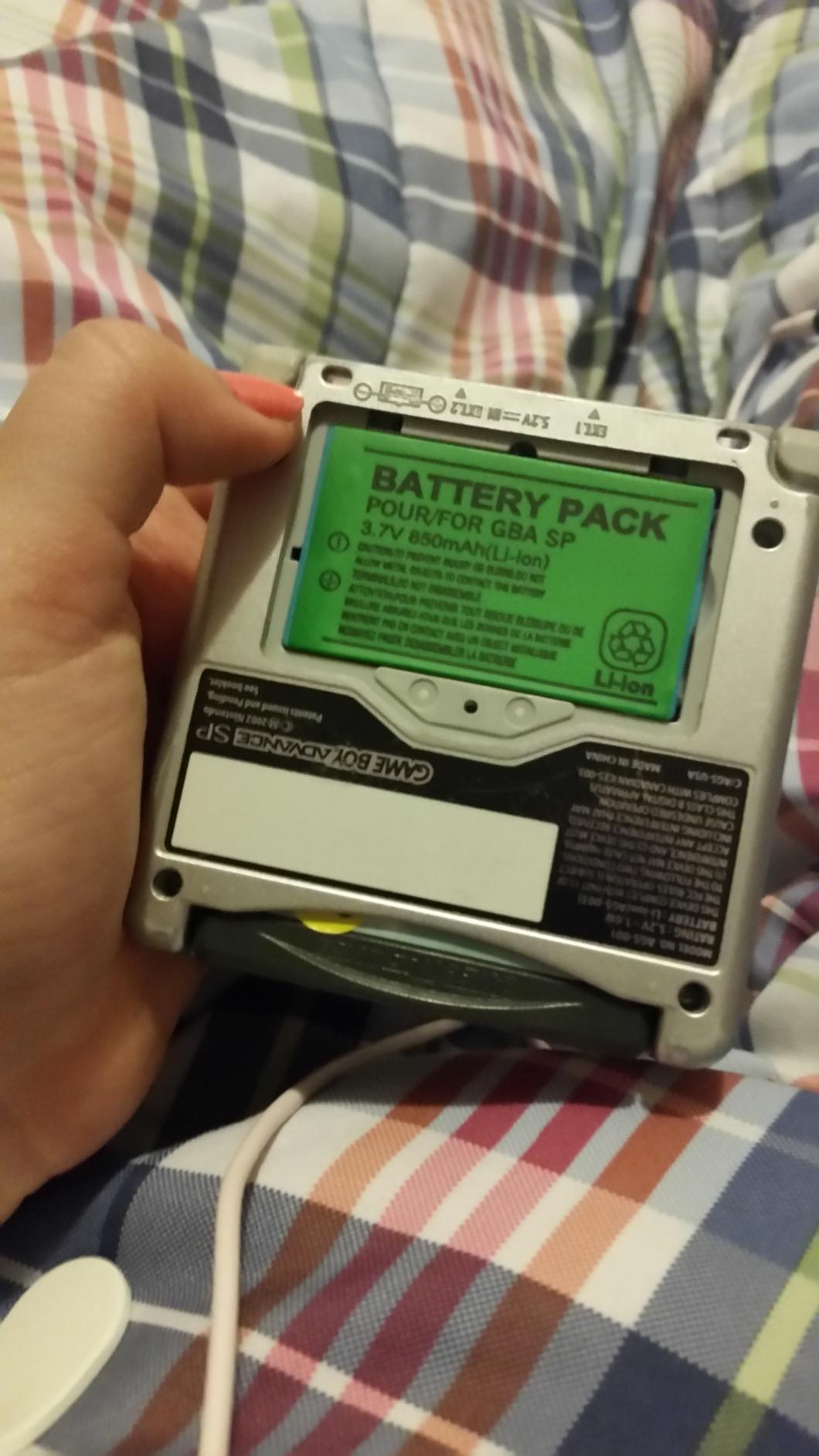
Image: The KMD replacement battery correctly installed within the battery compartment of a Game Boy Advance SP console.
5. Operating Instructions
Charging the Battery:
To charge your KMD replacement battery, use a compatible Game Boy Advance SP AC adapter (not included). Connect the charger to the charging port on your GBA SP and plug it into a wall outlet. The charging indicator light on your GBA SP will illuminate (typically orange) to show that it is charging. The light will turn off when charging is complete.
- Initial Charge: For optimal performance, fully charge the new battery before its first use.
- Charging Time: A full charge typically takes 2-3 hours.
- Battery Life: Expect approximately 4-6 hours of gameplay per charge, depending on screen brightness and game usage.
Video: A demonstration of connecting the charger to a Game Boy Advance SP and observing the charging indicator light.
Video: A brief clip showing the Game Boy Advance SP charging with the KMD replacement battery installed.
6. Maintenance
Proper care and maintenance will extend the life of your battery pack:
- Storage: If storing the GBA SP for an extended period, ensure the battery is partially charged (around 50%) and store it in a cool, dry place. Avoid storing fully charged or completely depleted.
- Cleaning: Keep the battery contacts and compartment clean and free of dust or debris. Use a dry, soft cloth for cleaning.
- Temperature: Avoid exposing the battery to extreme temperatures, both hot and cold, as this can degrade performance and shorten lifespan.
7. Troubleshooting
If you encounter issues with your KMD replacement battery, consider the following:
- Battery Not Charging:
- Ensure the AC adapter is securely connected to both the GBA SP and the wall outlet.
- Verify that the wall outlet is functional.
- If the GBA SP still does not charge, the issue might be with the console's charging mechanism or the AC adapter, not the battery itself. Try testing with a different GBA SP or AC adapter if available.
- Short Battery Life:
- Ensure the battery has been fully charged.
- Adjust screen brightness settings on your GBA SP to a lower level to conserve power.
- Older GBA SP consoles may have other internal components that draw more power, affecting overall battery duration.
- False Low Battery Indicator:
- Occasionally, after a full charge, the GBA SP might initially display a red LED indicating low battery. Power off and restart the console; this often resolves the false reading.
8. Specifications
| Battery Type | Lithium-Ion Rechargeable |
| Voltage | 3.7V |
| Capacity | 600mAh |
| Compatibility | Game Boy Advance SP (GBA SP) |
| Product Dimensions | 5.5 x 3 x 0.4 inches |
| Item Weight | 0.704 ounces |
9. Warranty Information
Specific warranty details for this KMD product are not provided in the available information. Please refer to the product packaging or contact KMD customer support for warranty inquiries.
10. Customer Support
For further assistance or questions regarding your KMD Game Boy Advance SP Replacement Battery Pack, please contact KMD customer support through their official website or the retailer where the product was purchased.