Introduction
This manual provides detailed instructions for the proper use and care of your Nautica Men's NST Chronograph Watch, Model N14536G. Please read this manual thoroughly to ensure optimal performance and longevity of your timepiece.
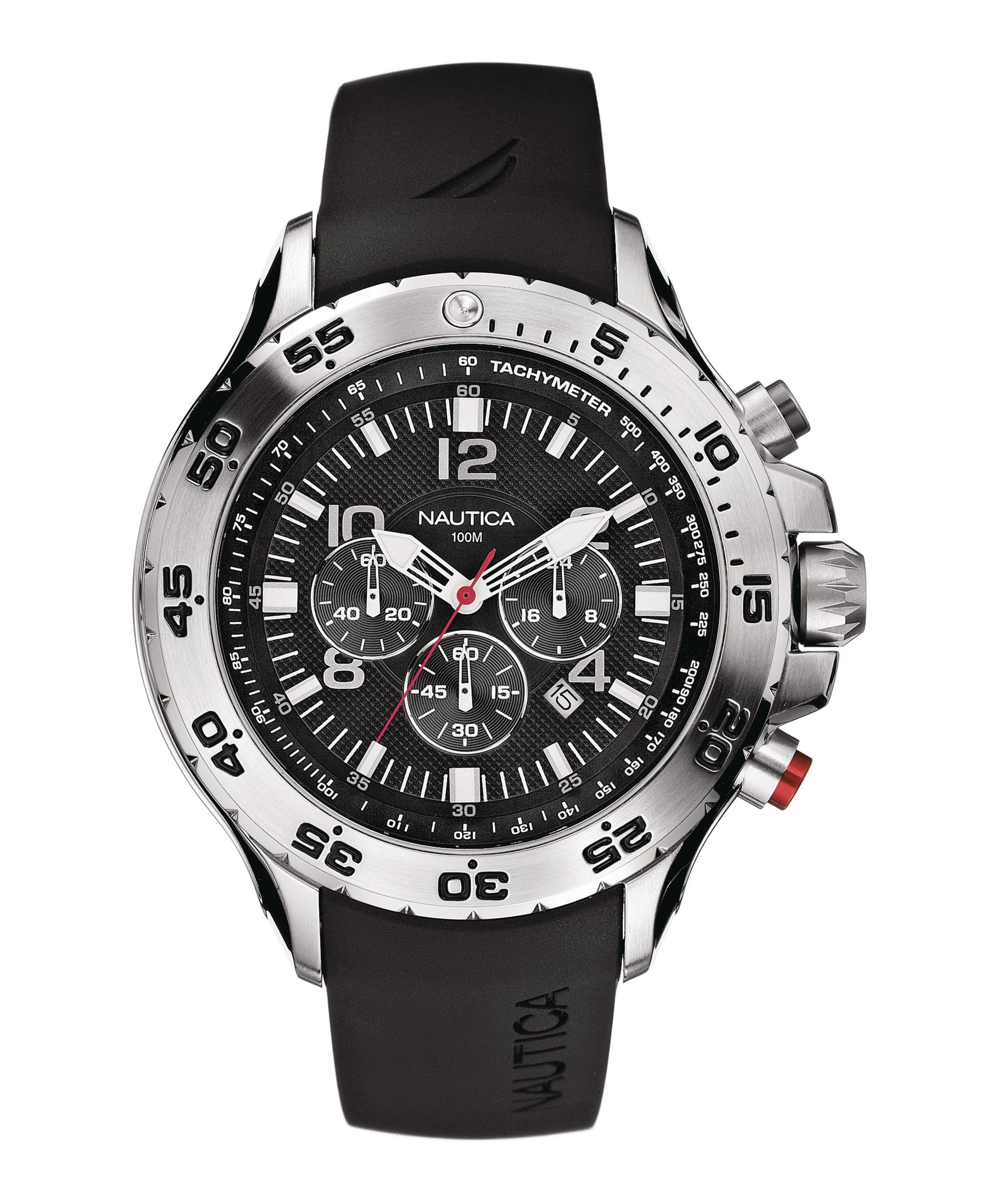
Image: Front view of the Nautica Men's NST Chronograph Watch, featuring a black dial, silver-tone stainless steel case, and black resin band. The dial displays white hour markers, luminous hands, three chronograph subdials, and a date window at the 4 o'clock position.
Key Features
- Stainless steel case with a black multifunction dial, white markers, and a numeral-engraved unidirectional bezel.
- Luminous hands and markers for visibility in low light conditions.
- Chronograph subdials for measuring elapsed time.
- Date display window located at the 4 o'clock position.
- Durable 47 mm stainless steel case with a mineral dial window.
- Reliable Japanese quartz movement for accurate timekeeping.
- Comfortable logoed resin band with a secure buckle closure.
- Water resistance up to 100 meters (330 feet), suitable for swimming and snorkeling, but not for scuba diving.
Setup Instructions
1. Setting the Time
- Pull the crown (center knob on the right side of the watch) out to the second click position.
- Rotate the crown to move the hour and minute hands to the desired time.
- Push the crown back in to the normal position to start the watch.
2. Setting the Date
- Pull the crown out to the first click position.
- Rotate the crown clockwise or counter-clockwise (depending on the movement) until the correct date appears in the date window.
- Push the crown back in to the normal position.
- Note: Avoid setting the date between 9 PM and 3 AM, as this may interfere with the date change mechanism.
3. Initializing the Chronograph
If the chronograph hands are not aligned to the 12 o'clock position, they may need to be reset. Refer to the "Operating Instructions" section for chronograph usage.
Operating Instructions
1. Using the Chronograph (Stopwatch Function)
The chronograph function allows you to measure elapsed time. The watch features two pushers on the right side, above and below the crown.
- Start: Press the top pusher (often marked with a red accent, as seen in the product image) to start the chronograph. The chronograph second hand will begin to move.
- Stop: Press the top pusher again to stop the chronograph. The elapsed time will be indicated by the chronograph hands.
- Reset: After stopping the chronograph, press the bottom pusher to reset all chronograph hands to their zero (12 o'clock) positions.
- Split Time: Some chronographs allow for split time measurement. Consult the specific movement details if this feature is desired.
2. Using the Unidirectional Bezel
The watch features a rotating bezel that moves only in one direction (counter-clockwise). This is useful for timing events or tracking elapsed time.
- Rotate the bezel so that the zero marker aligns with the minute hand at the start of the event you wish to time.
- As time passes, the minute hand will indicate the elapsed time against the bezel's scale.
3. Water Resistance
Your Nautica watch is water resistant to 100 meters (330 feet). This rating means it is suitable for recreational swimming and snorkeling. It is not designed for scuba diving or high-impact water sports. Always ensure the crown is fully pushed in before any water exposure.
Video: A demonstration of the Nautica Men's N14536 NST Stainless Steel Watch, showcasing its design and features. This video provides a visual overview of the watch's appearance and functionality.
Maintenance and Care
- Cleaning: Wipe the watch case and band regularly with a soft, damp cloth. For the resin band, mild soap and water can be used. Ensure the watch is completely dry afterward.
- Avoid Chemicals: Do not expose the watch to harsh chemicals, solvents, or detergents, as these can damage the case, band, or seals.
- Temperature Extremes: Avoid exposing the watch to extreme temperatures (hot or cold) or sudden temperature changes, which can affect the movement and water resistance.
- Battery Replacement: When the battery needs replacement, it is recommended to have it done by a qualified watch technician to ensure proper sealing and maintain water resistance.
- Impact: While durable, avoid dropping the watch or subjecting it to strong impacts, which can damage the internal movement or crystal.
Troubleshooting
- Watch Not Running:
- Check if the crown is fully pushed in.
- The battery may need replacement.
- Date Not Changing:
- Ensure the time is set correctly (AM/PM). The date typically changes around midnight.
- Avoid setting the date between 9 PM and 3 AM.
- Chronograph Hands Not Resetting to Zero:
- Ensure the chronograph is stopped before attempting to reset.
- If hands are misaligned, a manual adjustment may be required. Consult a professional watch repair service.
Specifications
| Model Number | N14536G |
| Case Material | Stainless Steel |
| Case Diameter | 47 mm |
| Dial Window Material | Mineral |
| Movement | Japanese Quartz |
| Band Material | Resin |
| Water Resistance | 100 meters (330 feet) |
| Product Dimensions | 5.31 x 5.12 x 5.31 inches; 1.1 Pounds |
Warranty and Support
For information regarding warranty coverage, service, or repairs, please refer to the warranty card included with your purchase or visit the official Nautica website. Keep your proof of purchase for any warranty claims.


