
Introduction
This manual provides detailed instructions for the installation, function, and maintenance of the RYOBI Ridgid/Ryobi 550848002 Chip Shield replacement part. This component is designed for use with specific router models, including the RE175 and R175, to enhance user safety and maintain a cleaner work environment by deflecting wood chips and debris during operation.
Important Safety Information
Always observe basic safety precautions when working with power tools and their components. Failure to follow these instructions may result in serious personal injury or property damage.
- Disconnect Power: Always unplug the router from the power source before installing, removing, or performing any maintenance on the chip shield or any other part of the tool.
- Wear Eye Protection: Always wear appropriate eye protection when operating power tools.
- Inspect Components: Before each use, inspect the chip shield for any cracks, damage, or excessive wear. Replace immediately if damaged.
- Use Correct Part: Ensure you are using the correct replacement part (550848002) for your specific router model (RE175, R175).
Installation Instructions
Follow these steps to properly install the 550848002 Chip Shield on your compatible router.
- Prepare the Router: Ensure the router is unplugged from its power source. Place the router on a stable, clean work surface.
- Remove Old Chip Shield (if applicable): If replacing an existing chip shield, carefully locate the attachment points. These typically involve small screws or clips. Use appropriate tools to gently remove the old shield. Dispose of the old shield responsibly.
- Position the New Chip Shield: Align the new RYOBI Ridgid/Ryobi 550848002 Chip Shield with the mounting points on your RE175 or R175 router. The shield is designed to fit in a specific orientation to effectively deflect debris.
- Secure the Chip Shield: Fasten the chip shield using the original screws or clips. Ensure all fasteners are tightened securely but do not overtighten, as this may damage the shield or the router housing.
- Verify Installation: Gently tug on the installed chip shield to ensure it is firmly attached and does not wobble. Check that it does not obstruct any moving parts of the router.
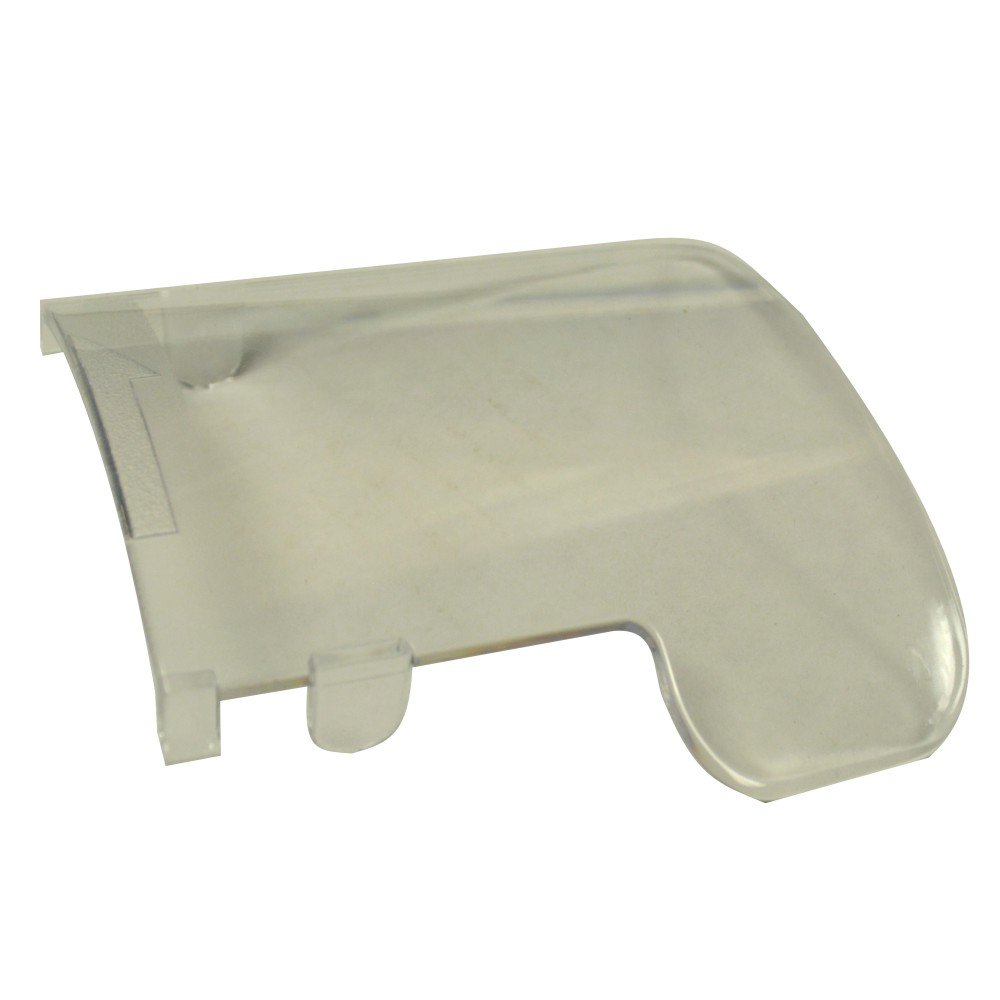
Image: The RYOBI Ridgid/Ryobi 550848002 Chip Shield. This component is crucial for deflecting wood chips and debris during router operation, ensuring a safer and cleaner workspace.
Function and Purpose
The 550848002 Chip Shield serves as a protective barrier on your RE175 or R175 router. Its primary function is to:
- Deflect Debris: Redirect wood chips, dust, and other routing debris away from the operator and the work area.
- Enhance Safety: Reduce the risk of eye injuries or skin irritation caused by flying particles.
- Maintain Visibility: By directing debris away, it helps maintain a clearer view of the workpiece during operation.
Ensure the chip shield is always in place and in good condition before operating the router.
Maintenance
Regular maintenance of your chip shield ensures its effectiveness and longevity.
- Cleaning: After each use, wipe down the chip shield with a clean, dry cloth to remove accumulated dust and debris. For stubborn residue, a slightly damp cloth can be used, followed by drying. Avoid harsh chemicals that may damage the material.
- Inspection: Periodically inspect the chip shield for any signs of wear, cracks, or damage. Small cracks can propagate and compromise the shield's integrity.
- Replacement: If the chip shield becomes cracked, broken, or excessively scratched to the point where visibility is impaired or its protective function is compromised, it must be replaced immediately with a genuine RYOBI Ridgid/Ryobi 550848002 replacement part.
Troubleshooting
| Problem | Possible Cause | Solution |
|---|---|---|
| Chip shield does not fit correctly. | Incorrect part for router model; improper alignment during installation. | Verify part number 550848002 is compatible with your RE175 or R175 router. Re-align and re-install the shield carefully. |
| Excessive chips/dust escaping past the shield. | Shield is damaged or improperly installed; shield is worn. | Inspect the shield for cracks or gaps. Ensure it is securely fastened. Replace if damaged or excessively worn. |
| Shield is loose or vibrates during operation. | Fasteners are loose; mounting points are damaged. | Tighten all screws or clips. If mounting points on the router are damaged, professional repair may be required. |
Specifications
- Part Number: 550848002
- Compatible Models: RYOBI RE175, RYOBI R175 Routers
- Manufacturer: Ridgid/Ryobi
- Product Dimensions: Approximately 1 x 1 x 1 inches
- Item Weight: Approximately 2.08 ounces
- Material: Durable plastic (typical for chip shields)
Support and Warranty
For further assistance, technical support, or warranty information regarding your RYOBI Ridgid/Ryobi 550848002 Chip Shield, please refer to the documentation provided with your original router or visit the official RYOBI or Ridgid website. Keep your purchase receipt for warranty claims.
Note: Specific warranty terms may vary by region and retailer.