
Introduction
This manual provides essential information for the setup, operation, and maintenance of your Toysmith Walkie Talkies. Designed for indoor and outdoor play, these walkie talkies offer a communication range of up to 250 feet and include a morse code feature. Please read this manual thoroughly before use to ensure proper functionality and safety.
What's in the Box
- 2 x Toysmith Walkie Talkies
Safety Information
WARNING: CHOKING HAZARD - Small Parts. Not for children under 3 years.
Setup
Battery Installation
Each walkie talkie requires two 9V batteries (not included). To install batteries:
- Locate the battery compartment on the back of the walkie talkie.
- Using a small screwdriver, carefully open the battery compartment cover.
- Insert two 9V batteries, ensuring correct polarity (+/-) as indicated inside the compartment.
- Replace the battery compartment cover and secure it with the screw.
Repeat for the second walkie talkie.
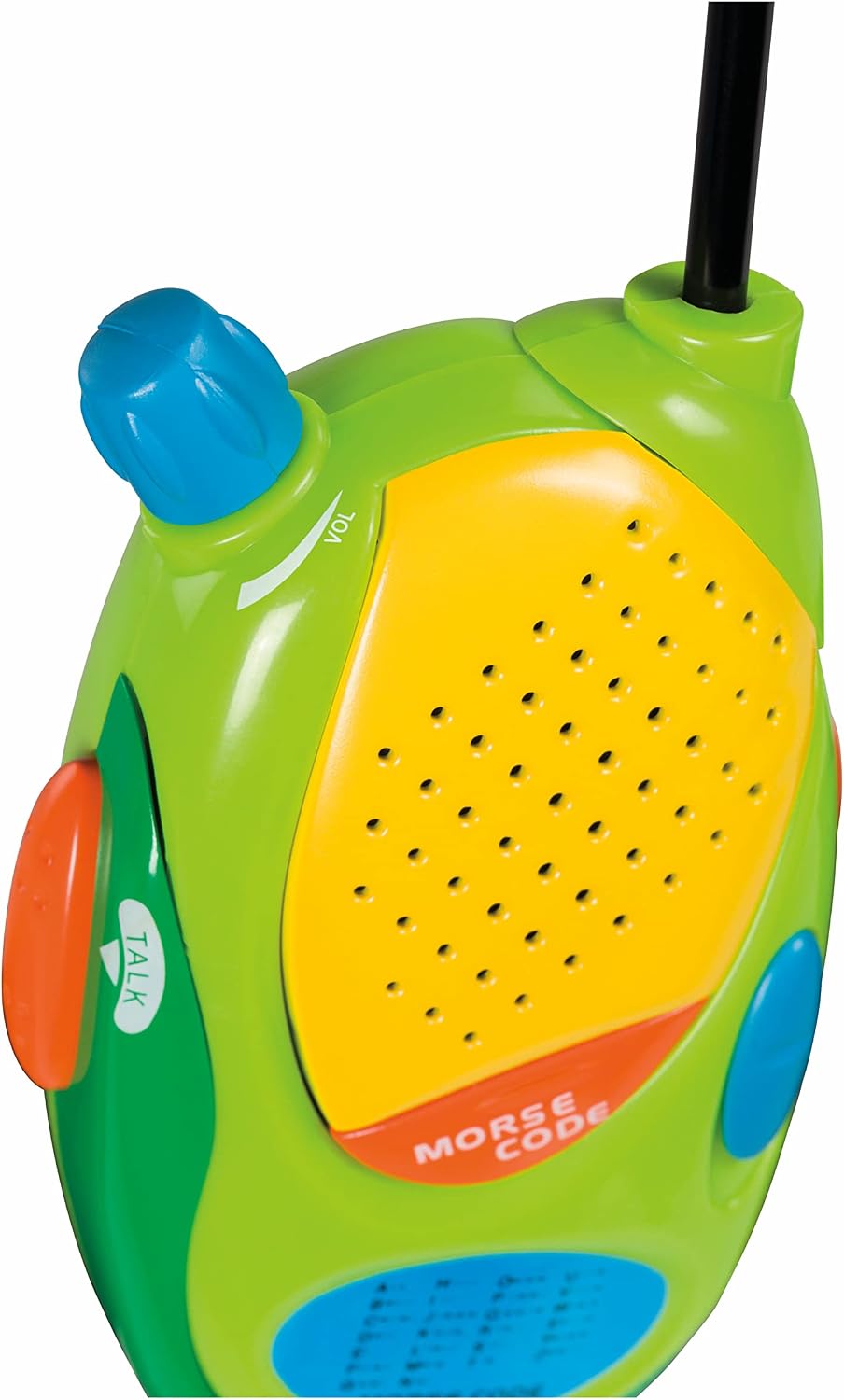
Image: Close-up view of the walkie talkie's top and front, highlighting the volume control knob and speaker area. The volume knob is blue and located on the top left, with a 'VOL' label and an arrow indicating direction for adjustment. The speaker is a yellow, perforated oval section.
Operating Instructions
Powering On/Off and Volume Control
- To turn on the walkie talkie, rotate the blue volume knob located on the top left of the unit clockwise until you hear a click.
- Continue rotating the knob clockwise to increase the volume. Rotate counter-clockwise to decrease volume or turn off the unit.
Two-Way Communication
To communicate with another walkie talkie:
- Ensure both walkie talkies are powered on and within range (up to 250 feet in open spaces).
- Press and hold the orange 'TALK' button located on the side of the walkie talkie.
- Speak clearly into the speaker grille.
- Release the 'TALK' button when you are finished speaking to allow the other party to respond.

Image: Close-up view of the side of the walkie talkie, focusing on the orange 'TALK' button. The button is oval-shaped and has a textured surface, with the word 'TALK' and an arrow printed in white next to it on the green casing.
Morse Code Feature
The walkie talkies include a morse code function. Refer to the morse code chart printed on the front of each unit for character translations. To send a morse code message, press the 'MORSE CODE' button to transmit the corresponding dots and dashes.

Image: A young girl with brown hair and a blue t-shirt is shown from the side, holding a green and yellow walkie talkie to her ear and smiling. She appears to be listening intently.
Maintenance
Battery Replacement
When the sound becomes distorted or the range decreases significantly, it is time to replace the batteries. Follow the battery installation steps outlined in the 'Setup' section.
Cleaning
To clean your walkie talkies, wipe them with a soft, dry cloth. Do not use harsh chemicals or abrasive cleaners. Avoid submerging the units in water.
Storage
When not in use for extended periods, remove the batteries to prevent leakage and corrosion. Store the walkie talkies in a cool, dry place away from direct sunlight.
Troubleshooting
| Problem | Possible Cause | Solution |
|---|---|---|
| No sound or very low volume | Batteries are dead or incorrectly installed. Volume knob is turned down. | Check battery installation and replace if necessary. Turn the volume knob clockwise to increase volume. |
| Limited range or static | Obstructions (buildings, trees). Out of range. Low batteries. | Move to an open area. Ensure units are within 250 feet. Replace batteries. |
| Cannot transmit or receive | 'TALK' button not pressed/released correctly. Unit is off. | Ensure 'TALK' button is held down during speaking and released to listen. Check if the unit is powered on. |
Specifications
- Product Dimensions: 2 x 3.25 x 5.5 inches
- Item Weight: 8 ounces (0.5 Pounds)
- Model Number: 1534
- Manufacturer Recommended Age: 5 years and up
- Brand: Toysmith
- Color: Green
- Number of Channels: 5
- Special Feature: Lightweight
- Frequency Range: 400-470 MHz
- Talking Range Maximum: 250 Feet
- Tuner Technology: UHF
- Voltage: 9 Volts (per unit)
- Water Resistance Level: Water Resistant

Image: A hand holds one of the green walkie talkies upright, with a measuring tape or ruler next to it showing the total height including the antenna is approximately 10 inches (26 cm).
Warranty and Support
For information regarding warranty, returns, or product support, please refer to the retailer's policy where the product was purchased or visit the official Toysmith website. Keep your purchase receipt for any warranty claims.