
1. Introduction
This manual provides instructions for the safe and proper installation of the Leviton 86114 Oversized 1-Gang Blank Wallplate. This wallplate is designed to cover a single-gang electrical box where no device is present, providing a clean and finished appearance. Its oversized design helps conceal larger wall irregularities around the electrical box.
The Leviton 86114 wallplate is constructed from durable thermoset material, ensuring longevity and resistance to wear. Its smooth face and rounded edges are designed to resist dust accumulation, making it easy to maintain.
2. Safety Information
WARNING: RISK OF ELECTRIC SHOCK. TURN OFF POWER AT THE CIRCUIT BREAKER OR FUSE BOX BEFORE INSTALLATION.
- Always disconnect power at the main service panel before working with electrical wiring or devices.
- If you are unsure about any part of these instructions, consult a qualified electrician.
- Ensure all connections are secure to prevent electrical hazards.
- This product is intended for indoor use only.
3. Package Contents
- 1 x Leviton 86114 Oversized 1-Gang Blank Wallplate (Ivory)
- 2 x Mounting Screws (typically color-matched)
4. Installation
Follow these steps to install your Leviton 86114 Blank Wallplate:
- Turn Off Power: Locate the circuit breaker or fuse that supplies power to the electrical box where you will install the wallplate. Turn off the power completely. Verify power is off using a voltage tester.
- Prepare the Electrical Box: Ensure the electrical box is clear of any wiring or devices if it is intended to be a blank cover. If there are wires, ensure they are properly capped and secured within the box, following local electrical codes.
- Position the Wallplate: Align the Leviton 86114 blank wallplate over the electrical box. The screw holes on the wallplate should align with the threaded holes on the electrical box.
- Secure the Wallplate: Insert the two provided mounting screws into the wallplate holes and thread them into the electrical box. Gently tighten the screws until the wallplate is snug against the wall. Do not overtighten, as this can crack the wallplate or damage the electrical box threads.
- Restore Power: Once the wallplate is securely installed, return to the main service panel and turn the power back on.

Image: Leviton 86114 Oversized 1-Gang Blank Wallplate (Ivory). This image shows the front view of the wallplate with its two screw holes.
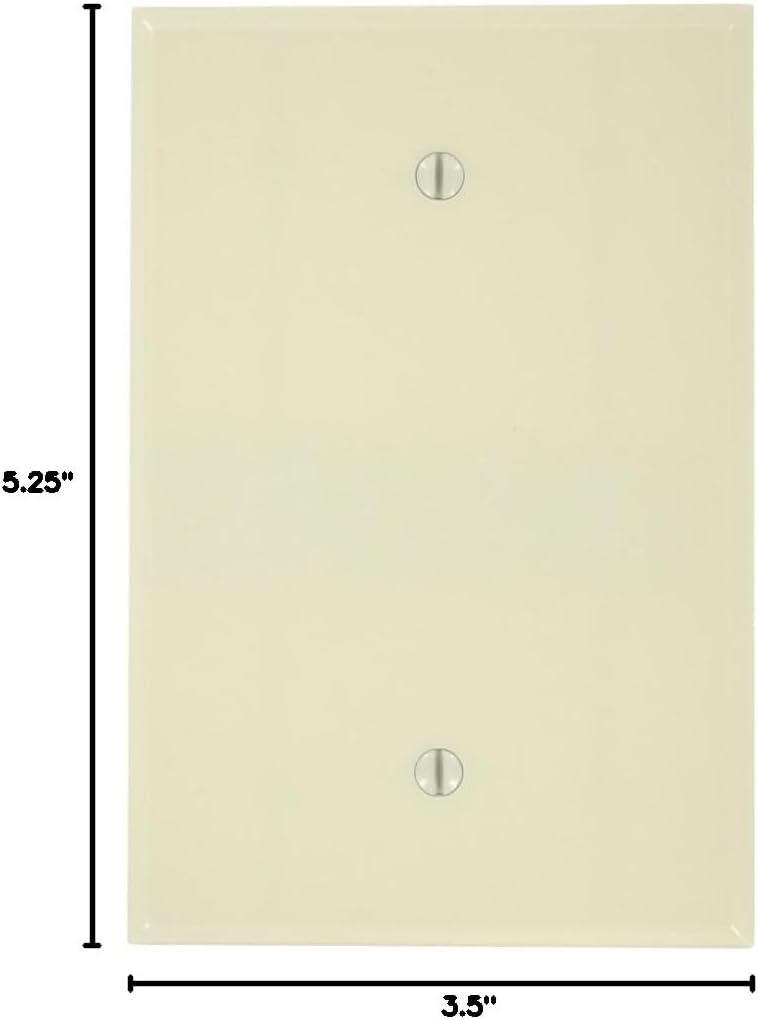
Image: Dimensions of the Leviton 86114 Oversized 1-Gang Blank Wallplate. The image illustrates the height of 5.25 inches and width of 3.5 inches.
5. Operation
The Leviton 86114 is a blank wallplate and does not have any operational functions. Its purpose is to cover and protect an electrical box, providing a finished aesthetic to your wall.
6. Maintenance
To clean your wallplate, simply wipe it with a soft, damp cloth. Avoid using abrasive cleaners or harsh chemicals, as these can damage the finish of the thermoset material.
7. Troubleshooting
If you encounter any issues during installation:
- Wallplate does not sit flush: Ensure there are no obstructions behind the wallplate and that the electrical box is properly recessed. Check that the mounting screws are not cross-threaded.
- Screws do not tighten: Ensure the screws are correctly aligned with the threaded holes in the electrical box. If the threads are stripped, a repair kit for electrical box threads may be needed.
- Cracked wallplate: This usually occurs from overtightening. Replace the wallplate and tighten screws carefully.
8. Specifications
| Feature | Detail |
|---|---|
| Model Number | 86114 |
| Brand | Leviton |
| Material | Thermoset Plastic |
| Color | Ivory |
| Configuration | 1-Gang, Blank |
| Dimensions (W x H) | 3.5 inches x 5.25 inches (Oversized) |
| Installation Type | Box Mount, Screw-In |
| Finish Type | Painted |
| UPC | 078477776162 |
9. Warranty and Support
Leviton products are backed by a manufacturer's warranty. For specific warranty details, product support, or to contact customer service, please visit the official Leviton website or refer to the warranty information included with your purchase.
Leviton Official Website: www.leviton.com


