
Introduction
The Camelion Universal Charger (Model 20009388) is designed to recharge a wide range of battery types and sizes, including AA, AAA, C, D, and 9V Ni-MH/Ni-Cd batteries. This charger offers reliable and safe operation, incorporating the latest technological standards for efficient battery charging. It features 2 independent charging channels, Delta V detection, and built-in overcharge protection to ensure optimal battery life and safety.
Important Safety Instructions
- Read all instructions before using the charger.
- Do not charge non-rechargeable batteries.
- Do not expose the charger to rain or moisture.
- Do not operate the charger if it has received a sharp blow, been dropped, or damaged in any way.
- Do not disassemble the charger. Incorrect reassembly may result in a risk of electric shock or fire.
- Unplug the charger from the outlet before attempting any maintenance or cleaning.
- This appliance is not intended for use by persons (including children) with reduced physical, sensory or mental capabilities, or lack of experience and knowledge, unless they have been given supervision or instruction concerning use of the appliance by a person responsible for their safety.
- Children should be supervised to ensure that they do not play with the appliance.
Package Contents
- 1 x Camelion 20009388 Universal Fast Charger
Setup
Unpack the Charger:
Carefully remove the Camelion Universal Fast Charger from its packaging. Inspect the charger for any signs of damage. If any damage is found, do not use the charger and contact customer support.
Connect to Power:
Plug the charger's power cord into a standard AC power outlet. The charger is now ready for use.
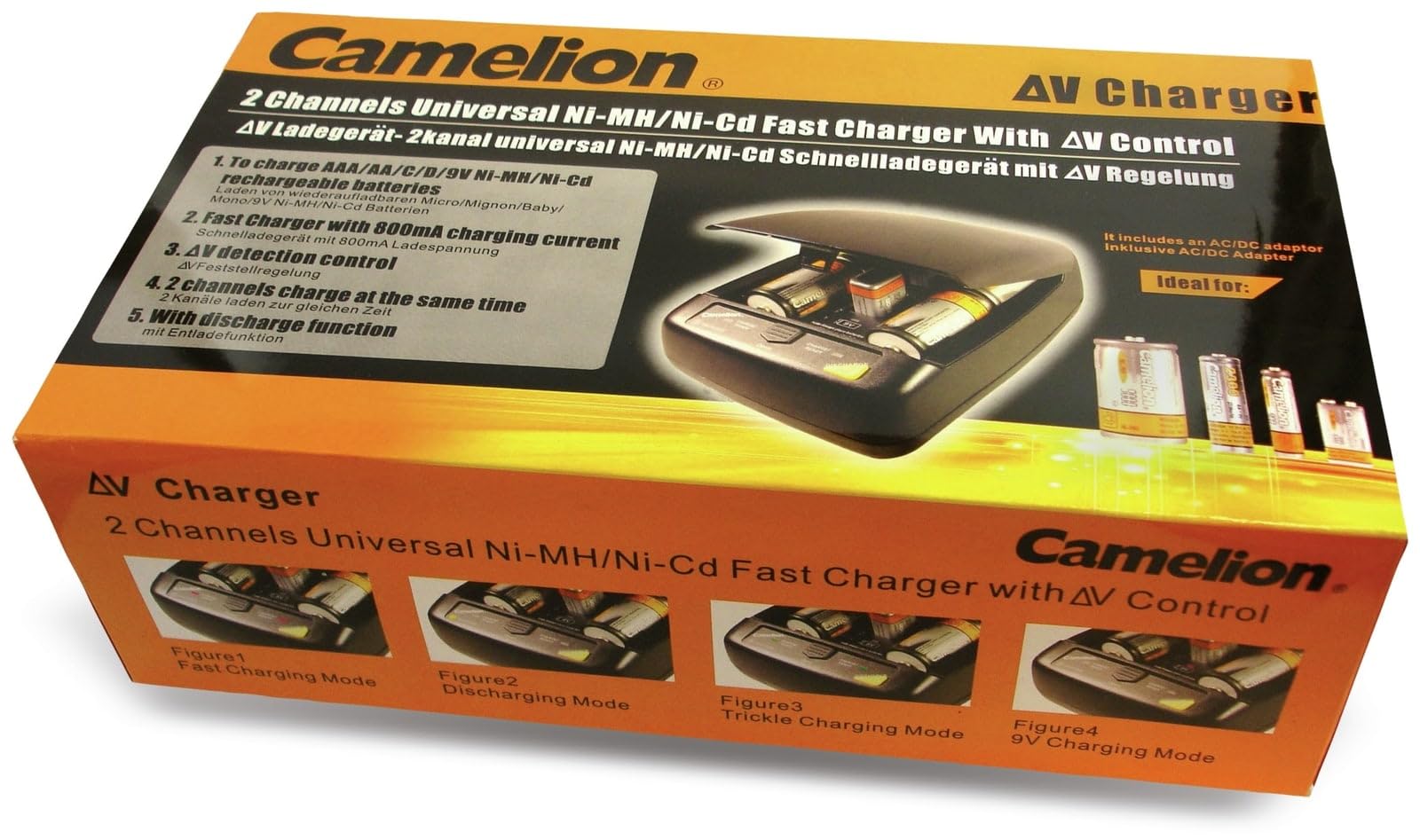
Image: The Camelion 20009388 Universal Fast Charger with its protective lid open, revealing the various battery charging slots and the 9V battery terminals. The control panel with 'CHARGE/READY' and 'DISCHARGE' indicators is visible at the front.
Operating Instructions
Charging Batteries
Insert Batteries:
Open the charger lid. Insert Ni-MH or Ni-Cd rechargeable batteries into the appropriate charging slots. Ensure correct polarity (+ and -) as indicated on the charger and the batteries. The charger supports AA, AAA, C, D, and 9V batteries. Note: Always place batteries of the same size and type in a pair for optimal charging in the main compartments.
Start Charging:
Once batteries are correctly inserted, the charger will automatically begin the charging process. The "CHARGE/READY" indicator light for the respective channel will illuminate, typically red, to indicate charging is in progress.
Charging Completion:
When the batteries are fully charged, the "CHARGE/READY" indicator light will change color, typically to green, or turn off, depending on the specific model's indication system. The charger features Delta V detection to prevent overcharging.
Remove Batteries:
Once charging is complete, carefully remove the batteries from the charger. Unplug the charger from the power outlet when not in use.
Discharge Function
The charger includes a discharge function to help reduce memory effect in Ni-Cd batteries and to ensure a full charge cycle for Ni-MH batteries. This function is typically activated by a dedicated 'DISCHARGE' button or by inserting batteries in a specific way.
Activate Discharge:
Insert the batteries into the charging slots. Press the 'DISCHARGE' button (if available) or follow the specific instructions in the charger's manual for activating the discharge cycle. The 'DISCHARGE' indicator light will illuminate.
Discharge Process:
The charger will first discharge the batteries completely. Once discharged, it will automatically switch to the charging mode.
Charging After Discharge:
After the discharge cycle, the charger will proceed with a full charge as described in the "Charging Batteries" section.
Maintenance
Cleaning:
Before cleaning, ensure the charger is unplugged from the power outlet. Use a soft, dry cloth to wipe the exterior of the charger. Do not use liquid cleaners or solvents.
Storage:
Store the charger in a cool, dry place away from direct sunlight and extreme temperatures. Keep it out of reach of children.
Contact Points:
Periodically check the battery contact points inside the charger for any dirt or corrosion. Clean them gently with a cotton swab if necessary.
Troubleshooting
| Problem | Possible Cause | Solution |
|---|---|---|
| Charger indicator lights do not turn on. |
|
|
| Batteries do not charge fully or quickly. |
|
|
| Charger becomes warm during operation. |
|
|
Specifications
- Model: 20009388
- Brand: Camelion
- Compatible Battery Types: Ni-MH, Ni-Cd
- Compatible Battery Sizes: AA, AAA, C, D, 9V
- Charging Channels: 2 independent channels
- Features: Delta V detection, Discharge function, Overcharge protection
- Dimensions: 8.8 x 27.5 x 15.5 cm
- Weight: 680 g
- Compliance: CE
Warranty and Support
For warranty information or technical support, please refer to the documentation provided with your purchase or visit the official Camelion website. Keep your purchase receipt as proof of purchase for warranty claims.