1. Introduction and Overview
This manual provides instructions for the proper use and maintenance of the Metz AA Battery Holder, model FBA_45-39. This accessory is specifically designed to power Metz Mecablitz electronic flash units, including models 45CT-1, 45CL-1, 45CT-4, 45CL-4, and 45CT-5, using standard AA batteries.
The battery holder serves as a replacement or spare part, allowing users to utilize readily available AA batteries for their flash units, offering flexibility and convenience in various shooting environments.
2. Product Features
- Designed for Metz Mecablitz 45CT-1, 45CL-1, 45CT-4, 45CL-4, and 45CT-5 electronic flashes.
- Utilizes standard AA-size batteries (not included).
- Durable construction for reliable power delivery.
- Easy to install and remove from compatible flash units.
3. Setup and Battery Installation
Follow these steps to properly install batteries into the holder and then install the holder into your Metz Mecablitz flash unit.
3.1. Installing AA Batteries into the Holder
- Ensure the battery holder is clean and free from debris.
- Open the battery compartment of the holder if applicable, or identify the battery slots.
- Insert the required number of AA batteries (typically 6 or 8, depending on the flash model's requirement) into the holder, paying close attention to the polarity markings (+ and -). Incorrect battery orientation can damage the holder or the flash unit.
- Securely close any battery compartment covers on the holder.
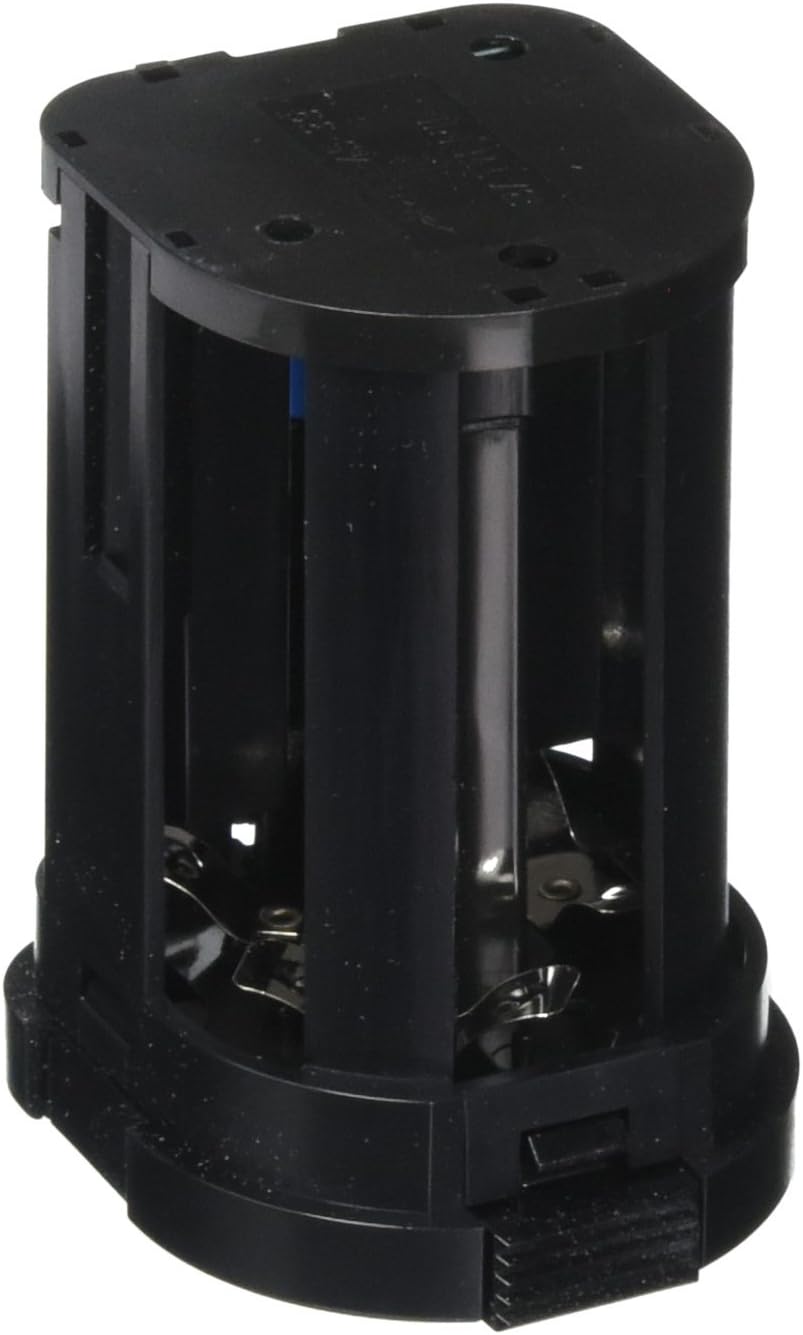
Figure 1: Front view of the Metz AA Battery Holder, illustrating the internal structure and slots for battery insertion. Observe the metal contacts for proper battery placement.

Figure 2: Side view of the Metz AA Battery Holder, showing the exterior casing and the latch mechanism used for securing it within the flash unit.
3.2. Installing the Battery Holder into the Flash Unit
- Ensure your Metz Mecablitz flash unit is powered off.
- Locate the battery compartment on your flash unit. This is typically on the side or bottom of the flash head.
- Carefully slide the filled battery holder into the flash unit's battery compartment. Ensure it aligns with the internal guides and connectors.
- Push the holder firmly until it clicks into place, indicating it is securely seated.
- Once installed, you can power on your flash unit.
4. Operating the Battery Holder
The Metz AA Battery Holder is a passive component. Once correctly installed with charged batteries into a compatible Metz Mecablitz flash unit, it provides power to the flash. No further direct operation of the holder is required. The flash unit's power controls will manage the power supply from the holder.
5. Maintenance
5.1. Cleaning
- Periodically inspect the battery holder for dust, dirt, or corrosion on the contacts.
- Use a dry, soft cloth to wipe the exterior. For contacts, a cotton swab lightly dampened with isopropyl alcohol can be used, ensuring it is completely dry before re-inserting batteries.
- Do not use abrasive cleaners or immerse the holder in liquid.
5.2. Storage
- When not in use for extended periods, remove batteries from the holder to prevent leakage and potential damage.
- Store the battery holder in a cool, dry place, away from direct sunlight and extreme temperatures.
5.3. Battery Handling
- Always use fresh, high-quality AA batteries.
- Do not mix old and new batteries, or different types of batteries (e.g., alkaline with rechargeable).
- Dispose of used batteries responsibly according to local regulations.
6. Troubleshooting
| Problem | Possible Cause | Solution |
|---|---|---|
| Flash unit does not power on. |
|
|
| Flash recycles slowly or inconsistently. |
|
|
7. Specifications
| Attribute | Detail |
|---|---|
| Brand | Metz |
| Model Number | FBA_45-39 |
| Compatible Flash Models | Metz Mecablitz 45CT-1, 45CL-1, 45CT-4, 45CL-4, 45CT-5 |
| Battery Type | AA (Alkaline, NiMH, etc., as supported by flash) |
| Product Dimensions | 2.91 x 2.09 x 1.89 inches |
| Item Weight | 1.44 ounces |
| Manufacturer | Metz |
| Date First Available | August 7, 2012 |
8. Warranty and Support
This product is designed for durability and reliable performance. For specific warranty information, please refer to the documentation provided with your original purchase or contact Metz customer support directly.
For technical assistance, troubleshooting beyond this manual, or inquiries about replacement parts, please visit the official Metz website or contact their authorized service centers. Keep your purchase receipt as proof of purchase.
No official product videos are available for this item.


