
Introduction
Thank you for choosing the Hama LS250 Multimedia Speakers. This manual provides essential information for the safe and efficient use of your new speakers. Please read these instructions carefully before use and keep them for future reference.
Safety Instructions
- Do not open the device. Incorrect assembly can lead to electric shock.
- Do not expose the speakers to moisture or extreme temperatures.
- Clean the product only with a dry, lint-free cloth.
- Ensure proper ventilation around the speakers.
Product Overview
The Hama LS250 Multimedia Speakers are designed to provide clear audio for your computer or other audio devices. They feature an active speaker system, a functional status display, and integrated volume and power controls.
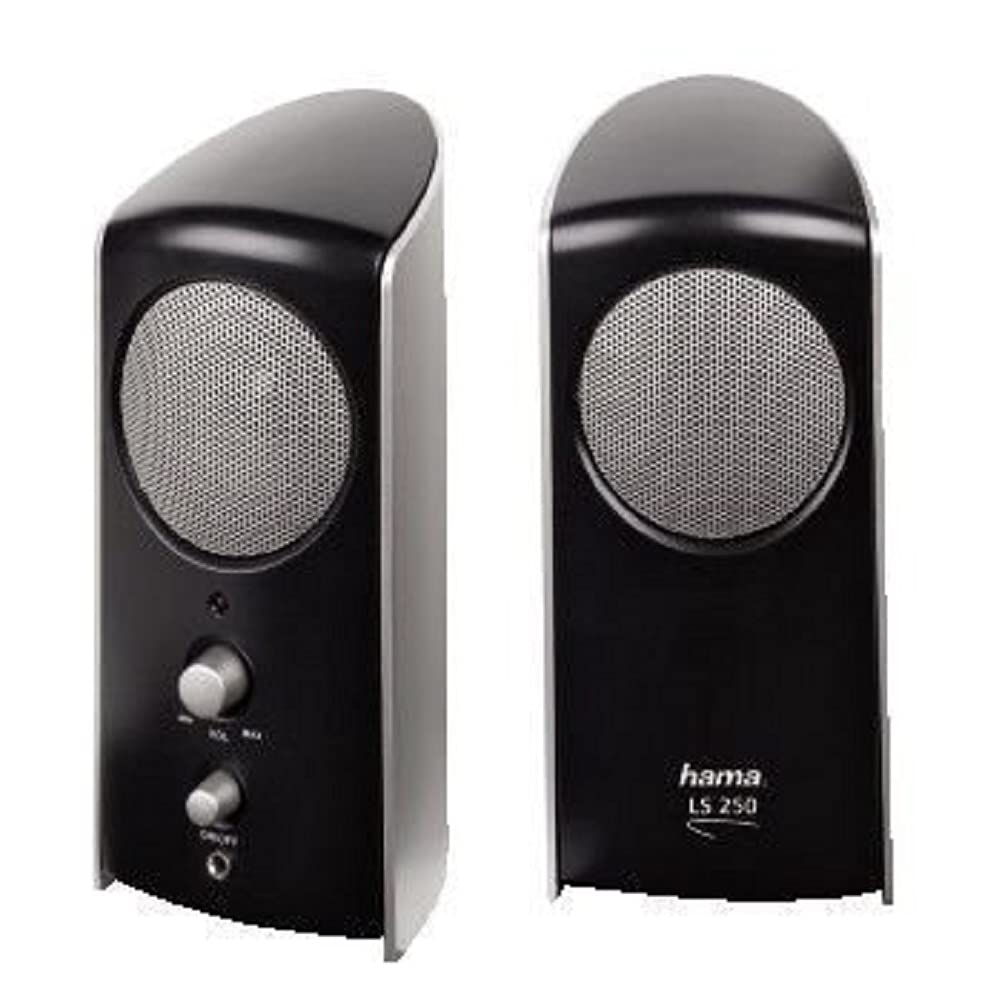
An image showing the Hama LS250 Multimedia Speakers, typically a pair of compact black speakers with a volume knob and status display.
Setup
- Placement: Position the speakers on a stable, flat surface, ensuring they are not obstructed. For optimal stereo sound, place them equidistant from your listening position.
- Connecting to Audio Source: Locate the 3.5 mm jack cable attached to the speakers. Insert this cable into the 3.5 mm audio output port of your computer, laptop, or other audio device.
- Power Connection: Connect the power cable of the speakers to a suitable power outlet.
Operating
- Power On/Off: Use the integrated power control (often combined with the volume knob) to turn the speakers on or off. The status display will illuminate when the speakers are powered on.
- Volume Control: Adjust the volume using the dedicated volume knob on one of the speakers. Turn clockwise to increase volume and counter-clockwise to decrease it.
- Status Display: The operational status display provides visual feedback on the speaker's power state.
Maintenance
- Cleaning: Disconnect the speakers from the power supply before cleaning. Use a soft, dry, lint-free cloth to wipe the surfaces. Do not use liquid cleaners or abrasive materials.
- Storage: If storing the speakers for an extended period, ensure they are clean, dry, and stored in a cool, dust-free environment.
Troubleshooting
- No Sound:
- Ensure the speakers are powered on and the status display is active.
- Check that the 3.5 mm audio jack is securely connected to both the speakers and the audio source.
- Verify that the volume on both the speakers and the audio source is turned up and not muted.
- Test with a different audio source or cable if possible.
- Distorted Sound:
- Reduce the volume on both the speakers and the audio source.
- Ensure the audio cable connections are secure.
- Check for any interference from other electronic devices.
Specifications
| Model Number | 00057144 |
| Product Dimensions | 17.3 x 7.9 x 7.7 cm |
| Product Weight | 721.22 g |
| Frequency Range | 200 Hz - 18 kHz |
| Connection Type | 3.5 mm Jack |
| Output Power | 1.5 W |
Warranty and Support
Hama products are covered by a manufacturer's warranty. For detailed warranty terms and conditions, please refer to the warranty card included with your product or visit the official Hama website. For technical support or service inquiries, please contact Hama customer service through their official channels.
You can find more information and support at the official Hama website: www.hama.com