
Minolta Maxxum 3
Contents
Minolta Maxxum 3 Date SLR Camera User Manual
Model: Maxxum 3
Introduction
This manual provides comprehensive instructions for the operation and maintenance of your Minolta Maxxum 3 Date SLR Camera. The Maxxum 3 DATE is a compact and lightweight 35mm SLR camera designed for high performance, featuring fast autofocus, advanced exposure metering, and compatibility with Minolta/Maxxum AF lenses. Please read this manual thoroughly before using your camera to ensure proper handling and optimal photographic results.
Setup
1. Battery Installation
The Minolta Maxxum 3 Date camera requires two CR2 lithium batteries. To install:
- Locate the battery compartment cover on the bottom of the camera.
- Open the cover by sliding or rotating it as indicated by the arrow.
- Insert the batteries according to the polarity markings (+/-) inside the compartment.
- Close the battery compartment cover securely.
2. Attaching the Lens
Your camera comes with a Minolta 35-80mm autofocus zoom lens. To attach the lens:
- Remove the body cap from the camera and the rear lens cap from the lens.
- Align the red dot on the lens barrel with the red dot on the camera's lens mount.
- Insert the lens into the camera body and rotate it clockwise until it clicks into place.

Figure 1: Front view of the Minolta Maxxum 3 camera with the 35-80mm lens attached. The lens features a zoom ring and focus ring, with the Minolta logo visible on the lens barrel and camera body.

Figure 2: Top view of the Minolta Maxxum 3 camera body with the 35-80mm lens detached. This view highlights the camera's top controls, including the LCD display and shutter button, and the lens mount opening.
3. Loading Film
The Maxxum 3 uses 35mm film. To load film:
- Open the camera back by pulling up the rewind knob or sliding the latch.
- Place a new film cassette into the film chamber.
- Pull the film leader across to the red mark on the take-up spool.
- Close the camera back firmly until it latches. The camera will automatically advance the film to the first frame.
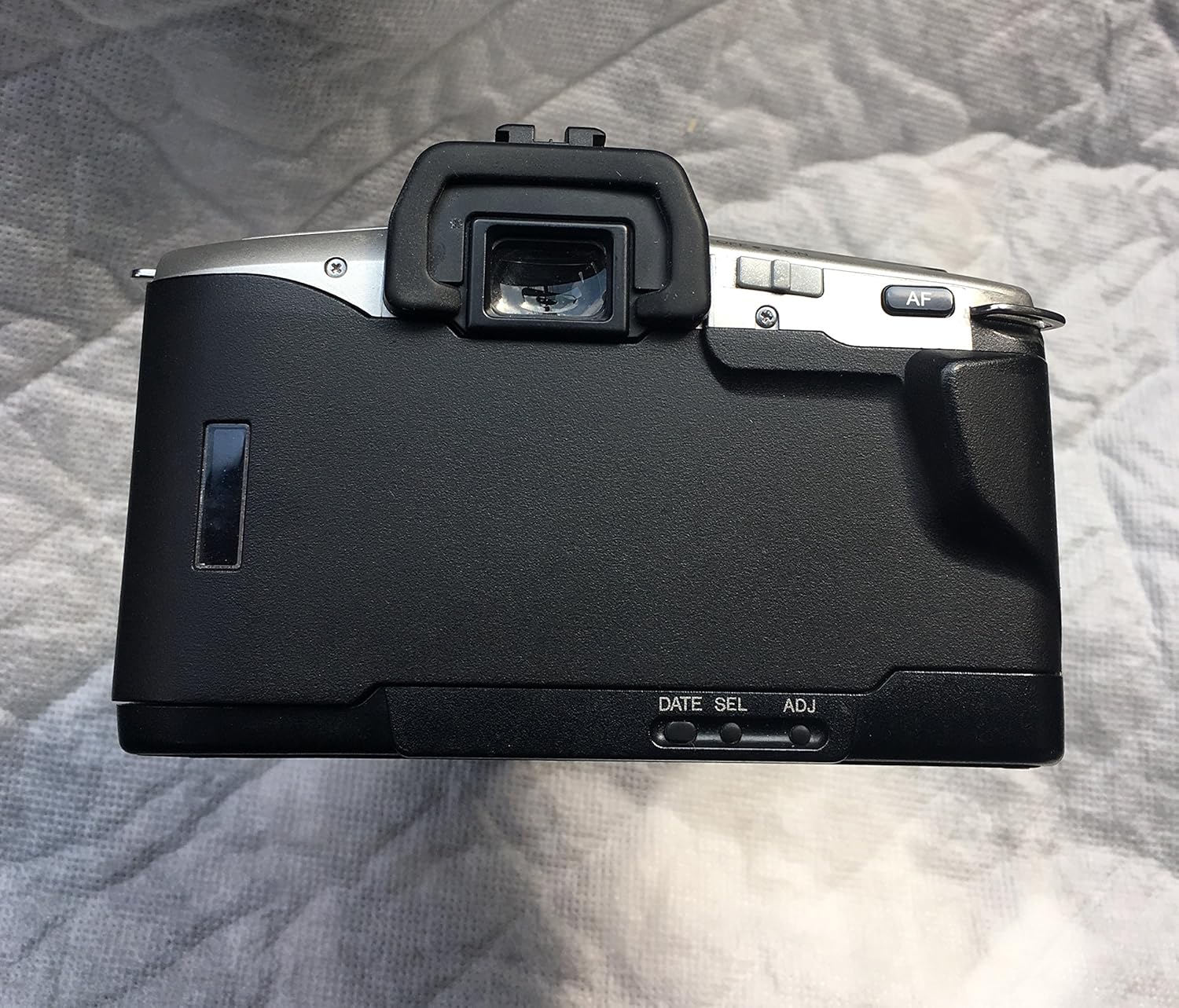
Figure 3: Rear view of the Minolta Maxxum 3 camera, showing the film door, viewfinder, and date/time setting buttons (DATE, SEL, ADJ) at the bottom right.
Operating Instructions
1. Power On/Off
To turn the camera on, slide the power switch located near the shutter button to the "ON" position. To turn off, slide it to "OFF".
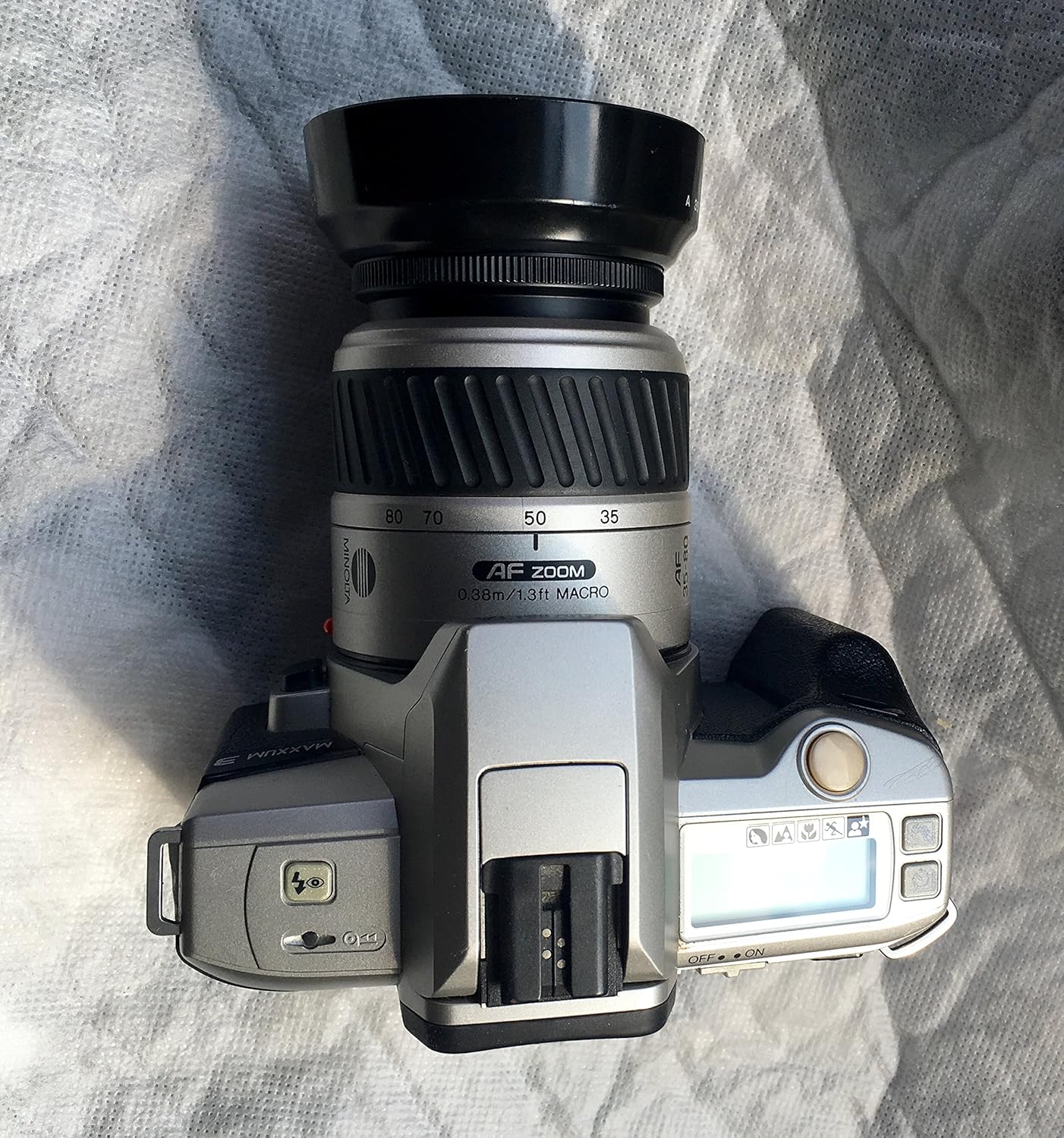
Figure 4: Top view of the Minolta Maxxum 3 camera, displaying the LCD panel, mode dial, and the power switch located near the shutter button. The attached lens has a hood.
2. Autofocus System
The Maxxum 3 features a fast and responsive autofocus system. To focus:
- Look through the viewfinder and compose your shot.
- Lightly press the shutter button halfway down. The camera will automatically focus on your subject. A focus confirmation indicator will appear in the viewfinder when focus is achieved.
3. Exposure Modes
The camera offers various exposure modes for different shooting conditions. Refer to the icons on the mode dial for selection:
- Program AE (P): The camera automatically sets both aperture and shutter speed for optimal exposure.
- Portrait Mode: Blurs the background to make the subject stand out.
- Landscape Mode: Ensures sharp focus from foreground to background.
- Sports Mode: Uses faster shutter speeds to freeze action.
- Night Portrait Mode: Balances flash with ambient light for night portraits.
4. Built-in Flash
The camera has a built-in flash that can be used in low-light conditions or for fill-flash. The flash will automatically pop up and fire in certain program modes when light is insufficient. You can also manually activate the flash by pressing the flash button.

Figure 5: Front view of the Minolta Maxxum 3 camera with the built-in flash unit popped up, ready for use. The lens is attached, and the camera's branding is clearly visible.
5. Date Imprint Function
The "Date" function allows you to imprint the date and/or time onto your photographs. Use the "DATE", "SEL" (Select), and "ADJ" (Adjust) buttons on the camera back to set the desired format and current date/time.
Maintenance
1. Cleaning the Camera and Lens
- Use a soft, lint-free cloth to wipe the camera body. Do not use solvents.
- For the lens, use a lens brush or blower to remove dust. For smudges, use a specialized lens cleaning solution and a microfiber cloth.
- Keep the lens cap on when not in use to protect the front element.
2. Storage
When not in use for extended periods, remove the batteries to prevent leakage. Store the camera in a cool, dry place, away from direct sunlight and extreme temperatures. Use a desiccant packet if storing in humid environments.

Figure 6: Bottom view of the Minolta Maxxum 3 camera, showing the battery compartment, tripod mount, and film rewind button. The lens is attached and extended.
Troubleshooting
| Problem | Possible Cause | Solution |
|---|---|---|
| Camera does not power on. | Dead or incorrectly installed batteries. | Check battery polarity; replace with fresh batteries. |
| Autofocus does not work. | Insufficient light; subject lacks contrast; lens not properly attached. | Ensure adequate lighting; try focusing on a high-contrast area; reattach lens securely. |
| Film does not advance. | Film not loaded correctly; end of roll. | Re-load film, ensuring leader is properly engaged; check film counter. |
| Flash does not fire. | Flash not popped up; battery low; flash mode disabled. | Manually pop up flash; check batteries; ensure camera is in an appropriate flash mode. |
Specifications
- Model Name: Minolta Maxxum 3
- Brand: Minolta
- Film Format Type: 35mm
- Compatible Camera Film Format Type: 35mm
- Included Components: Camera Kit (Minolta Maxxum 3 Date SLR Camera with 35-80 II Lens Zoom Kit)
- Exposure Control Type: Automatic
- Shutter Type: Focal Plane Shutter
- Special Feature: Lightweight
- Item Weight: 1.8 pounds
- Package Dimensions: 7.8 x 6.2 x 4 inches
- UPC: 012345678912
- ASIN: B000HKZI7S
Warranty and Support
Minolta products are manufactured to high quality standards. For specific warranty information, please refer to the warranty card included with your product or visit the official Minolta support website. For technical assistance or service inquiries, please contact Minolta customer support.
Please note that this product is a legacy model. Support and parts availability may vary.
Documents and downloads
Ask a question about this manual
Ask about setup, troubleshooting, compatibility, parts, safety, or missing instructions. Manuals+ will review the question and use this page’s manual context to help answer it.