1. Introduction
This instruction manual provides essential information for the proper installation, operation, and maintenance of your TYC 20-5445-00 Passenger Side Headlight Assembly. This product is designed as a direct replacement for the original equipment headlight on specific Volkswagen Beetle models. Please read this manual thoroughly before proceeding with installation to ensure safety and optimal performance.
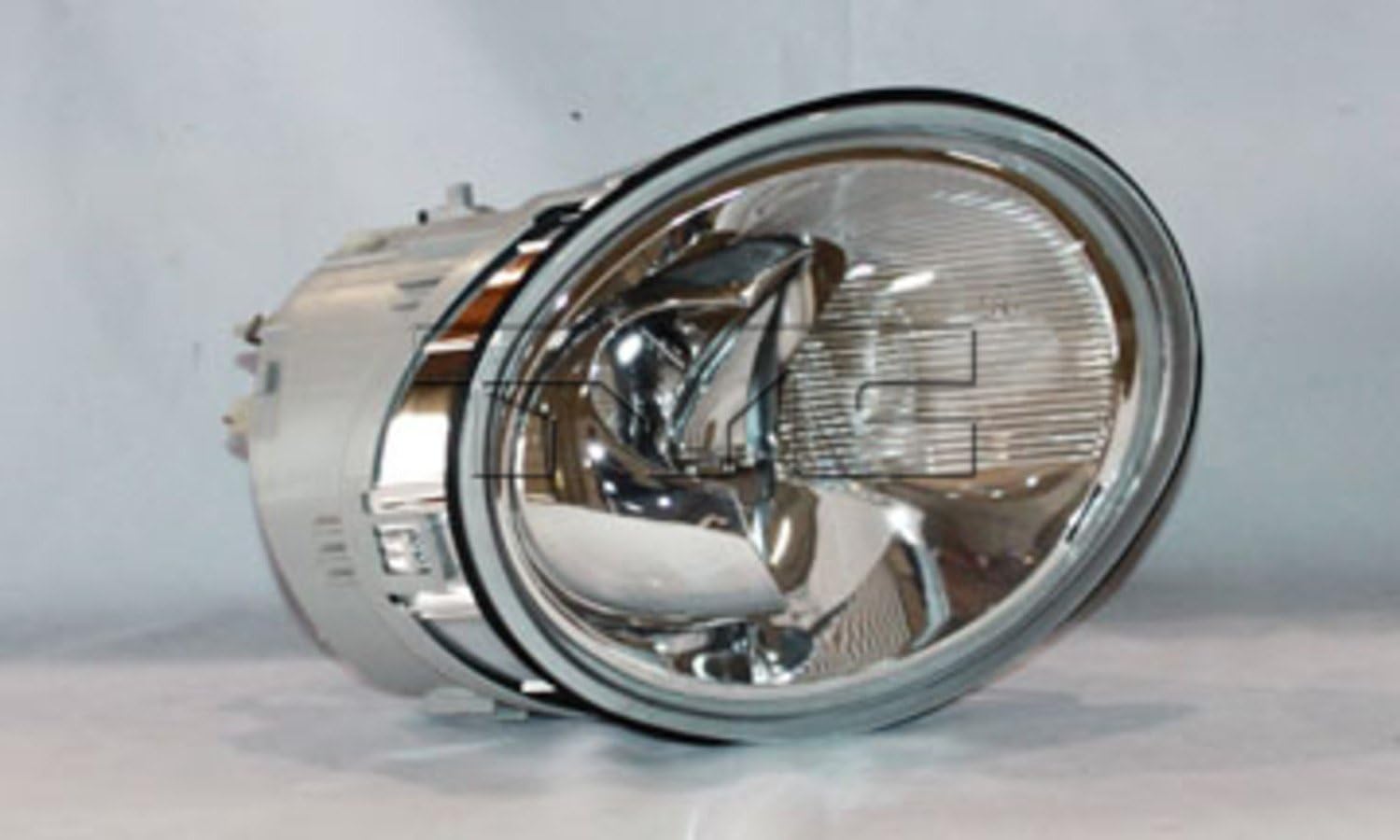
Image 1.1: The TYC 20-5445-00 Passenger Side Headlight Assembly, featuring a clear lens and chrome housing.
2. Safety Information
Always prioritize safety when working on your vehicle. Failure to follow these safety guidelines may result in injury or damage to the vehicle.
- Disconnect the vehicle's battery before beginning any electrical work to prevent electrical shock or short circuits.
- Wear appropriate personal protective equipment, including safety glasses and gloves.
- Ensure the vehicle is parked on a level surface and the parking brake is engaged.
- Allow the engine and exhaust components to cool down before working in their vicinity.
- If you are unsure about any step, consult a qualified automotive technician.
3. Package Contents
Verify that all components are present and undamaged before beginning installation.
- One (1) TYC 20-5445-00 Passenger Side Headlight Assembly (for 1998-2005 VW Beetle Convertible/Hatchback models, excluding Turbo S, Halogen Headlight Right Hand).
4. Installation Instructions
This headlight assembly is designed for a "drop-in fit" with comparable tolerance and virtually identical mounting provisions to the original equipment. It is also interchangeable with OE wiring harnesses. However, professional installation is recommended.
Required Tools (Not Included):
- Socket wrench set
- Screwdriver set (Phillips and flathead)
- Trim removal tools (if necessary for bumper removal)
- Headlight aiming tool (recommended for final adjustment)
Installation Steps:
- Prepare the Vehicle: Park the vehicle on a level surface, engage the parking brake, and turn off the engine. Disconnect the negative terminal of the vehicle's battery.
- Access the Headlight: Depending on your specific Volkswagen Beetle model and year (1998-2005), accessing the headlight assembly may require removing parts of the front bumper or fender liner. Consult your vehicle's service manual for specific instructions on accessing the headlight.
- Disconnect Wiring: Carefully disconnect the electrical connectors from the existing headlight assembly. These typically include connectors for the main headlight bulb, turn signal, and possibly a side marker light.
- Remove Old Headlight: Locate and remove the mounting bolts or clips securing the old headlight assembly to the vehicle frame. Carefully pull the old assembly out of its housing.
- Install New Headlight: Position the new TYC 20-5445-00 Headlight Assembly into the vehicle's headlight housing. Ensure all mounting tabs and alignment pins are correctly seated.
- Secure New Headlight: Reinstall the mounting bolts or clips to secure the new headlight assembly firmly in place. Do not overtighten.
- Connect Wiring: Reconnect all electrical connectors to the corresponding ports on the new headlight assembly. Ensure connections are secure.
- Test Functionality: Reconnect the vehicle's battery. Turn on the vehicle's lights and test the low beam, high beam, and turn signal functions to ensure they are operating correctly.
- Reassemble Vehicle: Reinstall any bumper or fender liner components that were removed during the access phase.
- Aim Headlights: After installation, it is crucial to properly aim the headlights to ensure optimal visibility and to avoid blinding oncoming drivers. Refer to your vehicle's service manual or consult a professional for headlight aiming procedures.
5. Operating Instructions
Once installed, the TYC 20-5445-00 Headlight Assembly operates in conjunction with your vehicle's existing lighting controls. No special operating procedures are required for the assembly itself.
- Use your vehicle's dashboard controls to activate low beams, high beams, and turn signals as needed.
- Ensure headlights are properly aimed for safe driving conditions.
6. Maintenance
Regular maintenance helps ensure the longevity and performance of your headlight assembly.
- Cleaning: Clean the exterior lens of the headlight regularly with a soft cloth and mild automotive soap and water. Avoid abrasive cleaners or harsh chemicals that can damage the polycarbonate lens.
- Inspection: Periodically inspect the headlight assembly for any signs of damage, cracks, or moisture intrusion. The assembly is designed to be waterproof, but extreme conditions or impacts can compromise its seal.
- Bulb Replacement: If a bulb within the assembly fails, refer to your vehicle's service manual for instructions on how to access and replace the specific bulb type. Ensure replacement bulbs match the original specifications.
7. Troubleshooting
If you encounter issues with your headlight assembly, consider the following troubleshooting steps:
| Problem | Possible Cause | Solution |
|---|---|---|
| Headlight not illuminating | Loose electrical connection, blown bulb, blown fuse, faulty wiring. | Check all electrical connections. Inspect and replace any blown bulbs. Check the vehicle's fuse box for a blown headlight fuse and replace if necessary. Consult a technician for wiring issues. |
| Dim or flickering light | Loose connection, failing bulb, insufficient power. | Ensure connections are secure. Replace the bulb. Check vehicle's electrical system. |
| Moisture inside the lens | Compromised seal, condensation. | Small amounts of condensation may dissipate. If persistent or excessive, inspect the assembly for cracks or damage to the seal. Contact support if the issue persists. |
| Improper light beam pattern | Incorrect aiming. | Adjust headlight aim according to vehicle specifications or consult a professional. |
If troubleshooting steps do not resolve the issue, contact TYC customer support or a certified automotive technician.
8. Specifications
- Brand: TYC
- Model Number: 20-5445-00
- Item Weight: 4.59 pounds
- Lens Material: Polycarbonate
- Lens Color: Amber (for turn signal reflector, main lens is clear)
- Vehicle Service Type: Car, Truck (specifically Volkswagen Beetle 1998-2005)
- Special Feature: Waterproof
- Auto Part Position: Front, Passenger Side
- UPC: 762405608327
- OEM Part Number: 1C0 941 030 K
9. Warranty and Support
For warranty information or technical assistance, please contact TYC customer support directly. Keep your purchase receipt and product model number (20-5445-00) readily available when contacting support.

Image 9.1: The official TYC logo.
You can find more information about TYC products and support on their official website or through authorized retailers.


