
1. Introduction
This manual provides detailed instructions for the proper installation, use, and maintenance of your Leviton 2148W-BOX 2-Gang Oversize Combination Wall Plate. This wall plate is designed to cover a standard 2-gang electrical box, accommodating one toggle switch and one duplex receptacle. Its oversize design ensures maximum wall coverage, and its durable, high-gloss finish is soil-resistant, making it suitable for various environments.
2. Safety Information
WARNING: To avoid fire, shock, or death, always turn off power at the circuit breaker or fuse box before wiring or installing this product. Installation should be performed by a qualified electrician if you are unsure about the process. Always follow local electrical codes.
- Ensure the power supply to the electrical box is completely disconnected before beginning installation.
- Do not install if the product appears damaged.
- This product is intended for indoor use only.
3. Package Contents
Verify that all components are present before beginning installation:
- 1 x Leviton 2148W-BOX 2-Gang Oversize Combination Wall Plate
- Matching mounting screws
4. Setup and Installation
Follow these steps to properly install your wall plate:
- Turn Off Power: Locate the circuit breaker or fuse that controls the power to the electrical box where the wall plate will be installed. Turn off the power completely. Verify with a voltage tester.
- Remove Old Wall Plate (if applicable): Carefully unscrew and remove any existing wall plate and its mounting screws.
- Install Electrical Devices: Ensure that the toggle switch and duplex receptacle are securely mounted within the electrical box. The wall plate is designed to cover these devices.
- Position New Wall Plate: Align the Leviton 2148W-BOX wall plate over the electrical devices and the electrical box openings. Ensure the openings on the wall plate match the configuration of your devices (one toggle, one duplex receptacle).
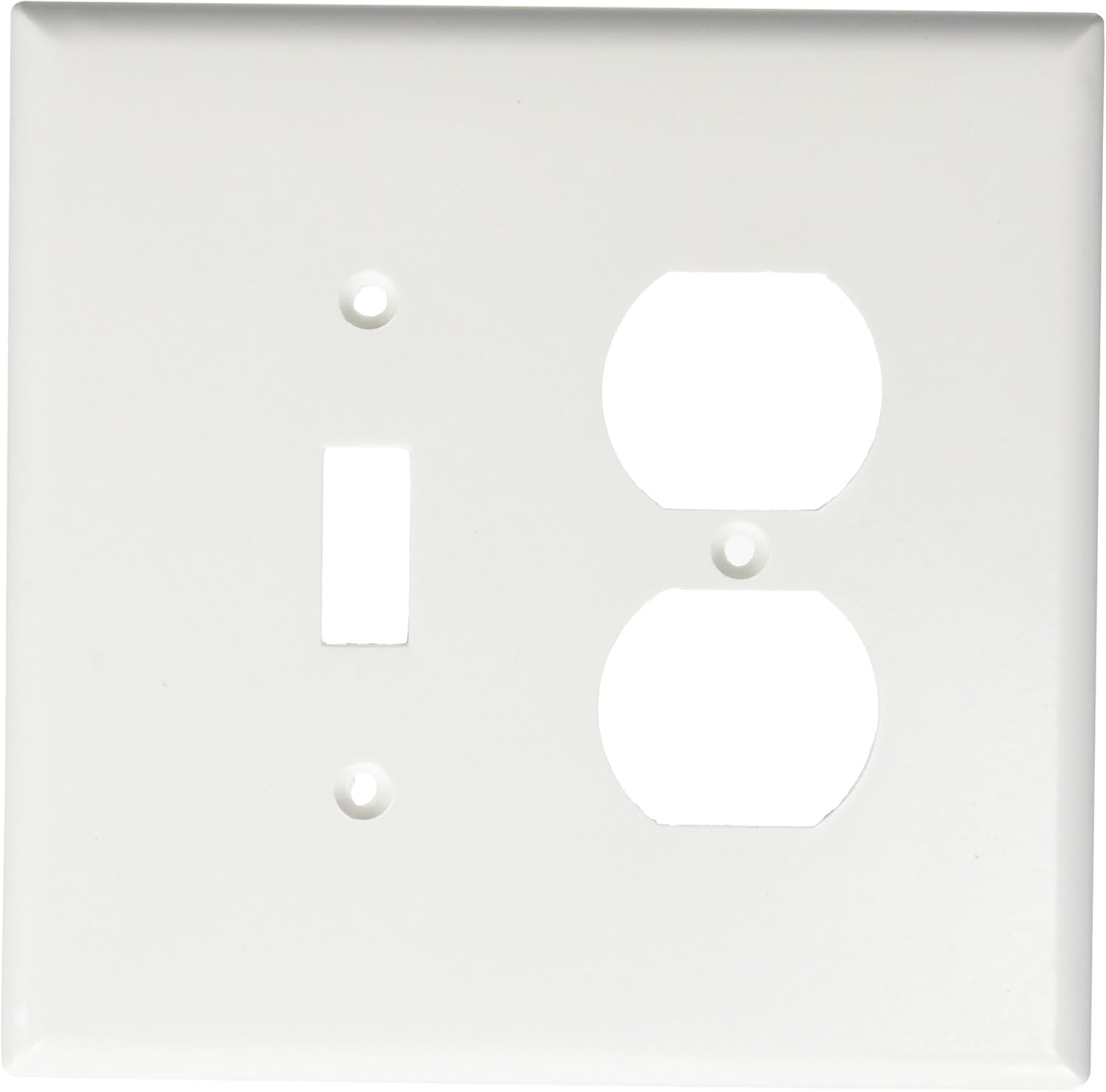
Image 1: Front view of the Leviton 2148W-BOX Wall Plate. This image illustrates the layout of the openings for a toggle switch and a duplex receptacle.
- Secure Wall Plate: Use the provided matching screws to attach the wall plate to the electrical devices and/or the electrical box. The wall plate features a screw-catch design to hold the mounting screws captive during installation, preventing them from falling. Tighten screws until the wall plate is snug against the wall, but do not overtighten, as this can crack the plate.
- Restore Power: Once the wall plate is securely installed, turn the power back on at the circuit breaker or fuse box.
5. Usage and Function
The Leviton 2148W-BOX wall plate serves as a protective and aesthetic cover for your electrical devices. It shields the internal wiring and components from dust and accidental contact, while also providing a clean, finished appearance to your electrical installations. The oversize design helps to conceal imperfections in the wall around the electrical box.
6. Maintenance
To maintain the appearance and integrity of your wall plate:
- Clean the wall plate regularly with a soft, damp cloth.
- For stubborn marks, use a mild, non-abrasive soap solution.
- Avoid using harsh chemicals, abrasive cleaners, or scouring pads, as these can damage the high-gloss, soil-resistant finish.
7. Troubleshooting
- Wall Plate Does Not Fit: Ensure you have the correct wall plate configuration (2-gang combination for one toggle and one duplex receptacle). Verify the dimensions of your electrical box and devices against the product specifications.
- Screws Do Not Tighten: Check that the electrical devices (switch and receptacle) are securely mounted within the electrical box. The wall plate screws typically thread into these devices. If the device mounting screws are loose, tighten them first.
- Cracked or Damaged Plate: If the plate is cracked during installation, it may have been overtightened. Replace the plate with a new one.
8. Specifications
| Feature | Detail |
|---|---|
| Brand | Leviton |
| Model Number | 2148W-BOX |
| Type | 2-Gang Oversize Combination Wall Plate (1 Toggle, 1 Duplex Receptacle) |
| Product Dimensions (W x H) | 5.25" x 5.31" Image 2: Dimensional view of the Leviton 2148W-BOX Wall Plate. This image indicates the width as 5.31 inches and the height as 5.25 inches. |
| Item Weight | 1.6 ounces |
| Installation Type | Screw-In |
| Material | Virtually unbreakable plastic (as per product features) |
| Finish | High-gloss, soil-resistant |
9. Warranty and Support
For warranty information or technical support, please refer to the official Leviton website or contact their customer service department. Keep your purchase receipt for any warranty claims.


