
Introduction
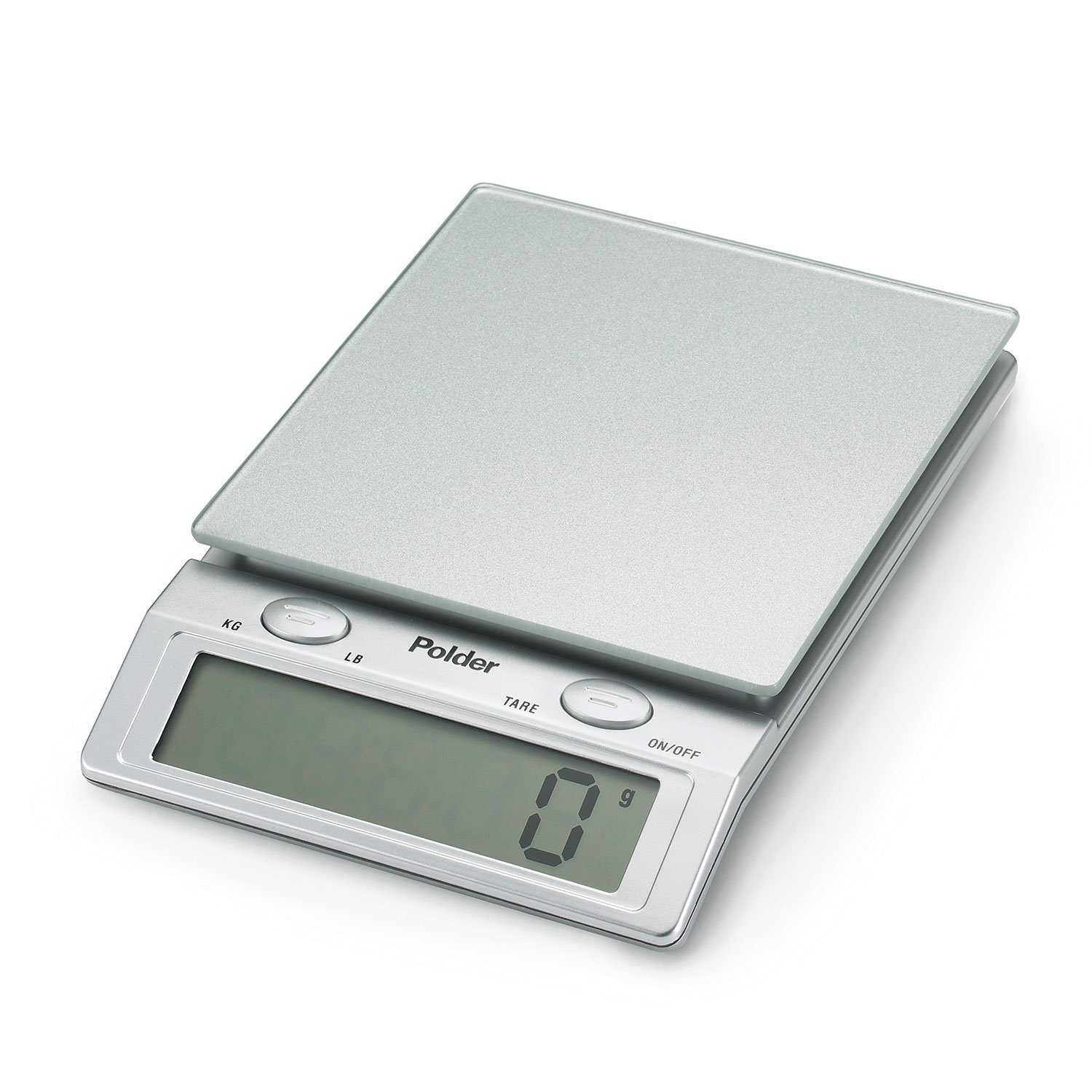
This manual provides essential information for the safe and efficient operation of your Polder Easy-Read Digital Glass Top Scale, Model KSC-310-28. Designed for precision and ease of use, this kitchen scale features an easy-to-clean glass top and a large digital display. It is suitable for various kitchen tasks, from baking to portion control.
Package Contents
- Polder Easy-Read Digital Glass Top Scale
- 4 AAA Batteries
- Instruction Manual (this document)
Setup
Battery Installation
- Locate the battery compartment on the underside of the scale.
- Open the battery compartment cover.
- Insert the 4 AAA batteries, ensuring correct polarity (+/-) as indicated inside the compartment.
- Close the battery compartment cover securely.
Initial Placement
Place the scale on a hard, flat, and stable surface to ensure accurate measurements. Avoid placing it on soft or uneven surfaces.
Operating Instructions
Power On/Off
- To turn the scale ON, press the ON/OFF button. The display will show '0' when ready.
- To turn the scale OFF, press and hold the ON/OFF button for a few seconds. The scale also features an automatic shut-off function after a period of inactivity to conserve battery life.
Basic Weighing
- Ensure the scale is on a flat surface and powered on, displaying '0'.
- Place the item to be weighed directly onto the glass platform.
- Read the weight displayed on the large digital screen. The scale measures up to 11 lbs. (5 kg.) in 0.1 oz. or 1 gram increments.

Tare Function (Add and Weigh)
The Tare function allows you to weigh multiple ingredients consecutively in the same container without removing previous items. This is useful for recipes requiring precise measurements of several components.
- Place an empty container on the scale. The display will show its weight.
- Press the TARE button. The display will reset to '0'.
- Add your first ingredient to the container. The display will show the weight of only that ingredient.
- To add another ingredient, press the TARE button again to reset the display to '0'.
- Add the next ingredient. Repeat this process for all subsequent ingredients.
Unit Conversion
To switch between measurement units (pounds/ounces and kilograms/grams), press the KG/LB button located on the scale. The display will cycle through the available units.
Maintenance
Cleaning
- To clean the glass top, wipe it with a damp cloth using mild soap and water.
- Avoid abrasive cleaners or harsh chemicals, as these may damage the surface.
- Do not immerse the scale in water or place it under running water.
- Ensure the scale is completely dry before storage or next use.
Troubleshooting
- Inaccurate Readings: Ensure the scale is placed on a hard, flat, and stable surface. Uneven surfaces can affect accuracy. Avoid placing the scale near strong electromagnetic fields.
- Display Not Turning On/Off: Check if the batteries are correctly installed and have sufficient charge. Replace all four AAA batteries if necessary.
- Erratic Display/Fluctuating Readings: This can sometimes be caused by low batteries or corrosion on battery contacts. Replace batteries and clean contacts if visible corrosion is present. Ensure no objects are touching the scale platform or buttons during weighing.
- Display Showing 'E' or 'Err': This typically indicates an overload. Remove items from the scale immediately to prevent damage. The maximum capacity is 11 lbs (5 kg).
Specifications
| Feature | Detail |
|---|---|
| Model | KSC-310-28 |
| Brand | Polder |
| Weight Capacity Maximum | 11 pounds (5 kg) |
| Readout Accuracy | +/- 1 gram (0.1 oz) |
| Display Type | LCD |
| Material Type | Glass |
| Power Source | 4 AAA batteries (included) |
| Special Feature | Auto Shut Off, Tare Function |
| UPC | 047188310002 |
Warranty and Support
This Polder product is covered by a manufacturer's warranty. For specific warranty details, claims, or technical support, please contact Polder Products, LLC directly. Keep your purchase receipt as proof of purchase.
Manufacturer: Polder Products, LLC
For further assistance, please visit the official Polder website or refer to the contact information provided with your product packaging.

