Introduction
The Lamy Logo Brushed Finish .5mm Pencil - L106 Hairline is a precision writing instrument designed for durability and functional elegance. Featuring a stainless steel body with a hairline finish, this mechanical pencil is suitable for daily use in various settings, from office work to creative endeavors. This manual provides essential information for the proper setup, operation, and maintenance of your Lamy Logo mechanical pencil.

Image: The Lamy Logo Brushed Finish .5mm Pencil, showcasing its sleek design and brushed metal finish.
Setup
Before first use, or when replacing lead, follow these steps to ensure proper functionality:
- Accessing the Lead Chamber: Gently pull off the push-button cap at the top of the pencil. This cap also contains the eraser.
- Loading Lead: Insert 0.5mm graphite leads into the opening of the lead chamber. It is recommended to insert 2-3 leads at a time to prevent jamming and ensure smooth operation. Do not overfill.
- Replacing the Cap: Firmly push the push-button cap back onto the pencil until it clicks into place.

Image: A close-up view of the Lamy Logo Pencil body, highlighting the knurled grip and the brushed finish.
Operating Instructions
Using your Lamy Logo mechanical pencil is straightforward:
- Advancing Lead: Press the push-button cap at the top of the pencil to advance the lead. Each press will extend the lead by a small increment. Continue pressing until the desired lead length is achieved for writing or drawing.
- Retracting Lead: To retract the lead, gently press the push-button cap while simultaneously pushing the lead back into the tip with your finger or a flat surface.
- Using the Eraser: The eraser is located under the push-button cap. Remove the cap to access and use the eraser. Replace the cap after use.
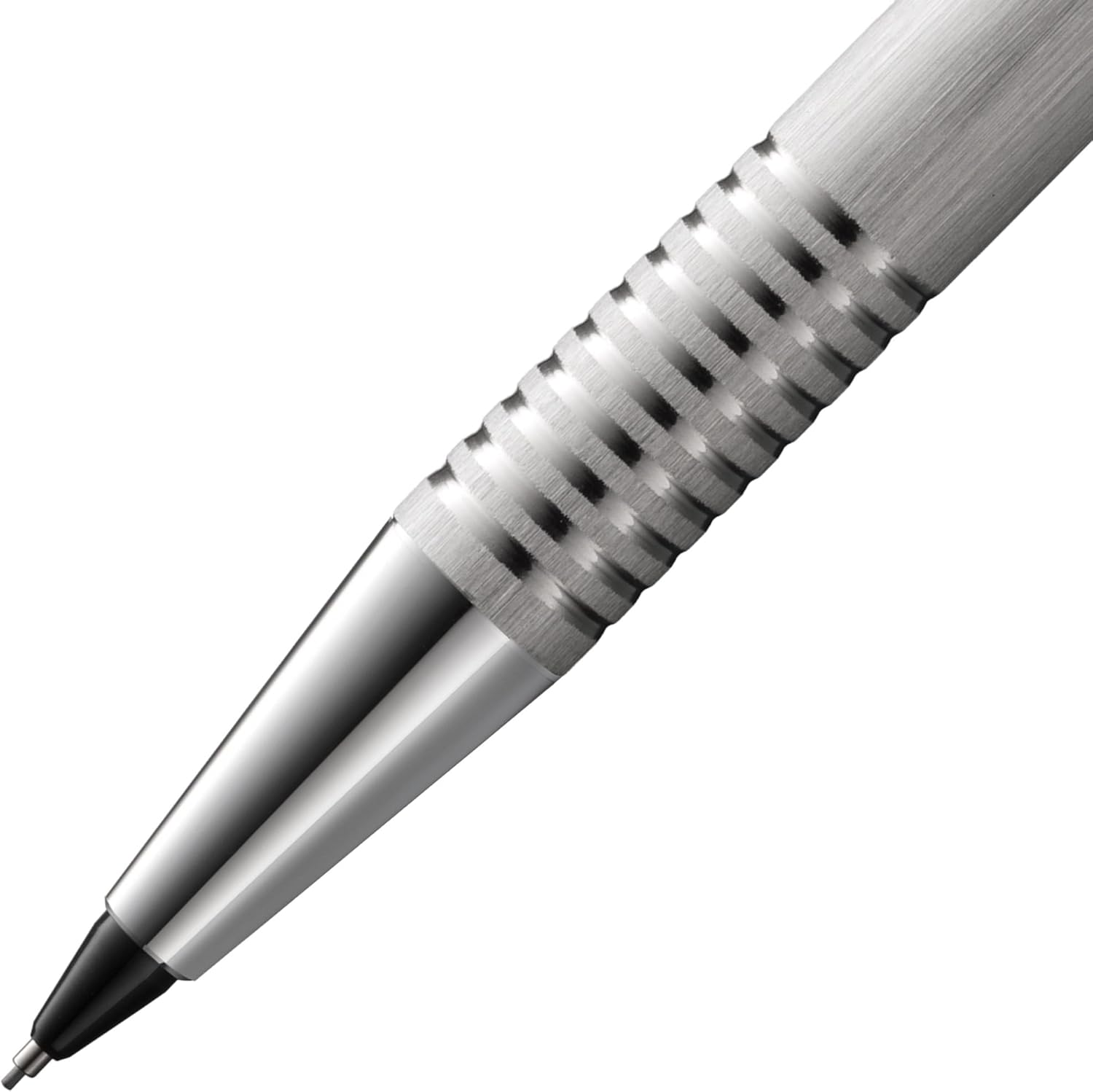
Image: A detailed view of the Lamy Logo Pencil's tip and knurled grip, showing the lead extended for use.
Maintenance
Proper care will extend the life and performance of your Lamy Logo pencil:
- Cleaning: Wipe the metal body with a soft, dry cloth to remove fingerprints and smudges. Avoid using abrasive cleaners or solvents, as these can damage the finish.
- Lead Replacement: Use only 0.5mm graphite leads. Lamy recommends their LM41 (0.5 mm / HB / 12 pieces) refills for optimal performance.
- Eraser Replacement: When the integrated eraser is worn down, it can be replaced with a new Lamy Z18 eraser. Gently pull out the old eraser and insert the new one.
- Storage: Store your pencil in a protective case or a pen holder to prevent scratches and damage when not in use.

Image: The Lamy Logo Pencil displayed alongside other Lamy writing instruments and accessories, illustrating its place within the Lamy product family.
Troubleshooting
| Problem | Possible Cause | Solution |
|---|---|---|
| Lead does not advance. | No lead in chamber, lead jammed, or incorrect lead size. | Check lead chamber and load new 0.5mm leads. Gently tap the tip to dislodge any jammed lead. Ensure only 0.5mm leads are used. |
| Lead breaks frequently. | Too much lead extended, excessive writing pressure, or low-quality lead. | Extend less lead. Reduce writing pressure. Use high-quality 0.5mm leads (e.g., Lamy LM41). |
| Push-button cap is loose. | Not fully seated. | Push the cap firmly until it clicks securely into place. |
Specifications
- Model: Lamy Logo 106
- Lead Size: 0.5mm
- Material: Metal (Stainless Steel with Hairline Finish)
- Item Weight: 0.635 ounces (approx. 18 grams)
- Product Dimensions: 5.35 x 0.35 x 0.35 inches (approx. 13.6 x 0.9 x 0.9 cm)
- Grip Type: Knurled
- Closure: Screw Off Cap (for lead chamber access) / Push-button (for lead advance)
- Compatible Lead Refill: Lamy LM41 (0.5 mm / HB / 12 pieces)


