1. Safety Information
WARNING: This product contains chemicals known to the State of California to cause cancer and birth defects or other reproductive harm. Wash hands after handling.
- Always wear safety goggles when working with batteries.
- Ensure adequate ventilation to prevent accumulation of explosive gases.
- Avoid contact with battery acid. In case of contact, flush immediately with water and seek medical attention.
- Do not smoke or allow open flames near batteries.
- The load safety switch prevents arcing. Do not hold the load switch for more than 10-15 seconds to prevent overheating.
2. Product Overview
The OTC 3180 100 Amp Battery Load Tester is a convenient, portable tool designed to quickly and accurately test the condition of 6V and 12V automotive batteries, both on and off the vehicle. It also helps determine the state of charge, cranking, and charging volts, providing essential diagnostic information.
Key Features:
- Tests batteries on or off the car in just 10 seconds.
- Convenient portable size and easy-to-read scales.
- Determines good/bad status with an extra-large display with zero adjust.
- Determines state-of-charge, cranking, and charging volts.
- Works on both 6 Volts and 12 volts batteries.
- Features heavy-duty copper-plated clamps and ceramic insulators.
- Durable chrome-plated ventilated steel case.
What's in the Box:
- 1 x OTC 3180 100 Amp Battery Load Tester Unit
- 1 x Instruction Guide

Figure 1: Front view of the OTC 3180 100 Amp Battery Load Tester with red and black clamps.
Video 1: An official overview of OTC Tools and Equipment, showcasing various products and their applications, including the battery load tester.
3. Setup
Before testing, ensure the battery terminals are clean and free of corrosion for accurate readings.
- Connect the red (positive) clamp to the positive (+) battery terminal.
- Connect the black (negative) clamp to the negative (-) battery terminal.
- Ensure a secure connection to prevent false readings or arcing.
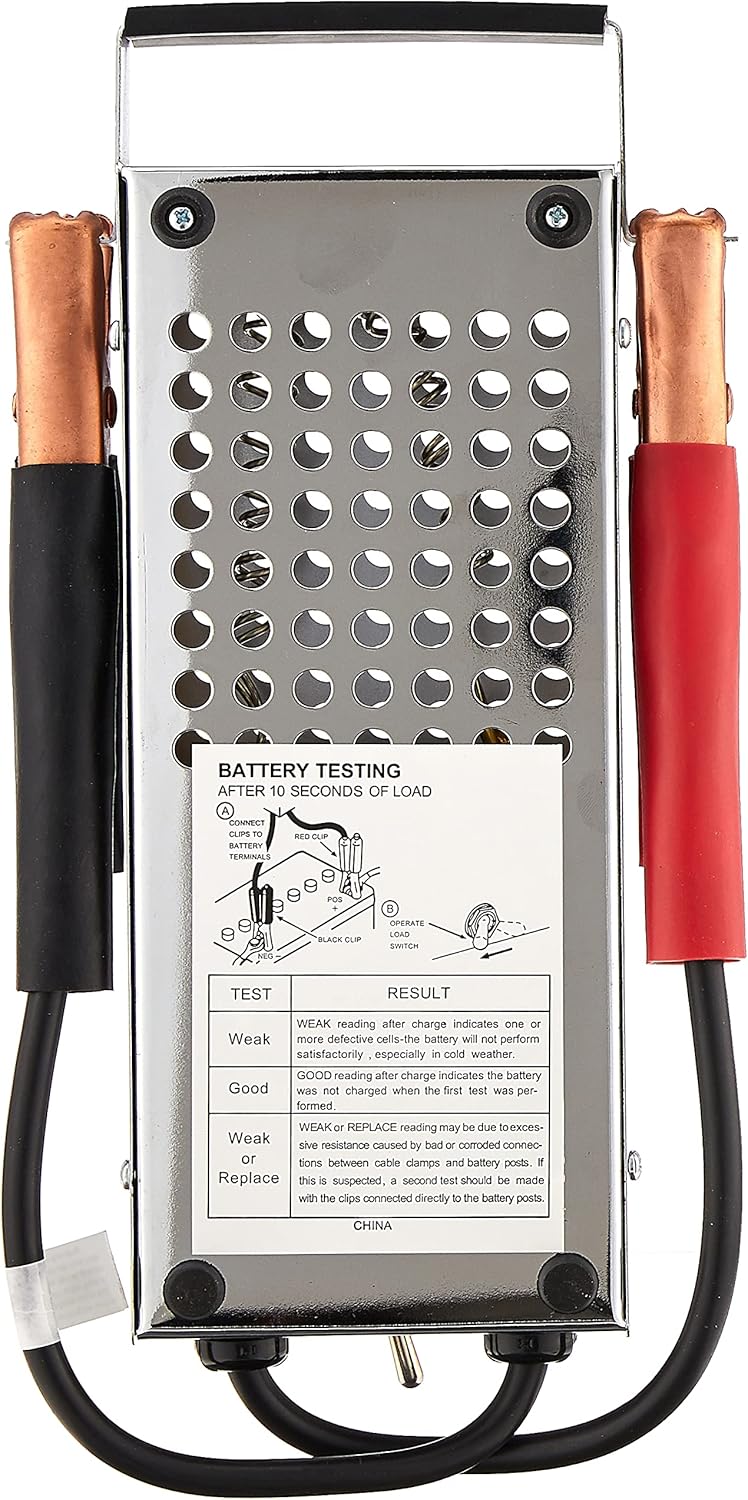
Figure 2: Rear view of the OTC 3180 100 Amp Battery Load Tester, showing the perforated metal casing and a diagram for battery testing.
4. Operating Instructions
4.1. Battery Load Test (On or Off Vehicle)
- Connect the tester clamps to the battery terminals as described in the Setup section.
- Read the initial voltage on the meter.
- Press and hold the 'LOAD SWITCH' for a maximum of 10-15 seconds. Observe the meter reading while the switch is held.
- Release the 'LOAD SWITCH'.
Interpreting Battery Load Test Results:
- OK (Green Zone): The battery is in good condition and can handle the load.
- WEAK (Yellow Zone): The battery may need charging or could be nearing the end of its life. Further testing or charging is recommended.
- BAD (Red Zone): The battery is likely defective and needs to be replaced.
4.2. Charging System Test (On Vehicle)
- Connect the tester clamps to the vehicle's battery terminals.
- Start the vehicle's engine.
- Observe the meter reading. The needle should settle in the 'OK' (green) zone, typically indicating a voltage between 13.8V and 14.8V.
Interpreting Charging System Test Results:
- OK (Green Zone): The charging system (alternator and voltage regulator) is functioning correctly.
- Below Green Zone: The charging system may be weak or faulty, not adequately charging the battery.
- Above Green Zone: The charging system may be overcharging the battery, which can damage it.
5. Maintenance
- Keep the tester clean and dry.
- Store in a cool, dry place away from direct sunlight and extreme temperatures.
- Inspect clamps and cables regularly for any signs of wear or damage. Replace if necessary.
6. Troubleshooting
- No Reading: Check if clamps are securely connected to clean battery terminals. Ensure the battery has some charge.
- Inconsistent Readings: Ensure good contact with battery terminals. Clean terminals if corroded.
- Tester Overheats: This is normal during a load test. Do not hold the load switch for more than 10-15 seconds. Allow the tester to cool down between tests.
7. Specifications
| Feature | Specification |
|---|---|
| Brand | OTC |
| Model | 3180 |
| Load Capacity | 100 Amp |
| Voltage Range | 0-16 Volts (for 6V and 12V batteries) |
| Power Source | Battery Powered (from battery being tested) |
| Dimensions (L x W x H) | 14 x 7.4 x 3.6 inches |
| Item Weight | 0.65 Pounds (approx. 10.4 ounces) |
| Measurement Type | Ammeter, Voltmeter |
| UPC | 731413417559 |
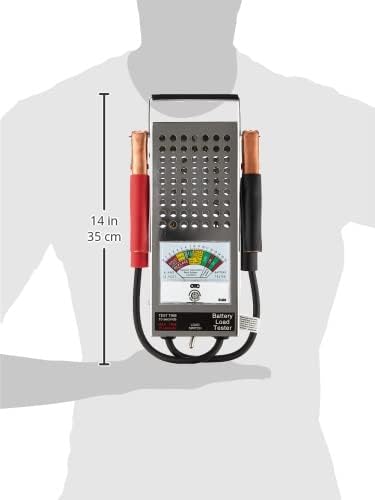
Figure 3: Dimensions of the OTC 3180 100 Amp Battery Load Tester, showing a length of 14 inches (35 cm).
8. Warranty and Support
OTC tools are built with a commitment to quality and are trusted by technicians. Many OTC products come with a Lifetime Warranty, reflecting the brand's dedication to durability and performance.
For further support, product information, or warranty claims, please visit the official OTC website or contact their customer service.


