
1. Introduction
This manual provides essential information for the proper use and care of your Kodak Ultra Premium Photo Paper Semi-Gloss. This photo paper is designed to produce high-quality, vibrant prints from your inkjet printer, ideal for preserving your cherished memories.
Key features include instant drying, resistance to smearing and smudging, vivid color reproduction, and universal compatibility with inkjet printers.
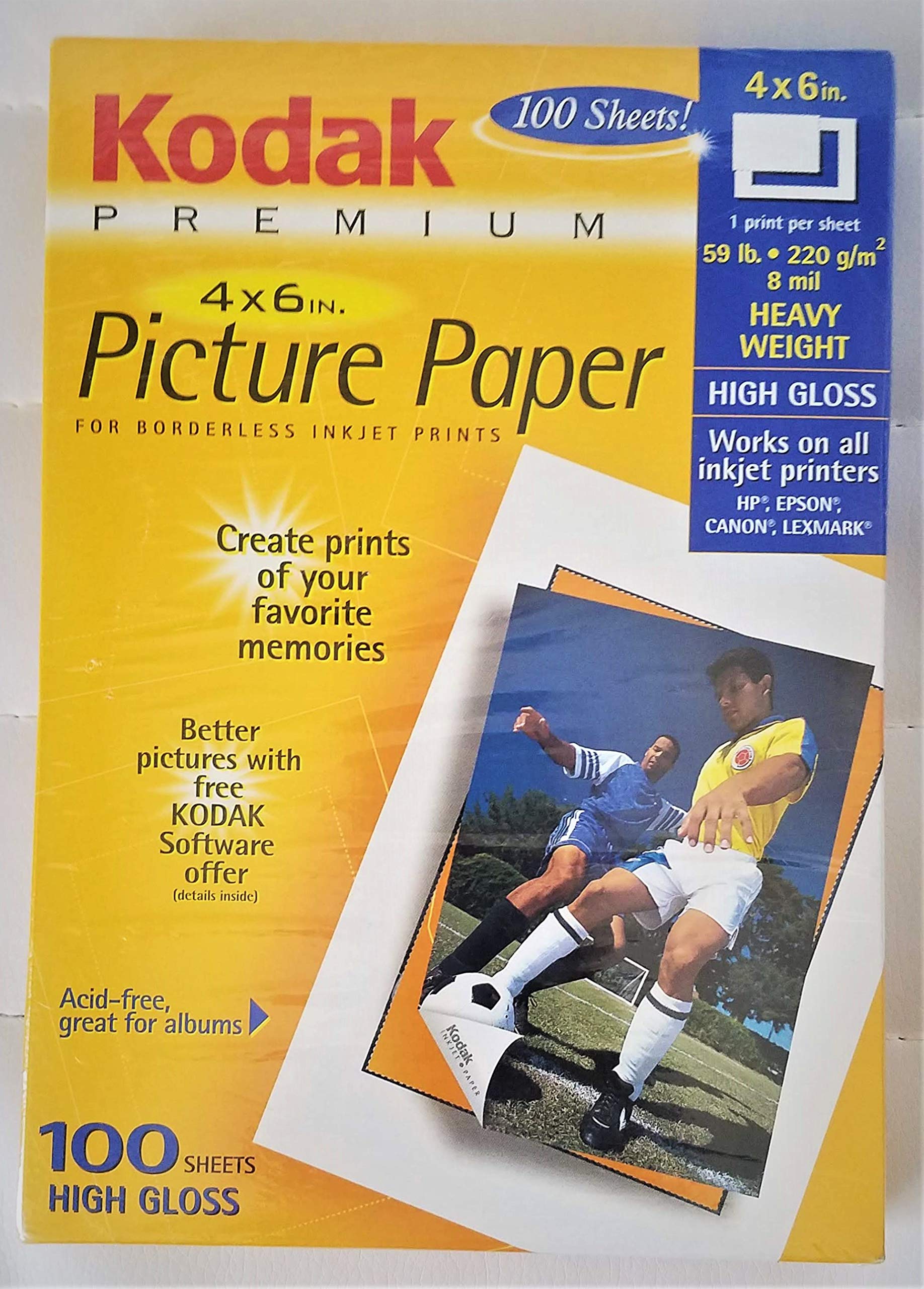
Figure 1: Kodak Ultra Premium Photo Paper Semi-Gloss packaging. This image displays the product's front and back, highlighting features, compatibility, and usage guidelines.
2. Setup
2.1 System Requirements for Optional Software
For users interested in the optional Kodak software, ensure your computer meets the following minimum system requirements:
- Operating Systems: Windows 98, Windows 98SE, Windows 2000, Windows NT 4.0, Windows Millennium Edition, or Windows XP.
For more information and to obtain Kodak software, visit the official website: www.kodak.com/go/inkjet.
2.2 Printer Compatibility and Settings
This photo paper is universally compatible with all inkjet printers. For optimal print quality, it is recommended to visit the Kodak website to check for specific printer model listings and recommended settings.
Visit www.kodak.com/go/inkjet for detailed information.
3. Operating Instructions
3.1 Loading Photo Paper
- Open your printer's paper tray.
- Ensure the paper is loaded correctly according to your printer's instructions, typically with the glossy side facing the print head.
- Do not overload the paper tray.
3.2 Printer Settings for Optimal Results
To achieve the best print quality, adjust your printer settings as follows:
- Paper Type: Select "Photo Paper," "Glossy Photo Paper," or "Semi-Gloss Photo Paper" if available.
- Print Quality: Choose "Best" or "High" quality setting.
- Paper Size: Confirm "4x6 inch" is selected.
Refer to your printer's user manual for specific instructions on adjusting these settings.
3.3 Paper Usage Guide
The following table provides a general guide for various Kodak photo papers, including the Ultra Premium Photo Paper, to help you select the appropriate paper for your printing needs. This product, Kodak Ultra Premium Photo Paper, falls under the "Premium Picture Paper" category in the guide.
| Product | Paper Finish | Paper Weight | Primary Use |
|---|---|---|---|
| KODAK Ultima Picture Paper | High Gloss and Satin | 71 lb. (270 g/m²) | Professional quality photographs |
| KODAK Premium Picture Paper | High Gloss and Satin | 59 lb. (220 g/m²) | Premium photographs |
| KODAK Picture Paper | Soft Gloss and Matte | 51 lb. (190 g/m²) | Pictures every day |
| KODAK Presentation Plus Paper | Matte | 28 lb. (105 g/m²) | Premium documents |
| KODAK Bright White Inkjet Paper | Matte | 24 lb. (90 g/m²) | Everyday printing |
This table is derived from the "Paper Usage Guide" section visible on the product packaging (refer to Figure 1).
4. Maintenance and Storage
Proper storage of your photo paper is crucial to maintain its quality and ensure optimal printing results over time.
- Storage Condition: Store the package flat in a cool, dry location. Avoid areas with high humidity or extreme temperature fluctuations.
- Handling: Handle paper by the edges to prevent fingerprints or smudges on the printable surface.
- Unused Paper: Return any unused sheets to their original packaging to protect them from dust, light, and moisture.
5. Troubleshooting
5.1 Common Printing Issues
- Poor Print Quality/Fading Colors:
- Ensure your printer settings are configured for "Photo Paper" and "Best" quality.
- Check ink levels and replace cartridges if necessary.
- Clean printer nozzles/print heads as per your printer's manual.
- Paper Jams:
- Ensure paper is loaded correctly and not overloaded in the tray.
- Check for any foreign objects in the paper path.
- Fan the paper stack before loading to prevent sheets from sticking together.
- Smearing/Smudging:
- Allow prints to dry completely before handling. Although this paper is "instant dry," environmental factors can affect drying time.
- Ensure you are printing on the correct side of the paper (the semi-glossy side).
5.2 Color Fading Over Time
Note: Inkjet prints are produced using inks that contain color dyes. Depending on storage conditions, the color dyes in inkjet prints may change slightly over time. To minimize fading, store prints away from direct sunlight, high humidity, and extreme temperatures.
6. Specifications
| Feature | Detail |
|---|---|
| Product Name | Kodak Ultra Premium Photo Paper Semi-Gloss |
| Model Number | 8912065 |
| ASIN | B000EZT62Y |
| Brand | KODAK |
| Paper Finish | Semi-Gloss |
| Sheet Size | 4" x 6" (10 x 15 cm) |
| Number of Sheets | 100 |
| Material Type | Paper |
| Item Weight (Package) | 0.01 ounces (approximate, as per product data) |
| Package Dimensions | 6.2 x 3.9 x 1.3 inches |
| Manufacturer | Eastman Kodak Company |
| Country of Origin | Canada (Made in Canada for Eastman Kodak Company) |
7. Warranty and Support
7.1 Guaranteed Compatible - Works on All Inkjet Printers
Kodak offers a "Guaranteed Compatible - Works on All Inkjet Printers" limited guarantee. For full details regarding this guarantee, please visit the official Kodak website or contact customer support.
- Website: www.kodak.com/go/inkjetguarantee
- Phone Support: 1-800-235-6325
7.2 Limitation of Liability
In no event shall Kodak be liable for any incidental, special, or consequential damages. In addition, except for the Guaranteed Compatible limited guarantee, Kodak shall have no liability even though defect, damage, or loss is caused by negligence or other fault.
7.3 Manufacturer Information
EASTMAN KODAK COMPANY
Rochester, NY 14650
www.kodak.com
TM: Kodak, Share Moments. Share Life. CANON, EPSON, HEWLETT-PACKARD, LEXMARK trademarks are the property of their respective owners.