
Introduction
This manual provides essential information for the proper use and care of your iTouchless 13 Gallon Sensor Trash Can, Model DZT13P. This automatic garbage bin features touchless operation, odor control, and a durable stainless steel design, enhancing hygiene and convenience in your home or office.
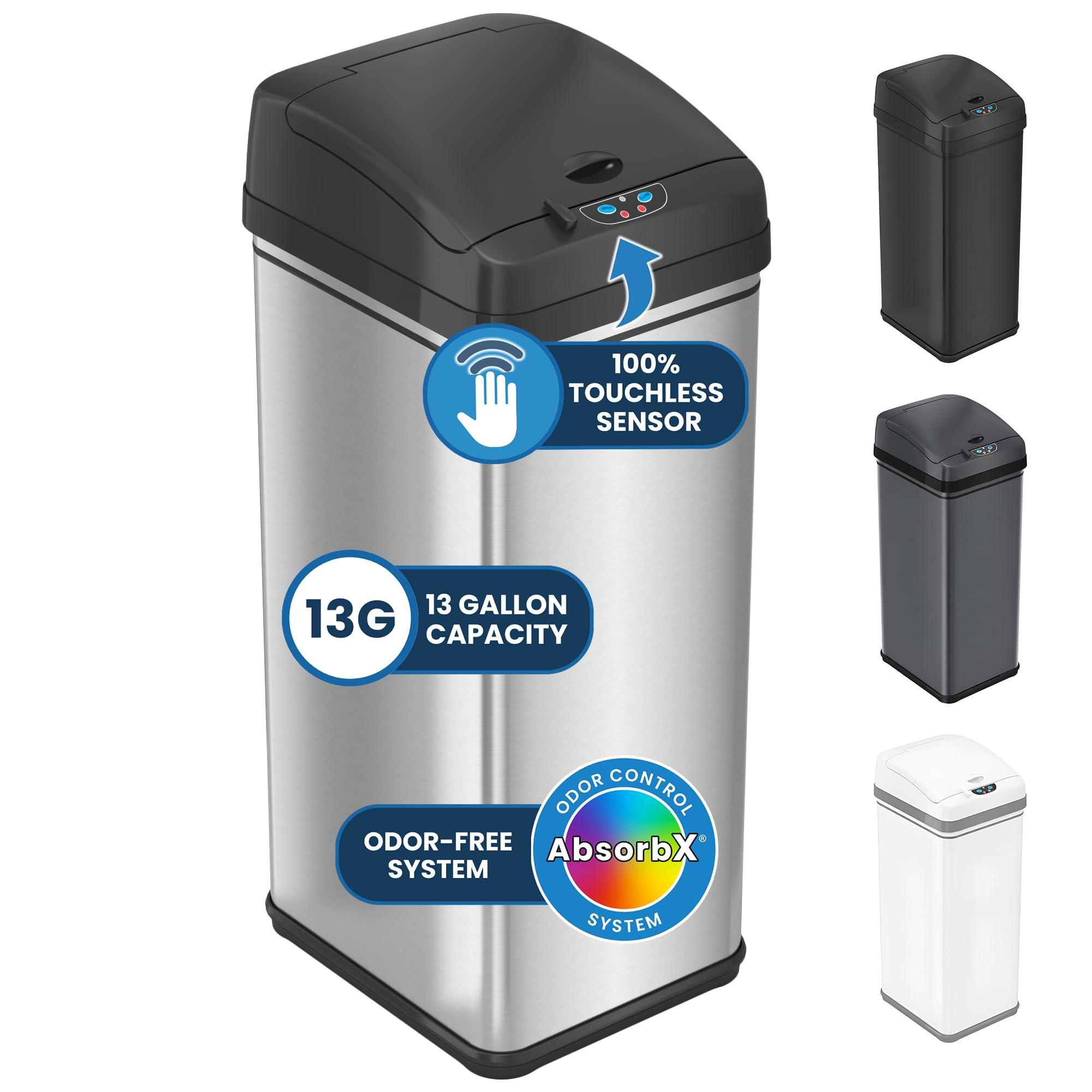
The iTouchless 13 Gallon Sensor Trash Can, designed for modern living.
Setup
- Unpacking: Carefully remove all components from the packaging. Ensure all parts are present: lid, body, and retainer ring.
- Battery Installation: Locate the battery compartment on the underside of the lid. Insert four (4) D-size batteries (not included) according to the polarity indicators. Alternatively, an optional AC adapter (sold separately) can be used for continuous power.
- Odor Filter Installation: Insert the included AbsorbX Odor Filter into the designated slot under the lid. This filter helps neutralize odors for up to 3 months.
- Trash Bag Placement: Place a standard 13-gallon trash bag into the can. Secure the bag by fitting the retainer ring over the top edge of the bag and into the can's rim. The 'no inner bucket' design maximizes capacity.
- Lid Placement: Carefully place the lid onto the body of the trash can, ensuring it is securely seated.

The trash can offers two power options: 4 D-size batteries or an optional AC adapter.

The bag retainer ring secures the trash bag in place, and the unit features a fingerprint-proof finish.
Setup Demonstration Video
This video demonstrates the setup process, including battery and filter installation, and trash bag placement.
Operating Instructions
- Motion Sensor Operation: Wave your hand or an object within 6 inches (15 cm) above the infrared sensor located on the front of the lid. The lid will open automatically and close softly after a few seconds of inactivity.
- Manual Open/Close: For extended opening, press the 'OPEN' button. The lid will remain open until you press the 'CLOSE' button.
- Pet-Proof Lock: Engage the physical lock switch (if available on your model) to prevent pets or small children from accidentally opening the lid.
- Soft-Close Lid: The lid is designed with a soft-close mechanism to ensure quiet operation.

The trash can offers both motion sensor and manual touch button operation for convenience.
Operation Demonstration Video
This video demonstrates the motion sensor functionality of the trash can.
Maintenance
- Cleaning: The fingerprint-proof stainless steel body can be cleaned with a soft, damp cloth. Avoid abrasive cleaners or harsh chemicals.
- Odor Filter Replacement: The AbsorbX Odor Filter should be replaced every 3 months for optimal odor control. A smart reminder service (optional) is available to alert you when it's time for replacement.
- Battery Replacement: When the sensor light blinks red or the lid operation becomes slow, it is time to replace the D-size batteries.

The fingerprint-resistant stainless steel body is easy to clean and maintain.

The AbsorbX Odor Filter actively neutralizes garbage odors.
Troubleshooting
- Lid Not Opening/Closing: Check if the batteries are correctly installed and have sufficient power. Ensure no objects are obstructing the sensor or the lid's path. Clean the sensor window if it appears dirty.
- Persistent Odors: Replace the AbsorbX Odor Filter. Ensure the lid closes completely to seal in odors.
- Lid Malfunction: If the lid mechanism is not functioning correctly, refer to the warranty and support section for assistance.
Troubleshooting Tips Video
This video provides a general overview of the touchless trash can, which may include common operational aspects that can help with troubleshooting.
Specifications
| Brand | iTouchless |
| Model Number | DZT13P |
| Capacity | 13 Gallons (50 Liters) |
| Material | Stainless Steel |
| Color | Brushed Silver |
| Dimensions (L x W x H) | 12.7" x 10.8" x 27.2" |
| Item Weight | 9 Pounds |
| Opening Mechanism | Motion-Sensor |
| Power Source | 4 D batteries (not included) or optional AC Adapter (sold separately) |
| Special Features | Odor Seal, Quiet Close, Removable Lid, Rustproof, Smudge Resistant, Pet-Proof Lock |

Detailed dimensions of the trash can.
Warranty
iTouchless products are backed by a dedicated U.S. Based Customer Support team for guaranteed satisfaction. While specific warranty terms may vary, customer reviews indicate a commitment to product support, including replacement parts for issues that may arise with the lid mechanism.
Support
For any questions, technical assistance, or to inquire about replacement parts, please contact the iTouchless U.S. Based Customer Support team. Contact information can typically be found on the product packaging or the official iTouchless website.


