
Introduction
This manual provides instructions for the proper installation, use, and maintenance of the Plantronics 15729-05 Ear Cushions. These replacement ear cushions are designed to restore comfort and acoustic performance to compatible Plantronics headsets. Please read these instructions carefully before proceeding.
Product Overview
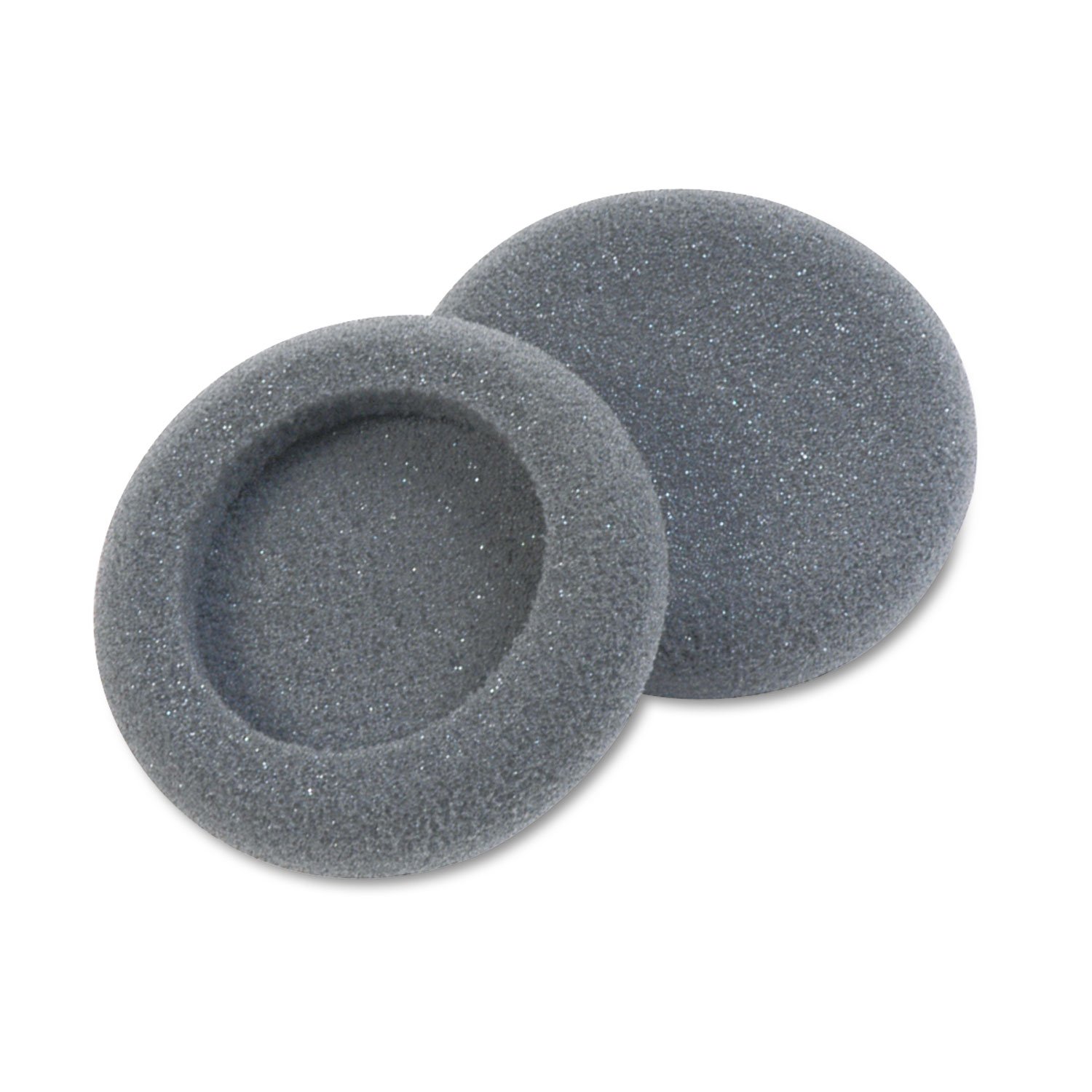
Image: Plantronics 15729-05 Ear Cushion. This image displays a single black foam ear cushion, circular in shape, designed for headset speakers.
The Plantronics 15729-05 Ear Cushions are replacement foam pads for specific Plantronics headset models. They are designed to provide a comfortable fit and help maintain sound quality by creating a seal around the ear. Each package typically contains two foam ear cushions.
Compatibility
These ear cushions are compatible with the following Plantronics headset models:
- Plantronics H51
- Plantronics H51N
- Plantronics H61
- Plantronics H61N
- Plantronics H91
- Plantronics H91N
- Plantronics H101
- Plantronics H101N
- Plantronics SP04
- Plantronics SP05
- Plantronics PLX400
- Plantronics PLX500
Ensure your headset model is listed above for proper fit and function.
Installation Instructions
Follow these steps to replace the ear cushions on your compatible Plantronics headset:
- Remove Old Ear Cushions: Gently peel off the existing ear cushion from the headset speaker. If the old cushion is deteriorated, small pieces of foam may remain. Carefully remove any residue to ensure a clean surface for the new cushion.
- Prepare New Ear Cushion: Take one new Plantronics 15729-05 ear cushion. The cushion has an opening designed to fit over the headset speaker.
- Align and Stretch: Align the opening of the new ear cushion with the edge of the headset speaker. Carefully stretch the elasticized edge of the foam cushion over the speaker, working your way around until the entire speaker is covered and the cushion is seated snugly.
- Adjust for Fit: Once installed, gently adjust the ear cushion to ensure it is evenly distributed and securely attached to the headset speaker. The cushion should not easily slip off.
- Repeat for Second Speaker (if applicable): If your headset has two speakers, repeat the process for the second ear cushion.
Note: Some headset models may require a firm but gentle stretch to fit the cushion. Avoid excessive force to prevent tearing the foam.
Maintenance and Care
To prolong the life of your Plantronics 15729-05 Ear Cushions and maintain hygiene:
- Cleaning: Gently wipe the ear cushions with a soft, damp cloth. Use mild soap if necessary, but avoid harsh chemicals or abrasive cleaners. Ensure the cushions are completely dry before use.
- Storage: When not in use, store your headset in a clean, dry environment away from direct sunlight and extreme temperatures.
- Replacement: Ear cushions are wear-and-tear items. Replace them if they become torn, flattened, or show signs of significant deterioration to maintain comfort and sound quality.
Troubleshooting
| Problem | Possible Cause | Solution |
|---|---|---|
| Ear cushion does not fit | Incorrect headset model or improper installation. | Verify your headset model against the compatibility list. Ensure the cushion is stretched evenly over the speaker. |
| Cushion slips off easily | Not securely seated or cushion is worn out. | Re-install the cushion, ensuring it is fully stretched and seated. If it continues to slip, the cushion may be damaged or stretched beyond its intended fit and should be replaced. |
| Reduced comfort or sound quality | Cushion is worn, flattened, or improperly installed. | Check for proper installation. If the cushion appears flattened or damaged, replace it with a new one. |
Specifications
- Model Number: 15729-05
- Material: Memory Foam
- Color: Black
- Dimensions: Approximately 2 inches (50mm) diameter
- Package Contents: Typically 2 x Plantronics 15729-05 Ear Cushions
Warranty and Support
For information regarding warranty coverage or technical support for your Plantronics products, please refer to the official Plantronics (now Poly) website or contact their customer service directly. Keep your purchase receipt as proof of purchase.
Note: As a consumable accessory, ear cushions typically have a limited or no direct warranty, but are covered under the general product warranty if purchased as part of a new headset.


