
Introduction
This manual provides essential information for the proper use and care of your Flightplan (Widescreen) DVD. This DVD contains the motion picture 'Flightplan' in widescreen format, starring Jodie Foster and directed by Robert Schwentke. Please read these instructions carefully to ensure optimal viewing experience and longevity of your disc.
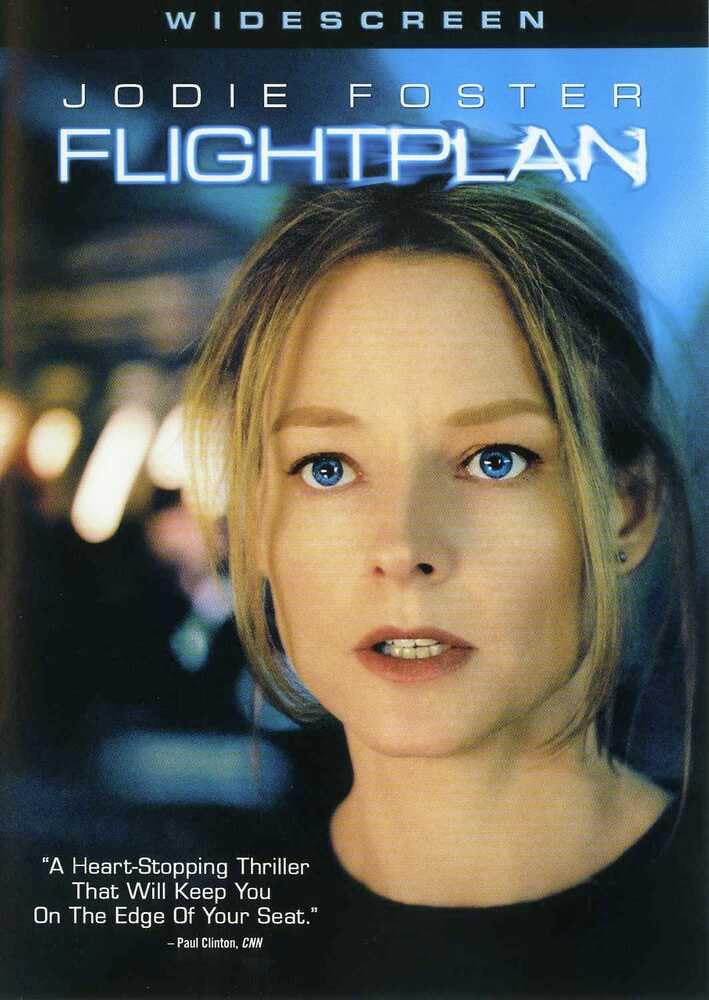
The DVD cover for Flightplan (Widescreen) shows Jodie Foster in a tense pose, with an airplane in the background, reflecting the film's thriller genre.
Setup
To begin watching your Flightplan DVD, follow these steps:
- Prepare your DVD player: Ensure your DVD player is connected to your television or display device and powered on.
- Insert the DVD: Gently place the Flightplan DVD into the disc tray of your DVD player with the label side facing up. Close the disc tray.
- Select input: On your television, select the correct input source (e.g., HDMI 1, AV, Component) that corresponds to your DVD player's connection.
- Main Menu: The DVD's main menu should appear on your screen. Use your DVD player's remote control to navigate the menu.
Operating
Once the DVD's main menu is displayed, you can control playback using your DVD player's remote:
- Play Movie: Select 'Play Movie' or a similar option to start the film.
- Scene Selection: Choose 'Scene Selection' to jump to specific chapters of the movie.
- Audio Options: The DVD supports English (DTS 5.1, Dolby Digital 5.1), French, Spanish, and Unqualified (Dolby Digital 5.1) audio tracks. Select 'Audio' or 'Language' from the menu to change the audio track.
- Subtitles: Subtitles are available in English, French, and Spanish. Select 'Subtitles' from the menu to enable or disable them, or to choose a language.
- Playback Controls: Use the standard controls on your remote: Play (►), Pause (▐▐), Stop (■), Fast Forward (►►), Rewind (◄◄), and Skip Chapter (►►| or |◄◄).
Maintenance
Proper care of your DVD will ensure its longevity and consistent performance:
- Handling: Always hold the DVD by its edges or by placing a finger through the center hole. Avoid touching the shiny playback surface.
- Cleaning: If the disc becomes dirty or smudged, gently wipe it with a soft, lint-free cloth from the center outwards. Do not use abrasive cleaners or solvents.
- Storage: Store the DVD in its original case, away from direct sunlight, extreme temperatures, and high humidity.
- Avoid Scratches: Do not bend the disc or place heavy objects on it. Scratches can lead to playback errors.
Troubleshooting
If you encounter issues while playing your DVD, consider the following:
- Disc Not Playing: Ensure the disc is inserted correctly (label side up). Check if the disc is clean and free of scratches. Try playing another DVD to confirm your player is functioning correctly.
- Skipping or Freezing: This is often caused by dirt or scratches on the disc. Clean the disc as described in the Maintenance section.
- No Audio/Video: Verify that your DVD player is properly connected to your TV and that the correct input source is selected. Check your TV's volume and mute settings.
- Incorrect Aspect Ratio: The film is in Widescreen (2.35:1 aspect ratio). If it appears stretched or distorted, check your TV or DVD player's display settings.
- Language Issues: Ensure you have selected the desired audio track and subtitle option from the DVD menu.
Specifications
| Title | Flightplan (Widescreen) |
| Format | DVD |
| Model Number | THV03896000DVD |
| Aspect Ratio | 2.35:1 |
| Run Time | 1 hour and 38 minutes |
| MPAA Rating | PG-13 (Parents Strongly Cautioned) |
| Languages | English (DTS 5.1, Dolby Digital 5.1), French, Spanish, Unqualified (Dolby Digital 5.1) |
| Subtitles | English, French, Spanish |
| Number of Discs | 1 |
| Product Dimensions | 0.7 x 7.5 x 5.4 inches; 2.72 ounces |
| Director | Robert Schwentke |
| Actors | Erika Christensen, Jodie Foster, Kate Beahan, Peter Sarsgaard, Sean Bean |
Warranty and Support
Specific warranty information for this DVD is typically provided on the product packaging or through the retailer at the time of purchase. For any issues not covered in this manual, please refer to the contact information provided on the DVD case or the official Disney customer support channels.