
Introduction
This guide provides essential information for enjoying your Tamara DVD. It covers how to play the disc, navigate its features, and maintain its quality. The film "Tamara" is a horror title from Lionsgate, directed by Jeremy Haft, featuring Jenna Dewan.
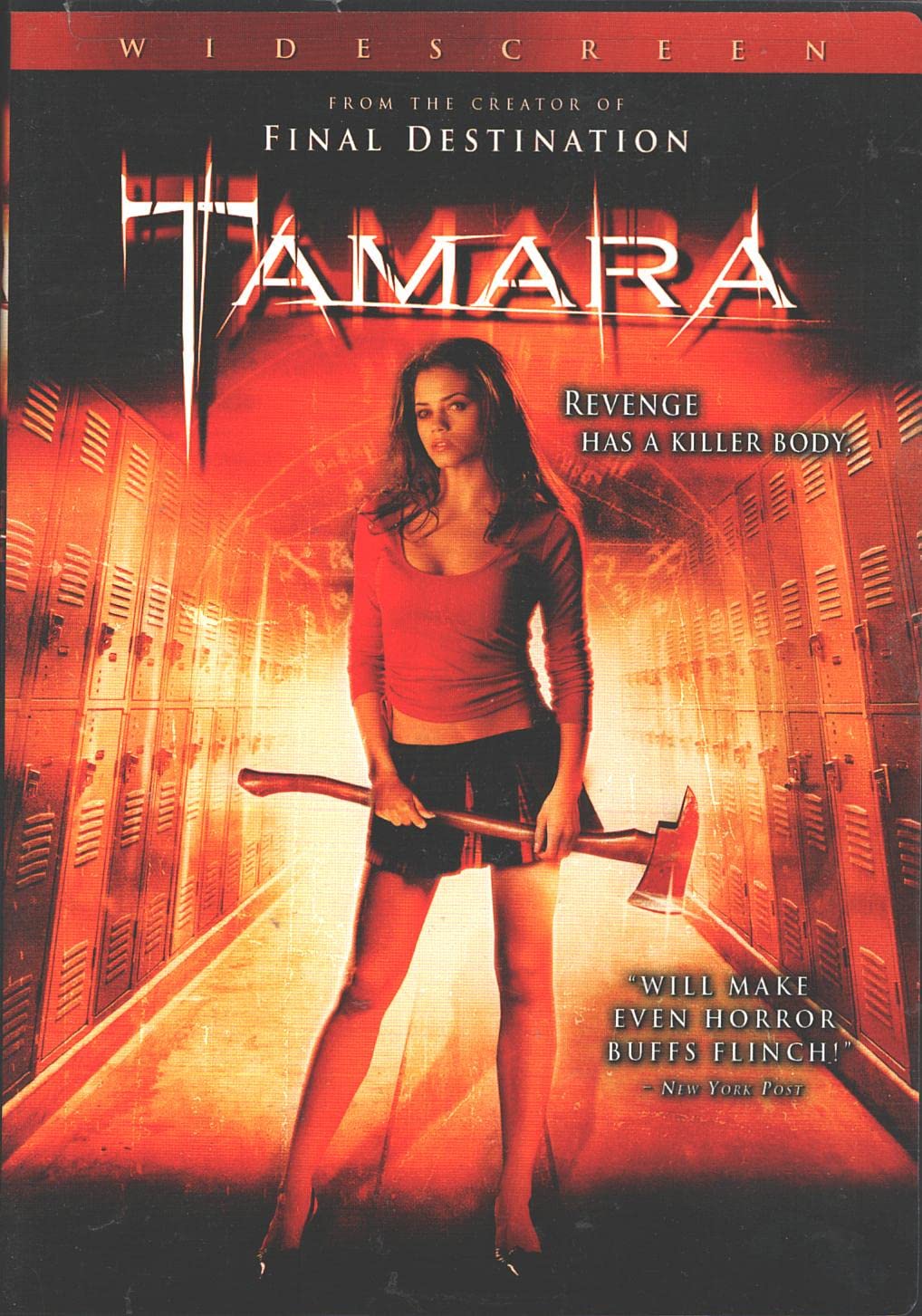
Image: Front cover of the Tamara DVD, displaying the movie title and key artwork.
Setup
To begin watching the Tamara DVD, follow these simple steps:
- Insert the DVD: Gently place the Tamara DVD into the disc tray of your DVD player or computer's optical drive with the label side facing up.
- Power On: Ensure your DVD player and television or monitor are powered on.
- Select Input: Use your TV remote to select the correct input source (e.g., HDMI 1, AV) that corresponds to your DVD player.
- Automatic Playback: The DVD should typically start playing automatically or display the main menu.
Operating the DVD
Navigate the DVD menus and features using your DVD player's remote control.
- Main Menu: From the main menu, you can usually select "Play Movie," "Scene Selection," or "Special Features."
- Scene Selection: Choose specific chapters or scenes to start playback from.
- Audio Options: Access audio settings to select between available audio tracks, such as 2.0 Dolby Surround Audio.
- Subtitles: Enable or disable subtitles. Spanish subtitles are available on this DVD.
- Closed Captioning: English Closed Captioning is available for hearing-impaired viewers.
Special Features
The Tamara DVD includes the following special features to enhance your viewing experience:
- 16x9 Widescreen Version: The film is presented in its original widescreen aspect ratio.
- 2.0 Dolby Surround Audio: Enjoy the movie with immersive surround sound.
- Director and Writer Commentary: Gain insights into the film's production from Jeremy Haft.
- Trailers: View promotional trailers for the film.
- Scene Index: Quickly jump to specific scenes within the movie.
- Spanish Subtitles: Subtitles are available in Spanish.
- English Closed Captioning: Closed captions are provided for the English audio track.
- Digitally Mastered: The film has been digitally mastered for optimal picture and sound quality.
Specifications
| Title | Tamara |
| Model Number | LGT18883DVD |
| Brand | Lionsgate |
| ASIN | B000BYA5HS |
| UPC | 031398186007 |
| Media Format | DVD, Closed-captioned, Color, Dolby, Multiple Formats, NTSC, Subtitled, Widescreen |
| Aspect Ratio | 1.78:1 |
| MPAA Rating | R (Restricted) |
| Run Time | 1 hour and 24 minutes (Amazon) / Approximately 98 minutes (Packaging) |
| Release Date | May 9, 2006 |
| Number of Discs | 1 |
| Language | English |
| Subtitles | Spanish |
| Studio | Lionsgate |
Note: The run time listed on the Amazon product page is 1 hour and 24 minutes, while the DVD packaging indicates approximately 98 minutes.
Troubleshooting
If you encounter issues while playing your Tamara DVD, consider the following:
- Disc Not Playing:
- Ensure the disc is clean and free of scratches or smudges.
- Verify the disc is inserted correctly into the player.
- Check if your DVD player is compatible with NTSC format DVDs.
- Try playing the disc in another DVD player or computer.
- No Audio:
- Check your TV and DVD player's volume settings.
- Ensure audio cables are securely connected.
- Select the correct audio track from the DVD menu.
- No Subtitles/Closed Captions:
- Activate subtitles or closed captions from the DVD's main menu or your player's remote control.
Maintenance
Proper care will extend the life of your DVD:
- Cleaning: Use a soft, lint-free cloth to wipe the disc from the center outwards. Avoid circular motions. Do not use abrasive cleaners.
- Storage: Store the DVD in its original case, away from direct sunlight, extreme temperatures, and high humidity.
- Handling: Hold the DVD by its edges to prevent fingerprints on the playing surface.
Warranty and Support
For any manufacturing defects or issues not covered by this guide, please refer to the contact information provided on the DVD packaging or contact Lionsgate customer support. Specific warranty details are typically included with the product at the time of purchase.
Lionsgate Entertainment
2700 Colorado Avenue
Santa Monica, California 90404
Website: www.lionsgate.com