
1. Introduction
This manual provides essential information for the installation, operation, and maintenance of your Culligan P5A Whole House Water Filter Replacement Cartridge. The P5A filter is designed to reduce sediment, rust, scale, dirt, and silt from your water supply, providing visibly clearer water. It is suitable for both city and well water applications.
The Culligan P5A filter is compatible with Culligan whole house filtration systems including models HF-150A, HF-160, HF-360A, and HF-365.

Image: Assortment of Culligan water filters, illustrating the range of products.
2. Installation Instructions
2.1 Safety Precautions
- Always turn off the main water supply before attempting any installation or maintenance.
- Depress the pressure relief button on the filter housing (if present) to release pressure before opening.
- Use appropriate tools and wear safety glasses during installation.
- Ensure the filter housing is clean and free of debris before inserting a new cartridge.
2.2 Filter Replacement Steps
- Turn off the main water supply to the filter system.
- If your filter housing has a pressure relief button, press and hold it until the water flow stops.
- Unscrew the filter housing sump using the provided wrench.
- Remove the old filter cartridge and discard it properly.
- Clean the inside of the filter housing sump with warm, soapy water and rinse thoroughly. Inspect the O-ring for any damage or wear; replace if necessary.
- Lubricate the O-ring with a small amount of silicone grease to ensure a proper seal. Place the O-ring back into its groove.
- Insert the new Culligan P5A filter cartridge into the housing, ensuring it seats correctly on the center standpipe.
- Screw the filter housing sump back onto the cap, hand-tightening it until snug. Do not overtighten.
- Slowly turn on the main water supply, allowing the filter housing to fill with water. Check for any leaks.
- Open a nearby cold water faucet to purge air from the system until water flows steadily.

Image: The Culligan P5A Whole House Water Filter Cartridge, ready for installation.

Image: A Culligan P5A filter shown with a 10-inch length measurement for size reference.
3. Operation
3.1 Initial Flush
After installing a new filter cartridge, it is recommended to flush the system by running cold water through a nearby faucet for approximately 5 minutes. This helps to remove any trapped air and ensures the filter is fully saturated and ready for use.
3.2 Monitoring Water Flow
The P5A filter will gradually collect sediment over time, which may lead to a noticeable reduction in water flow. A significant decrease in water pressure or flow rate is an indicator that the filter cartridge is nearing the end of its service life and requires replacement.
4. Maintenance
4.1 Filter Replacement Schedule
For optimal performance and water quality, the Culligan P5A filter cartridge should be replaced every 2 months or after filtering approximately 8,000 gallons of water, whichever comes first. In areas with high sediment levels, more frequent replacement may be necessary.
4.2 Cleaning Filter Housing
During each filter replacement, thoroughly clean the inside of the filter housing sump to prevent the buildup of sediment and ensure proper sealing of the new cartridge. Inspect and lubricate the O-ring as described in the installation steps.
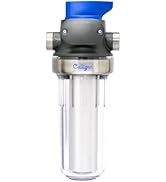
Image: A Culligan whole-house sediment water filtration system, illustrating where the P5A filter would be installed.
5. Troubleshooting
5.1 Reduced Water Flow
- Cause: Filter cartridge is clogged with sediment.
- Solution: Replace the filter cartridge as per the recommended maintenance schedule or sooner if flow is significantly reduced.
- Cause: Improper filter installation.
- Solution: Review the installation steps to ensure the filter is correctly seated and the housing is properly assembled.
5.2 Leaks
- Cause: O-ring is improperly seated, damaged, or dry.
- Solution: Turn off water, depressurize, remove housing, inspect O-ring. Clean, lubricate with silicone grease, and reseat it. Replace O-ring if damaged.
- Cause: Filter housing not tightened sufficiently.
- Solution: Ensure the housing sump is hand-tightened securely. Do not overtighten, as this can damage the housing or O-ring.
6. Specifications
| Feature | Specification |
|---|---|
| Model Number | P5A |
| Material | Plastic (Spun Bonded Polypropylene) |
| Product Dimensions (D x W x H) | 5.25" x 9.75" x 2.88" |
| Product Benefits | Reduces Sediment, Rust, Scale, Dirt, Silt |
| Filtration Level | 5 Micron |
| Filter Life | Up to 2 months or 8,000 gallons |
| External Testing Certification | IAPMO, ANSI (NSF/ANSI Standard 42 for Material Requirements only) |
| Compatible Water Purifier Models | Culligan HF-150A, HF-160, HF-360A, HF-365 |
| Unit Count | 2.0 Count (typically sold in packs) |

Image: A close-up view of a Culligan P5 filter cartridge, highlighting its construction.
7. Warranty Information
The Culligan P5A filter cartridge comes with a 2-year warranty. Please retain your proof of purchase for warranty claims. For specific terms and conditions, refer to the warranty documentation included with your product or contact Culligan customer support.
8. Customer Support
For any questions regarding the installation, operation, maintenance, or troubleshooting of your Culligan P5A Whole House Water Filter Replacement Cartridge, please contact Culligan customer support. Knowledgeable and responsive assistance is available to help you.
You can visit the official Culligan Store for more information and resources: Culligan Store


