Introduction
This manual provides instructions for the proper setup, operation, and maintenance of your Blackburn Quadrant front light and Mars 3.0 rear light combo. This light set is designed to enhance visibility for cyclists, providing illumination for the rider and making the rider visible to others.
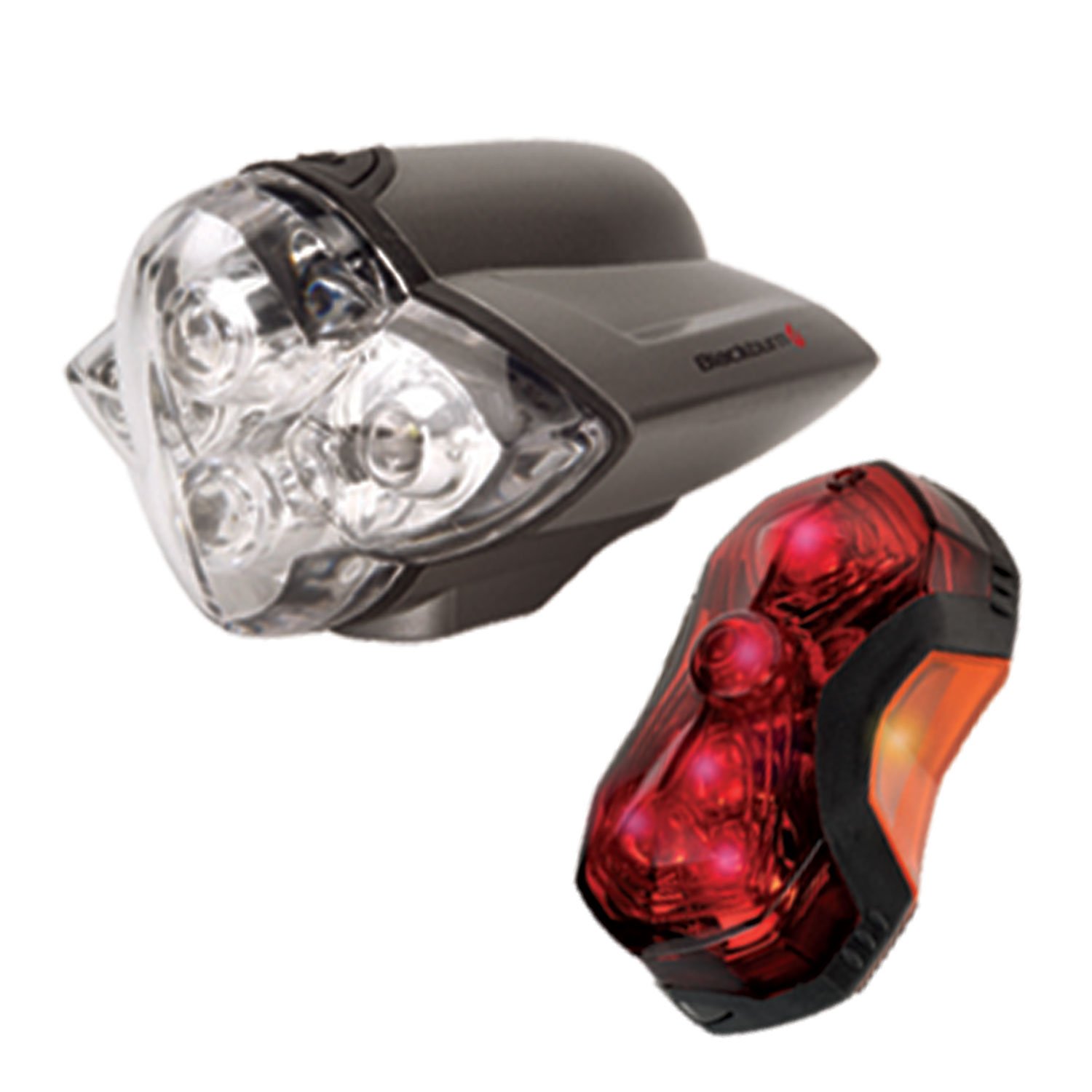
Image: The Blackburn Quadrant front light and Mars 3.0 rear light combo. The front light is larger, typically mounted on handlebars, while the smaller rear light is designed for seat post mounting.
Safety Information
- Always ensure lights are securely mounted before riding.
- Check battery levels regularly and replace them as needed to ensure consistent light output.
- While these lights enhance visibility, they do not replace the need for cautious riding, especially in low-light conditions.
- Do not look directly into the light beam to avoid temporary vision impairment.
- Ensure the front light beam is directed downwards to avoid dazzling oncoming traffic.
Package Contents
Verify that your package contains the following items:
- Blackburn Quadrant Front Light (1 unit)
- Blackburn Mars 3.0 Rear Light (1 unit)
- AA Batteries (4 units for front light)
- AAA Batteries (2 units for rear light)
Setup
1. Battery Installation
Quadrant Front Light:
- Locate the battery compartment cover on the front light.
- Open the cover and insert four (4) AA batteries, ensuring correct polarity (+/-).
- Close the battery compartment cover securely.
Mars 3.0 Rear Light:
- Locate the battery compartment on the rear light. This typically requires a small Phillips or flat-blade screwdriver (jeweler's size) to open.
- Carefully remove the screws and open the compartment.
- Insert two (2) AAA batteries, observing correct polarity (+/-).
- Securely close the compartment and re-insert the screws.
2. Mounting
Quadrant Front Light:
- Attach the mounting strap to your bicycle handlebar. The strap is designed for tool-free installation.
- Tighten the knob to secure the strap around the handlebar. The soft ridges inside the strap help maintain position.
- Slide the Quadrant front light into the clip or rail on the mounted strap until it clicks securely into place.
- Adjust the light angle to illuminate the path ahead without blinding others.
Mars 3.0 Rear Light:
- Attach the rubber mount to your bicycle seat post. The mount can be adjusted using a wide-blade screwdriver or a coin.
- Clip the Mars 3.0 rear light into the slot on the mounted strap securely.
- Ensure the light is facing directly backward and is visible from the rear.
- Note: If mounting to a bag or clothing loop, ensure the clip is firm to prevent accidental loss.
Operating Instructions
Quadrant Front Light
- Power On/Off: Press the rubber push button on the top of the light to turn it on or off.
- Mode Selection: Repeatedly press the button to cycle through the available light modes:
- Steady Light (all bulbs lit)
- Two Bulbs Flashing (others steady)
- All Bulbs Flashing (strobe mode)
- Note: The strobe mode can sometimes direct light upwards towards the rider. Consider a small cover if this is distracting.
Mars 3.0 Rear Light
- Power On/Off: Press the small rubber button on the light to turn it on or off.
- Mode Selection: Repeatedly press the button to cycle through the available light modes, which typically include steady, flash, and chase LED sequences.
- The Mars 3.0 features bright red LEDs with yellow side panels for enhanced side visibility.
Maintenance
- Battery Replacement: Replace batteries when light output diminishes. Refer to the 'Battery Installation' section for instructions. Always use fresh batteries of the specified type (AA for Quadrant, AAA for Mars 3.0).
- Cleaning: Wipe the lights with a damp cloth to remove dirt and grime. Do not use abrasive cleaners or solvents. Ensure battery compartments are dry before closing.
- Storage: If storing the lights for an extended period, remove the batteries to prevent leakage and corrosion. Store in a cool, dry place.
- Water Resistance: The lights are water-resistant, but not submersible. Avoid prolonged exposure to heavy rain or submersion in water.
Troubleshooting
- Light not turning on:
- Check if batteries are inserted correctly with proper polarity.
- Replace with fresh batteries.
- Ensure battery compartment covers are fully closed.
- Front light beam redirects easily:
- Tighten the mounting knob on the handlebar strap more firmly.
- Ensure the light is fully seated in its clip.
- Rear light feels loose on bag/clothing:
- The hard plastic clip is primarily designed for the seat post mount. If using on a bag, ensure the loop is snug and the light is securely clipped to minimize movement and risk of loss.
- Front light strobe mode is distracting:
- Consider covering the top edge of the light with a small piece of electrical tape or a custom-cut rubber tube to block upward light spill.
Specifications
| Model Number | 112286 |
| Front Light LEDs | 4 White LEDs |
| Rear Light LEDs | 7 Red LEDs |
| Front Light Batteries | 4 x AA (included) |
| Rear Light Batteries | 2 x AAA (included) |
| Front Light Run Time (Steady Flash) | 110-300 hours |
| Rear Light Run Time (Steady Flash) | 50-150 hours |
| Power Source | Battery Powered |
| Water Resistance Level | Water Resistant |
| Mounting Type | Handlebar Mount (Front), Seat Post Mount (Rear) |
| UPC | 768686760686 |
Warranty and Support
For warranty information or technical support, please refer to the official Blackburn website or contact their customer service department. Specific warranty terms may vary by region and purchase date.
Manufacturer: Blackburn


