
1. Introduction
Thank you for choosing the BLACK+DECKER Professional Iron PI1000. This manual provides essential information for the safe and efficient operation, maintenance, and troubleshooting of your new iron. Please read these instructions thoroughly before first use and retain them for future reference.
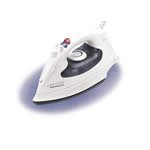
Image 1.1: The BLACK+DECKER Professional Iron PI1000. This image displays the iron's design, featuring a comfortable black handle and a sleek silver non-stick soleplate, ready for use.
2. Important Safety Instructions
When using your iron, basic safety precautions should always be followed to reduce the risk of fire, electric shock, and personal injury.
- Read all instructions before using the iron.
- Use the iron only for its intended purpose.
- To avoid the risk of electric shock, do not immerse the iron in water or other liquids.
- Always turn the iron OFF before plugging or unplugging from the electrical outlet. Never yank cord to disconnect from outlet; instead, grasp plug and pull to disconnect.
- Do not allow cord to touch hot surfaces. Let iron cool completely before putting away. Loop cord loosely around iron when storing.
- Always disconnect iron from electrical outlet when filling with water or emptying, and when not in use.
- Do not operate iron with a damaged cord or if the iron has been dropped or damaged. To avoid the risk of electric shock, do not disassemble the iron; take it to a qualified service person for examination and repair. Incorrect reassembly can cause a risk of electric shock when the iron is used.
- Close supervision is necessary for any appliance being used by or near children. Do not leave iron unattended while connected or on an ironing board.
- Burns can occur from touching hot metal parts, hot water, or steam. Use caution when you turn a steam iron upside down – there may be hot water in the reservoir.
3. Setup and First Use
3.1 Unpacking
Carefully remove the iron from its packaging. Remove any labels or protective covers from the soleplate. Retain packaging for storage or future transport.
3.2 Filling the Water Tank
- Ensure the iron is unplugged from the electrical outlet.
- Open the water fill cover, typically located on the top of the iron.
- Using a measuring cup, carefully pour distilled or demineralized water into the water tank up to the 'MAX' fill line. Do not overfill.
- Close the water fill cover securely.
3.3 Initial Heating
For the first use, it is recommended to iron an old cloth for a few minutes to remove any manufacturing residues from the soleplate. Some steam or odor may be noticed during initial heating; this is normal and will dissipate quickly.
4. Operating Instructions
4.1 Temperature Control
Plug the iron into a 110 Volt, 60 Hz electrical outlet. Turn the temperature dial to the desired fabric setting. The indicator light will illuminate, indicating the iron is heating. It will turn off when the selected temperature is reached.
- Low Temperature: Synthetics, Silk
- Medium Temperature: Wool
- High Temperature: Cotton, Linen
Always check the garment's care label for recommended ironing temperatures.
4.2 Variable Steam Function
Once the iron reaches the appropriate temperature for steam (usually medium to high settings), adjust the steam selector to the desired steam level. For best results, use distilled water.
4.3 Surge of Steam
Press the 'Surge of Steam' button to release a powerful burst of steam. This is useful for removing stubborn wrinkles or for vertical steaming. Allow a few seconds between bursts for optimal steam generation.
4.4 Vertical Steam
The iron can be used to steam hanging garments, drapes, or upholstery. Hold the iron in a vertical position, about 1 to 2 inches away from the fabric, and press the 'Surge of Steam' button. Ensure the water tank is adequately filled.
4.5 Spray Function
Press the 'Spray' button to emit a fine mist of water. This helps to dampen fabrics and smooth out wrinkles, especially on dry garments or stubborn creases.
4.6 Auto-Off Feature
For safety and energy conservation, your iron is equipped with an auto-off feature. If left unattended in a horizontal position, it will turn off after a short period. If left vertically, it will turn off after a longer period. Move the iron to reset the heating element.
5. Maintenance
5.1 Cleaning the Soleplate
To clean the non-stick soleplate, ensure the iron is unplugged and completely cool. Wipe the soleplate with a damp cloth and a mild, non-abrasive cleaner if necessary. Do not use abrasive scouring pads or metal cleaners, as these can damage the non-stick coating.
5.2 Draining the Water Tank
After each use, or before storing for an extended period, ensure the iron is unplugged and cool. Empty any remaining water from the tank to prevent mineral buildup and leakage.
5.3 Storage
Store the iron upright on its heel rest, with the cord loosely wrapped around the cord wrap area (if available), in a cool, dry place. Do not store with water in the tank.
6. Troubleshooting
If you encounter issues with your iron, refer to the following common problems and solutions:
- Iron not heating: Ensure the iron is properly plugged into a functional electrical outlet. Check the temperature dial setting. If the auto-off feature has activated, move the iron to reset it.
- No steam: Check if the water tank is filled. Ensure the temperature setting is high enough for steam generation. The steam selector should be set to a steam position.
- Water leaking from soleplate: The temperature may be too low for steam, causing water to drip. Increase the temperature setting. Do not overfill the water tank. Ensure the water fill cover is closed securely.
- Soleplate sticking to fabric: The temperature setting may be too high for the fabric type. Reduce the temperature. Clean the soleplate if there is residue buildup.
If the problem persists after attempting these solutions, contact customer support.
7. Specifications
- Brand: BLACK+DECKER
- Model Number: PI1000
- Wattage: 1350 watts
- Voltage: 110 Volts
- Frequency: 60 Hz
- Base Material: Non Stick
- Special Features: Auto off, Variable steam, Spray, Surge of steam, Vertical steam, non-stick soleplate
- UPC: 050875519350
8. Warranty and Support
This product is covered by a limited warranty. For detailed warranty information, product registration, or customer support, please visit the official BLACK+DECKER website or contact their customer service department. Please have your model number (PI1000) and proof of purchase available when contacting support.