1. Introduction and Overview
This manual provides essential information for playing Stuart Little 3: Big Photo Adventure on the PlayStation 2 console. The game is an action-adventure title where players guide Stuart Little through various challenges to complete a photography assignment.
Stuart, a small mouse adopted by the Little family, embarks on a mission with the assistance of his friends, Snowbell and Margalo, to overcome obstacles and fulfill his task.
Platform: PlayStation 2
Rating: Everyone
2. Setup
- Connect Your PlayStation 2 Console: Ensure your PlayStation 2 console is properly connected to your television and power source according to its own instruction manual.
- Insert the Game Disc: Open the disc tray of your PlayStation 2 console. Carefully place the Stuart Little 3: Big Photo Adventure game disc into the tray with the label side facing up. Close the disc tray.
- Connect Controller: Plug your PlayStation 2 controller into one of the controller ports on the front of the console.
- Power On: Turn on your television and then your PlayStation 2 console. The game should load automatically. If not, navigate to the disc icon on the PlayStation 2 menu and select it.

Image 2.1: Front cover of the Stuart Little 3 Big Photo Adventure game for PlayStation 2. The cover shows Stuart Little, a white mouse, holding a large camera. Inside the camera's developed photo, his friends Snowbell the cat and Margalo the bird are visible. The PlayStation 2 logo is at the top left, and the SEGA logo is at the bottom right.
3. Operating Instructions (Gameplay)
In Stuart Little 3: Big Photo Adventure, your primary goal is to help Stuart complete a crucial photography assignment. This involves exploring various environments, interacting with characters, and collecting items.
Basic Controls:
- Analog Stick (Left): Move Stuart.
- X Button: Jump.
- Square/Circle/Triangle Buttons: Context-sensitive actions (e.g., interact, use item, special ability). On-screen prompts will indicate when to press these buttons.
- Directional Pad: Menu navigation or specific actions.
- Start Button: Pause menu, access options.
- Select Button: Access map or inventory.
Gameplay Mechanics:
- Exploration: Maneuver Stuart through detailed environments, including New York City, from a mouse's perspective.
- Photography: Collect "flash orbs" scattered throughout levels to fill Stuart's flash meter, enabling him to take pictures required for his assignment.
- Vehicles: Pilot various vehicles such as a red roadster, a tank, a helicopter, a quad bike, and a speedboat to navigate the oversized world and reach new areas.
- Costumes and Abilities: Unlock and utilize different costumes, each granting Stuart unique skills and access to specific areas or mini-games. For example, a skateboarder outfit allows for skateboarding and rail grinding, while a Native American costume enables arrow shooting.
- Mini-Games: Engage in challenging mini-games, including mini-golf and various races, which are unlocked during your adventures.
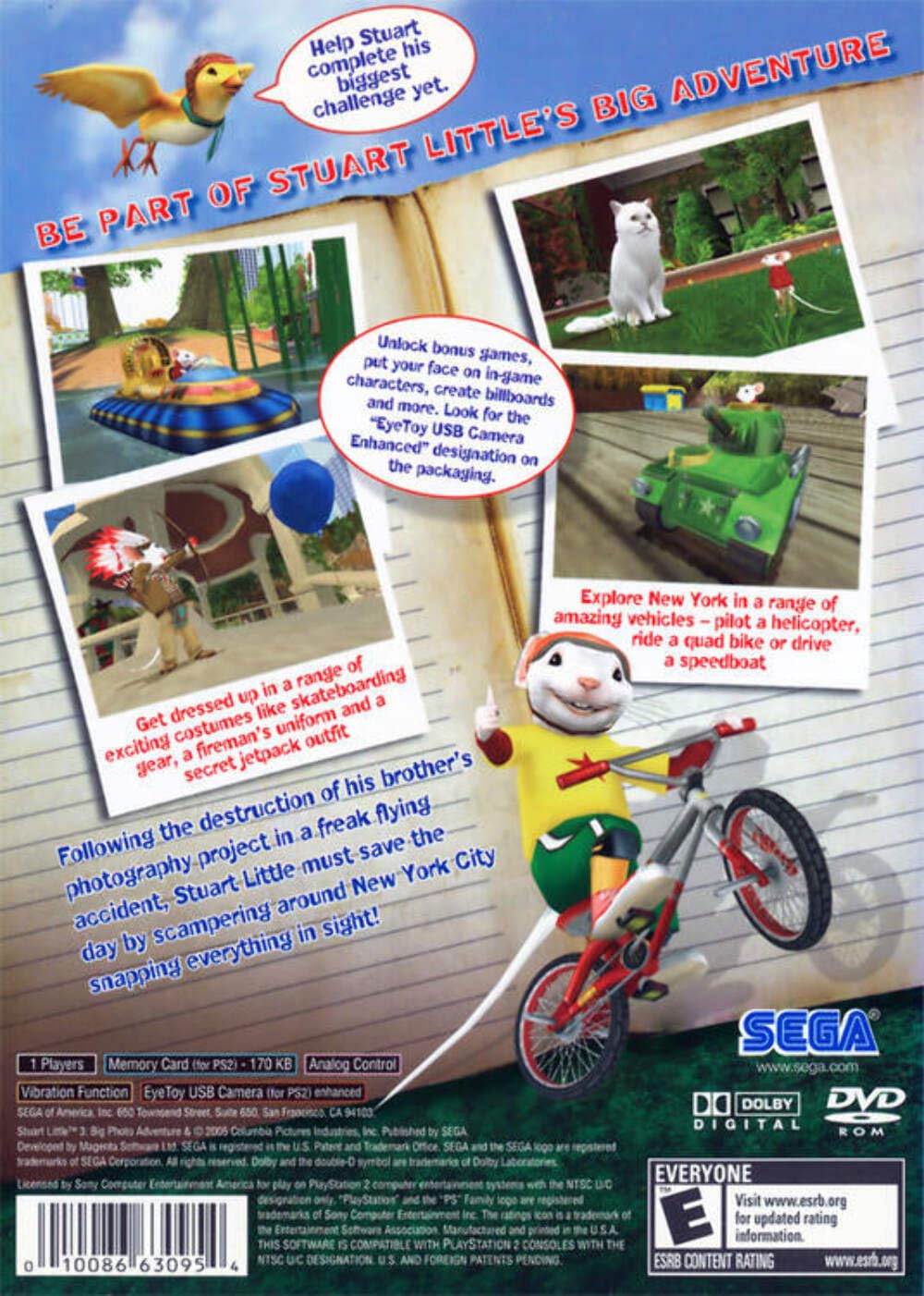
Image 3.1: Back cover of the Stuart Little 3 Big Photo Adventure game. The image displays several small screenshots from the game, illustrating Stuart Little in different scenarios: riding a bicycle, piloting a tank, and interacting with Snowbell the cat and Margalo the bird in various environments. Text highlights features like exploring New York, using vehicles, and changing costumes.
4. Game Features
- Expansive Environments: Explore detailed renditions of New York City, designed to reflect a mouse's perspective, offering unique challenges and hidden areas.
- Diverse Vehicle Control: Take control of a variety of vehicles, including a red roadster, a tank, a helicopter, a quad bike, and a speedboat, each offering different traversal and interaction methods.
- Costume-Based Abilities: Unlock and switch between various costumes, each providing Stuart with distinct abilities necessary to progress through the game and access new content.
- Engaging Mini-Games: Participate in a selection of mini-games, such as mini-golf and racing challenges, which add variety to the main adventure and can be unlocked as you play.
- Character Interaction: Interact with familiar characters like Snowbell and Margalo, who assist Stuart in his quest.
5. Maintenance
Game Disc Care:
- Handling: Always hold the disc by its edges to avoid fingerprints and scratches on the playing surface.
- Cleaning: If the disc becomes dirty, gently wipe it with a soft, lint-free cloth from the center outwards. Do not use abrasive cleaners or solvents.
- Storage: Store the disc in its original case when not in use to protect it from dust, scratches, and direct sunlight.
Console Care:
- Refer to your PlayStation 2 console's instruction manual for proper cleaning and maintenance procedures.
- Ensure the console is placed in a well-ventilated area to prevent overheating.
6. Troubleshooting
- Game Not Loading:
- Ensure the disc is clean and free of scratches.
- Verify the disc is inserted correctly into the console's disc tray.
- Check if your PlayStation 2 console is functioning correctly with other games.
- Controller Not Responding:
- Ensure the controller is securely plugged into the console.
- Test with another controller if available.
- Graphical or Audio Glitches:
- Clean the game disc.
- Restart the console.
- Ensure all video and audio cables are securely connected to your television and console.
For further technical assistance, consult your PlayStation 2 console's official documentation or the manufacturer's support resources.
7. Specifications
| Feature | Detail |
|---|---|
| Product Title | Stuart Little 3 Big Photo Adventure |
| Brand | SEGA |
| Model Number | 10086630954 |
| Platform | PlayStation 2 |
| UPC | 010086630954 |
| Release Date | September 8, 2006 |
| Manufacturer | Sega of America, Inc. |
| ESRB Rating | Everyone |
| Product Dimensions | 7.5 x 5.3 x 0.5 inches |
| Item Weight | 4 ounces |
8. Warranty and Support
This product is a video game for the PlayStation 2 console. For information regarding any implied warranties or support, please refer to the original packaging or contact the manufacturer, Sega of America, Inc., directly. Specific warranty details for software products may vary.
For technical support related to your PlayStation 2 console, please consult the console's manufacturer documentation or support channels.


